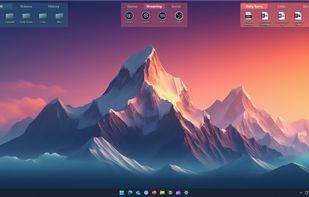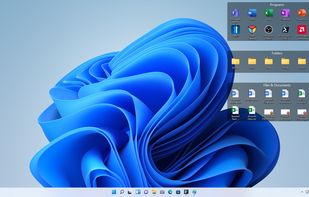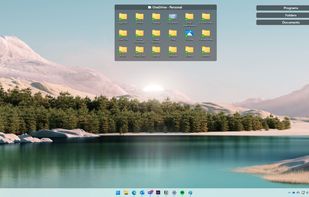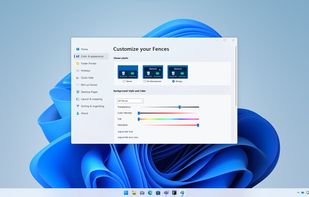
Desktop organization tool for Windows 10/11, automating file and app categorization in customizable areas. Includes snapshot saving, quick-access keys, Chameleon feature, and enterprise deployment tools.


DeskRipple is described as 'Puts expandable folder icons directly on the Windows desktop. They sit alongside your regular desktop icons, open into shortcut panels on hover or click, and collapse to a single icon when the pointer moves away' and is a desktop customization tool in the os & utilities category. There are more than 10 alternatives to DeskRipple for Windows and Steam. The best DeskRipple alternative is Fences. It's not free, so if you're looking for a free alternative, you could try Portals: Desktop Organization or RocketDock. Other great apps like DeskRipple are Desktop Fences+, ObjectDock, Winstep Nexus and iTop Easy Desktop.
Desktop organization tool for Windows 10/11, automating file and app categorization in customizable areas. Includes snapshot saving, quick-access keys, Chameleon feature, and enterprise deployment tools.


Create containers (aka Portals) on your desktop which show the contents of a specified folder. Divide your desktop into folders then use Portals to display the contents of the folders in an organized fashion - you can even hide the folders away somewhere else.


RocketDock is a Mac OS X dock clone. It provides a nice clean interface to drop shortcuts on for easy access and organization. With each item completely customizable there is no end to what you can add and launch from the dock.


Organizes desktop icons into virtual fences with customizable design options, enhanced visual effects, and right-click interactions. Works on Windows, portable via USB, lightweight, supports multiple monitors, runs offline, and requires no registration for core features.

Animated Windows dock for fast access to apps, shortcuts and files, featuring auto-hide, drag and drop launching, fully customizable color, size and position, support for multiple docks, shortcut management, enhanced desktop organization and visual effects.


Enjoy a free, simple docking solution for Windows with Winstep Nexus. Create docks, sub-docks, organize apps in groups, and enjoy fun interactions with animations. Nexus Ultimate offers Shelves, Tabbed Docks, and Grid Stacks for better organization and access.


Automates desktop organization for Windows by grouping files, apps, and folders into customizable boxes, supporting appearance adjustments, instant hotkey access, multi-page desktops, double-click hiding, Folder Portal, and fast search functionality.


SideSlide is an advanced, portable, unobtrusive, dockable, skinnable, instantly accessible, highly configurable Desktop Extension on Steroids! Clean desktop clutter and make your computer friendlier and faster than ever before.

Organizes desktop into customizable containers showing folder contents as icons/thumbnails on a scrollable surface. Has lots of management features: e.g. labelling; sort by category; time & location based settings. Thumbnails are displayed for supported Open Documents, PSD images & PDFs.


MaxLauncher is a simple tabbed launcher that was designed to reduce the amount of time to find and run a program. It is capable of creating multiple data files, each of which can have a maximum of 10 tabs. Each tab and button is assigned a key(eg. F1-F10, 0-9, A-Z, etc.