Draw Alternatives

Draw is described as 'Graphics painting app to draw, color, or edit pictures. You can use Draw like a digital sketchpad to make simple pictures, creative projects, or to add text and designs to other pictures, such as those taken with your digital camera' and is a digital painting tool in the photos & graphics category. There are more than 100 alternatives to Draw for a variety of platforms, including Windows, Mac, iPhone, iPad and Android apps. The best Draw alternative is GIMP, which is both free and Open Source. Other great apps like Draw are Krita, Adobe Photoshop, Paint.NET and MyPaint.

Copy a direct link to this comment to your clipboard
Draw alternatives page was last updated

Alternatives list

  1. Copy a direct link to this comment to your clipboard

    GPS (aka Gimp Paint Studio) is a collection of brushes, patterns, color gradients, accompanying tool presets and dynamics. Tool presets are a simply saved tool options, highly useful feature of the GIMP.

    74 Gimp Paint Studio alternatives

    Cost / License

    • Free
    • Open Source

    Alerts

    • Discontinued

    Platforms

    • Mac
    • Windows
    • Linux
    • GIMP
     
  2. PhoXo icon
     14 likes
    Copy a direct link to this comment to your clipboard

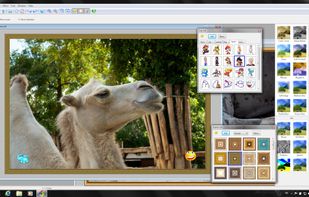
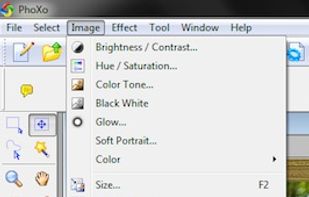
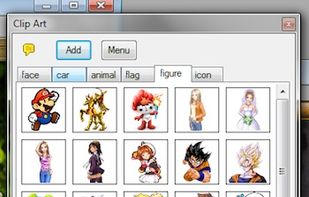
    PhoXo is small and free image editing application. It's tiny, fast, easy to use, can be treated as a mini PhotoShop. Its features include layers, undo, over 50 special effects, batch processing, and a wide variety of useful and powerful tools for selecting, crop, painting...

    Cost / License

    • Free
    • Open Source

    Application types

    Alerts

    • Discontinued

    Platforms

    • Windows
     
  3. Copy a direct link to this comment to your clipboard

    Ashampoo Photo Optimizer 8 enhances your photos at the click of a button! The program fully automatically adjusts colors, contrasts and exposure settings to perfection for individual images or entire collections.

    Cost / License

    • Freemium (Pay once)
    • Proprietary

    Application type

    Platforms

    • Windows
     
  4. Black Ink icon
     21 likes
    Copy a direct link to this comment to your clipboard

    Black Ink is a digital painting software that uses your computer's rendering hardware to provide a perfectly responsive experience no matter your picture's size.

    Cost / License

    • Freemium
    • Proprietary

    Platforms

    • Windows
     
  5. PaintStar icon
     14 likes
    Copy a direct link to this comment to your clipboard

    PaintStar is a versatile digital image processing software suitable for such tasks as retouching of photographs, composing and authoring images, image morphing, screen capture, and displaying image thumbnail in Windows Explorer context menu.

    Cost / License

    • Free
    • Proprietary

    Application types

    Platforms

    • Windows
     
  6. openCanvas icon
     24 likes
    Copy a direct link to this comment to your clipboard

    openCanvas, popularly abbreviated as oC, is a popular Japanese image editing program.

    Cost / License

    • Paid
    • Proprietary

    Platforms

    • Windows
    • Steam
     
  7. PictBear icon
     6 likes
    Copy a direct link to this comment to your clipboard

    PictBear is an image editor and paint program that is very friendly toward the beginning user, PictBear is very straightforward and easy to use no matter what your skill level is.

    Cost / License

    • Free
    • Proprietary

    Platforms

    • Windows
     
  8. Livebrush icon
     23 likes
    Copy a direct link to this comment to your clipboard

    Livebrush is a drawing application. It employs an easy-to-use brush tool that reacts to your gestures through the use of velocity and other motion controls. By combining simple motion controls with customizable brush styles, Livebrush offers a fun and unique way to create...

    Cost / License

    • Free
    • Proprietary

    Application type

    Alerts

    • Discontinued

    Platforms

    • Mac
    • Windows
    • Adobe AIR
     
  9. Charcoal icon
     6 likes
    Copy a direct link to this comment to your clipboard
    • Charcoal is incredibly easy to use: Just create or open a sketch and start drawing. There are no layers, properties panels or confusing settings. Instead, Charcoal features rich tools and beautiful color palettes.

    Cost / License

    • Free
    • Proprietary

    Application type

    Platforms

    • iPhone
    • iPad
     
You are at page 4 of Draw alternatives