AutoHotkey AlternativesOnly apps categorised as Key Mapping Tools

The best Key Mapping alternative to AutoHotkey is Microsoft PowerToys, which is both free and Open Source. If that doesn't suit you, our users have ranked more than 100 alternatives to AutoHotkey and 15 are Key Mapping Tools so hopefully you can find a suitable replacement. Other interesting Key Mapping Tool alternatives to AutoHotkey are BetterTouchTool, Clavier+, Karabiner Elements and Key Manager.

filter to find the best alternatives

AutoHotkey alternatives are mainly Key Mapping Tools, but if you're looking for Task Automation Apps or Text Expanders you can filter on that. Other popular filters include Linux, Chrome OS, Mac, Mac + Free, Android, Free and Windows + Open Source. You can also filter by region, for example EU-based alternatives if you prefer software developed in the European Union. These are just examples - use the filter bar below to find more specific alternatives to AutoHotkey.
Copy a direct link to this comment to your clipboard
AutoHotkey alternatives page was last updated

Alternatives list

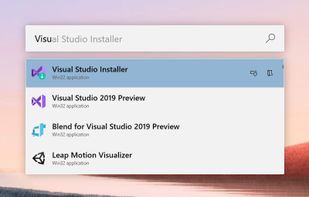
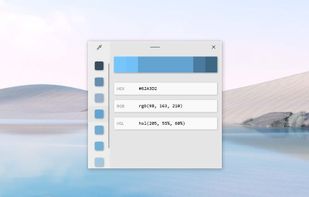
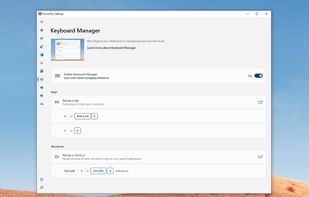
  1. Open-source utilities for Windows include FancyZones for window management, PowerRename for bulk renaming, and Keyboard Manager for custom shortcuts. Ad-free, supports multi-monitor setups, no registration needed, lightweight resource usage, and works offline.

    86 Microsoft PowerToys alternatives

    Cost / License

    • Free
    • Open Source (MIT)

    Platforms

    • Windows
     
    |
    5
  2. BetterTouchTool icon
     108 likes

    Customizes input devices on macOS by enabling gesture and button mapping, keyboard shortcut assignment, window snapping, automation, scripting, multi-device integration, and iOS app control. Features include touch bar, Apple Remote, and per-app profiles.

    79 BetterTouchTool alternatives

    Cost / License

    • Paid
    • Open Source

    Application type

    Platforms

    • Mac
     
  3. Clavier+ icon
     45 likes

    Clavier+ allows you to create global keyboard shortcuts for launching applications, opening folders, writing text and opening websites.

    58 Clavier+ alternatives

    Cost / License

    Application types

    Platforms

    • Windows
     
    |
    1
  4. Karabiner, previously called KeyRemap4MacBook, is a very powerful keyboard remapper for Mac OS X. In addition to simple key remapping, it has special remapping modes like Emacs-mode, SandS-mode (Space and Shift).

    85 Karabiner Elements alternatives

    Cost / License

    Application types

    Platforms

    • Mac
     
  5. Key Manager icon
     18 likes

    Key Manager reveals the full potential of your keyboard and mouse and allows you to save time and efforts while working with your computer. Thanks to its flexible interface, you can now create various actions and execute them by pressing keys, mouse buttons and combinations of...

    74 Key Manager alternatives

    Cost / License

    • Paid
    • Proprietary

    Application type

    Platforms

    • Windows
     
  6. Hyperkey icon
     4 likes

    Use an additional modifier key for all your keyboard shortcuts with this straightforward app. Utilize an unused key by converting the caps lock or any modifier key to the hyper key, which combines all four modifiers. The hyper key can be used in any app with keyboard shortcuts.

    Cost / License

    • Free
    • Proprietary

    Application type

    Platforms

    • Mac
     
  7. Universal Control Remapper is a Windows application which allows the end-user to remap any inputs from devices, such as keyboards, mice, joysticks, racing wheels, eye trackers, etc. to virtual output devices.

    26 UCR: Universal Control Remapper alternatives

    Cost / License

    • Free
    • Open Source (MIT)

    Application type

    Platforms

    • Windows
     
  8. System-wide offline text-substitution utility offering dynamic date and time variables, organized collections, global Quick Search with hotkeys, and a three-panel graphical user interface. All data is stored locally in SQLite, supporting backup, restore, and JSON import/export.

    Cost / License

    Platforms

    • Windows
     
  9. Hotkeycontrol icon
     5 likes

    Hotkeycontrol is the award winning and easy to use solution for creating keyboard shortcuts for routine tasks like opening files, changing system volume, controlling display brightness, typing frequently used text, controlling active windows and recording macros.

    Cost / License

    • Paid
    • Proprietary

    Platforms

    • Windows
     
  10. QHuman icon
     1 like

    QHuman enables users to automate repetitive tasks by recording mouse movements, keystrokes, and utilizing image/pixel detection with human-like randomness.

    Cost / License

    • Freemium
    • Proprietary

    Platforms

    • Windows
     
  11. Multi Task Tool is a portable tool that, as its very name suggests, can be used to execute multiple tasks in Windows OS!

    Cost / License

    • Free
    • Proprietary

    Platforms

    • Windows
     
12 of 15 AutoHotkey alternatives