AutoHotkey Alternatives for Windows

There are many alternatives to AutoHotkey for Windows if you are looking for a replacement. The best Windows alternative is Microsoft PowerToys, which is both free and Open Source. If that doesn't suit you, our users have ranked more than 100 alternatives to AutoHotkey and loads of them are available for Windows so hopefully you can find a suitable replacement. Other interesting Windows alternatives to AutoHotkey are AutoIt, espanso, FastKeys and Pulover’s Macro Creator.

filter to find the best alternatives

AutoHotkey alternatives are mainly Task Automation Apps, but if you're looking for Text Expanders or Workflow Automation Tools you can filter on that. Other popular filters include Chrome OS, Android, Mac, Linux, Mac + Free, Free and Windows + Open Source. You can also filter by region, for example EU-based alternatives if you prefer software developed in the European Union. These are just examples - use the filter bar below to find more specific alternatives to AutoHotkey.
Copy a direct link to this comment to your clipboard
AutoHotkey alternatives page was last updated

Alternatives list

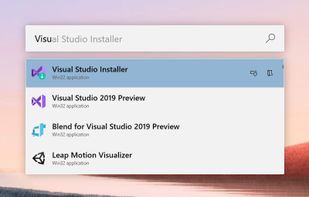
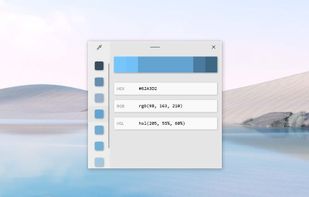
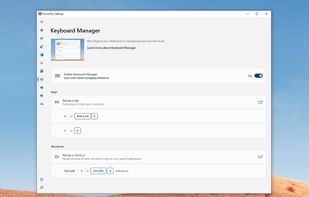
  1. Open-source utilities for Windows include FancyZones for window management, PowerRename for bulk renaming, and Keyboard Manager for custom shortcuts. Ad-free, supports multi-monitor setups, no registration needed, lightweight resource usage, and works offline.

    103 Microsoft PowerToys alternatives

    Cost / License

    • Free
    • Open Source (MIT)

    Platforms

    • Windows
     
    |
    5
    Microsoft PowerToys vs AutoHotkey Comments
    Top Negative Comment
    Raygen
    7

    PowerToys is not able to remap keys to other characters, macro, or actions. But just to remap keys to other keys. Even system keys though.

    Guest
    Negative
    0

    Powertoys is not an automation tool

    Review by a new / low-activity user.
    Muhammad Farag
    Negative
    0

    It is a completely different app for windows tweeks, while auto hotkeys is a script creator

    3 of 5 comments
    • Microsoft PowerToys is Free and Open SourceAutoHotkey is also Free and Open Source
  2. AutoIt icon
     197 likes

    Use a straightforward BASIC-like scripting language to automate your Windows GUI. Simulate key presses, mouse movement, window attributes and much more.

    129 AutoIt alternatives

    Cost / License

    • Free
    • Proprietary

    Application type

    Platforms

    • Windows
     
    |
    2
    AutoIt vs AutoHotkey Comments
    Guest
    Positive
    2

    Very easy, well documented and powerfull script language. Once you start using it you will never stop. But, one thing is missing to make AutoIt perfect: Debugger

    Review by a new / low-activity user.
    Guest
    Positive
    0

    It is a really powerful tool, it enables easy automation of desktop App (at least that is what i used it for) with an easy programming language. i think that anyone with basic programming experience can easily use it and do some cool stuff avoiding repetetieve tasks.

    Review by a new / low-activity user.
    • AutoIt is Free and ProprietaryAutoHotkey is Free and Open Source
  3. FastKeys icon
     120 likes

    All in one Windows automation software. Fully configurable text expander, start menu, shortcuts, auto complete and mouse gestures. User-defined commands to run files, open webpages, send macros or automate anything. Incredibly powerful but yet simple to use.

    133 FastKeys alternatives

    Cost / License

    • Paid
    • Proprietary

    Platforms

    • Windows
     
  4. Pulover’s Macro Creator is a Free Automation Tool and Script Generator. It is based on AutoHotkey language and provides users with multiple automation functions, as well as a built-in recorder.

    71 Pulover’s Macro Creator alternatives

    Cost / License

    • Free
    • Open Source

    Alerts

    • Bundleware

    Platforms

    • Windows
     
    |
    1
    Bundleware

    From version 4.5.1, during installation, the user is presented with an offer for software by Lavasoft and a button to decline.

    Pulover’s Macro Creator vs AutoHotkey Comments
    jorgeeliecer
    Positive
    1

    It needs polish but is a powerful tool to get started fast with autohotkey even if you know nothing about programing, the catch is that some times it get stuck and need to restart but is totally worth it if you wand a macro knowing almost nothing and geting done really quick

    Review by a new / low-activity user.
    • Pulover’s Macro Creator is Free and Open SourceAutoHotkey is also Free and Open Source
  5. Clavier+ icon
     45 likes

    Clavier+ allows you to create global keyboard shortcuts for launching applications, opening folders, writing text and opening websites.

    58 Clavier+ alternatives

    Cost / License

    Application types

    Platforms

    • Windows
     
    |
    1
    Clavier+ vs AutoHotkey Comments
    Guest
    Positive
    1

    Simplicity: Windows 10 has broken storage of shortcuts keys to .lnk files; this is a good replacement with additional capabilities.

    Review by a new / low-activity user.
    • Clavier+ is Free and Open SourceAutoHotkey is also Free and Open Source
  6. Actiona icon
     48 likes

    Actiona (formerly known as Actionaz) is a task automation tool. It allows you to create and execute action lists. You don't need to know any programming language to use it: its intuitive interface allows you to create action lists (scripts) using drag & drop.

    66 Actiona alternatives

    Cost / License

    Application type

    Platforms

    • Windows
    • Linux
     
    |
    2
    Actiona vs AutoHotkey Comments
    Guest
    Negative
    1

    cannot create standalone script on linux

    Review by a new / low-activity user.
    Guest
    Negative
    0

    didn't show in previews or text the software had the ability to press a few keys and have a presaved text document entered into/onto a form, or a text field.

    Review by a new / low-activity user.
    • Actiona is Free and Open SourceAutoHotkey is also Free and Open Source
  7. TextExpander icon
     69 likes

    Boosts team efficiency by managing, creating, and sharing reusable text snippets across all platforms with support for fill-in fields, advanced customization, and insightful analytics to drive productivity and performance enhancement.

    88 TextExpander alternatives

    Cost / License

    • Paid
    • Proprietary

    Application type

    Platforms

    • Mac
    • Windows
    • Google Chrome
    • Software as a Service (SaaS)
     
  8. Automation Workshop is software for automation of complex and recurring processes that would otherwise take a lot of intensive and repetitive user work time. Create automated tasks easier than ever before. Automation Workshop requires no scripting, programming or coding skills.

    Cost / License

    • Paid
    • Proprietary

    Platforms

    • Windows
     
  9. Stepwise icon
     16 likes

    Stepwise is an automation tool for Windows. It's easy to learn, safe to use, and there's no coding required.

    Cost / License

    • Paid
    • Proprietary

    Application type

    Platforms

    • Windows
     
    |
    1
    Stepwise vs AutoHotkey Comments
    almondjoy
    Positive
    2

    It does the basics of AutoHotkey for those who do not want to deal learning a coding language. Its drag and drop functionality is easy to use.

    • Stepwise is Paid and ProprietaryAutoHotkey is Free and Open Source
12 of 109 AutoHotkey alternatives