With iMovie for iOS and macOS, you can enjoy your videos like never before. It’s easy to browse your clips and create Hollywood-style trailers and stunning 4K-resolution movies. You can even start editing on iPhone or iPad, then finish on your Mac.


Apple Clips is described as 'Clips lets you easily make fun videos to share with the world. Create video messages or stories with animated text, graphics and more, with just a few taps' and is a Video Editor in the photos & graphics category. There are more than 50 alternatives to Apple Clips for a variety of platforms, including Windows, Mac, iPhone, iPad and Android apps. The best Apple Clips alternative is Kdenlive, which is both free and Open Source. Other great apps like Apple Clips are Shotcut, DaVinci Resolve, OpenShot and Olive Video Editor.
With iMovie for iOS and macOS, you can enjoy your videos like never before. It’s easy to browse your clips and create Hollywood-style trailers and stunning 4K-resolution movies. You can even start editing on iPhone or iPad, then finish on your Mac.


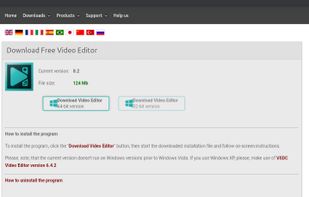
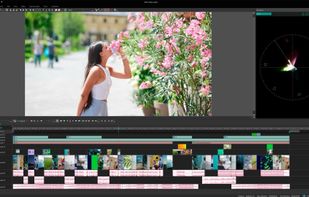
VSDC Free Video Editor allows you to add quick changes to a video file as well as create a more complex project involving advanced post-production techniques.


Cinelerra is a highly advanced and professional non-linear video editing software, but still remains open source. Cinelerra solves three main tasks: capturing, editing and compositing.


VN, a professional mobile video editor, allows you to become a director of your own life via VN video editor maker. Simple, but powerful as desktop editor, VN is suitable for both beginners and professional users.


Non-linear editor for Windows supporting HD, 4K, and 360 video, unlimited tracks, advanced effects, multi-camera editing, screen recording, stop motion, enhanced keyframe controls, audio layering, split screen, selective color, and disc or web export.


Comprehensive video editor with over 50 visual effects and transitions, offering real-time previews and fully adjustable parameters. Supports diverse audio/video formats, adds photos and text, and enables sharing on DVDs, HD DVDs, Blu-Ray, mobile devices, or online. Free and professional versions available.


Leverages multitrack timeline editing, built-in filters, effects, title templates, and stickers. Enhance video with audio tools, slow motion, and stabilize clips. Fast export to popular formats, upload directly to YouTube, Vimeo, and Google Drive.


LumaFusion offers powerful features and an elegant UI. The simple-start timeline gives new users an intuitive head start, and professionals will find all the powerful features they need.


Consumer video editing software offering AI-powered automation, beginner-friendly guided edits, creative effects, easy trimming and merging, media organization, movie and collage creation, social sharing, mobile and web access, and support for Windows and Mac.


Video editor featuring AI-driven tools like video enhancement, speech to text, and motion tracking. Includes custom avatars, professional titles, templates, and stock content for creative projects.


This entry-level video editor offers a user-friendly drag-and-drop interface supporting various file types, advanced customization options with presets, keyframe animations for effect modulation, and features such as multicam support, storytelling tools, and more.

Comprehensive AI tool for video, image, audio enhancement, offering remastering, upscaling, various conversions, and basic editing, powered by GPU acceleration, for HD/4K HDR content from devices like iPhone, GoPro, and more.