Affinity Photo AlternativesOnly apps categorised as Digital Painting Tools

The best Digital Painting alternative to Affinity Photo is GIMP, which is both free and Open Source. If that doesn't suit you, our users have ranked more than 100 alternatives to Affinity Photo and 19 are Digital Painting Tools so hopefully you can find a suitable replacement. Other interesting Digital Painting Tool alternatives to Affinity Photo are Krita, Adobe Photoshop, Paint.NET and Photopea.

filter to find the best alternatives

Affinity Photo alternatives are mainly Digital Painting Tools, but if you're looking for Image Editors or Photo Editors you can filter on that. Other popular filters include Open Source, Android, iPad and Linux. These are just examples - use the filter bar below to find more specific alternatives to Affinity Photo.
Copy a direct link to this comment to your clipboard
Affinity Photo alternatives page was last updated

Alternatives list

  1. GIMP icon
     4737 likes

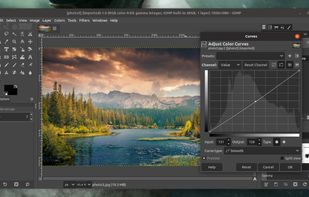
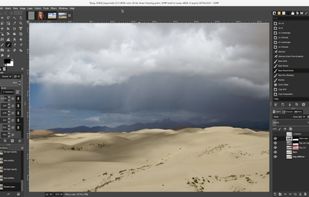
    Free open-source suite offering advanced photo retouching, image composition, original artwork creation, batch processing, plugin support, custom scripting, mass image format conversion, and integration with free publishing tools for comprehensive editing solutions.

    187 GIMP alternatives

    Cost / License

    Platforms

    • Mac
    • Windows
    • Linux
    • BSD
    • Snapcraft
    • Flathub
    • PortableApps.com
    • Haiku
    • Flatpak
    • AmigaOS
    • AppImage
     
    |
    5
    GIMP vs Affinity Photo Comments
    Top Positive Comment
    Indiana Lake
    2

    The best thing about this is the fact that it’s free and open–source. To compare it to Adobe Photoshop, I don’t think it’s ready. It makes a really convenient tool for when you’re starting out with designing and editing simple images for personal publication. But like some users here, I agree to the observation that it’s rather difficult to create a smooth, intuitive workflow.

    Top Negative Comment
    TopSock
    -2

    It doesn't have non-destructive adjustment layers.

    WillZegal
    Positive
    0

    Powerfull and free on every OS. Affinity needs a licence for EACH OS AND to pay full licence for each new version, except if you bought the whole Serifs products licence. Then you've 25% discount for upgrade. Gimp is a bit dense and unclear, but not so much compared to Affinity (V1 owned). I bought Affinity Photo at a discount price, hopping it will be easyer, but it's not obvious.

    Review by a new / low-activity user.
    3 of 5 comments
    • GIMP is Free and Open SourceAffinity Photo is Paid and Proprietary
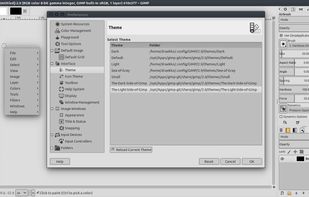
    • GIMP is CustomizableAffinity Photo is not according to our users
  2. Krita icon
     1416 likes

    Free, open-source painting software designed by artists for artists. Offers customizable UI, 9 brush engines, color management, tablet support, non-destructive editing, and privacy features. Portable and available on major platforms, supporting seamless texture creation.

    143 Krita alternatives

    Cost / License

    • Free
    • Open Source

    Application type

    Platforms

    • Mac
    • Windows
    • Linux
    • Android Tablet
    • KDE Plasma
    • Epic Games Store
    • PortableApps.com
    • F-Droid
    • Steam
    • AppImage
     
    |
    2
    Krita vs Affinity Photo Comments
    Guest
    Negative
    3

    You draw, you don't edidit photos

    Review by a new / low-activity user.
    Guest
    Negative
    0

    The text tool is awful. Not even close to Affinity.

    Review by a new / low-activity user.
    • Krita is Free and Open SourceAffinity Photo is Paid and Proprietary
    • Krita is CustomizableAffinity Photo is not according to our users
  3. Adobe Photoshop icon
     2425 likes

    Comprehensive raster graphics editor offering advanced photo and image editing features. Supports multiple layers, masks, alpha compositing, various color models, and has limited vector graphics, 3D, and video capabilities. Extensible via plug-ins.

    224 Adobe Photoshop alternatives

    Cost / License

    • Paid
    • Proprietary

    Platforms

    • Mac
    • Windows
    • Online
    • Android
    • iPhone
    • Android Tablet
    • iPad
    • Google Chrome
    • Wine
    • ReactOS
     
    |
    2
    Adobe Photoshop vs Affinity Photo Comments
    Gregor Zobjak
    1

    Still the market leader in terms of themes AI & plugin support, other features are almost identically available as in Affinity Photo...

    Pedro Trujillo
    Positive
    0

    Expensive.... but, the best

    • Adobe Photoshop is Paid and ProprietaryAffinity Photo is also Paid and Proprietary
  4. Paint.NET icon
     1653 likes

    Free Windows image editor with support for layers, plugins, and special effects. Offers intuitive interface, works offline, ad-free, and portable, consuming fewer resources.

    163 Paint.NET alternatives

    Cost / License

    • Free
    • Proprietary

    Platforms

    • Windows
    • .NET Framework
     
    |
    1
    Paint.NET vs Affinity Photo Comments
    Gregor Zobjak
    Positive
    0

    Good for basic Photo editing but is only available for Windows. I think it's one of the best free Photo editing applications

    • Paint.NET is Free and ProprietaryAffinity Photo is Paid and Proprietary
    • Paint.NET is MinimalisticAffinity Photo is not according to our users
  5. Photopea icon
     337 likes

    Browser-based image editing supports PSD, XCF, Sketch formats, advanced layers, vector tools, RAW photo support, and exports in 40+ formats. Fully client-side with AI background removal, content-aware tools, and privacy as files never leave your device.

    110 Photopea alternatives

    Cost / License

    • Freemium
    • Proprietary

    Platforms

    • Online
    • Software as a Service (SaaS)
     
    |
    2
    Photopea vs Affinity Photo Comments
    Gregor Zobjak
    Positive
    0

    just like an Online & free version of Photoshop.. has almost all features.

    Guest
    Positive
    0

    Online version, fully supporting PSD file format and EVERY PS function. Free.

    Review by a new / low-activity user.
    • Photopea is Freemium and ProprietaryAffinity Photo is Paid and Proprietary
  6. Pixlr icon
     390 likes

    Web-based editor with AI image generation, quick fixes, overlays, intricate lighting and texture adjustments, customizable templates, advanced filters, support for layers, high-res export, and ad-free premium features for accessible image and design editing.

    228 Pixlr alternatives

    Cost / License

    • Freemium
    • Proprietary

    Application types

    Platforms

    • Windows
    • Online
    • Android
    • iPhone
    • Chrome OS
    • Android Tablet
    • iPad
     
  7. Pixelmator icon
     422 likes

    Image editing software for macOS and iOS, offering nondestructive, GPU-powered editing with machine learning features, RAW support, custom brushes, and seamless macOS integration for touch-ups, painting, and creative compositions.

    152 Pixelmator alternatives

    Cost / License

    • Paid
    • Proprietary

    Application types

    Platforms

    • Mac
    • iPhone
    • iPad
     
    |
    1
    Pixelmator vs Affinity Photo Comments
    Guest
    Positive
    0

    Because it's simpler and it works.

    Review by a new / low-activity user.
    • Pixelmator is Paid and ProprietaryAffinity Photo is also Paid and Proprietary
    • Pixelmator is CustomizableAffinity Photo is not according to our users
  8. Procreate icon
     166 likes

    Procreate is a versatile, award-winning app for creative digital drawing and painting on iOS. It delivers a robust, professional toolset with hundreds of configurable brushes, a powerful layering system, vector graphic tools, and comprehensive design capabilities, ensuring desktop-level flexibility and power.

    64 Procreate alternatives

    Cost / License

    • Paid
    • Proprietary

    Platforms

    • iPhone
    • iPad
     
  9. Suite featuring tools for vector illustration, image editing, page layout, bitmap tracing to convert bitmaps to vectors, asset browsing, web page creation, screen capture, file compatibility, color management, and professional multi-page document design.

    88 CorelDRAW Graphics Suite alternatives

    Cost / License

    • Paid
    • Proprietary

    Platforms

    • Mac
    • Windows
    • Online
     
  10. Corel's tool provides comprehensive photo editing and design features including enhanced layers, precise tools, RAW editing, and organization capabilities such as keyword tags, auto sorting, and facial recognition, making it ideal for both novices and professionals in various projects.

    156 Corel PaintShop Pro alternatives

    Cost / License

    • Paid
    • Proprietary

    Platforms

    • Windows
     
    |
    1
    Corel PaintShop Pro vs Affinity Photo Comments
    Pedro Trujillo
    Positive
    0

    A few bucks more... a few features more

    • Corel PaintShop Pro is Paid and ProprietaryAffinity Photo is also Paid and Proprietary
  11. Adobe's mobile photo-editing app lets you edit, share, and upload photos across devices. With features like free 2 GB storage, original size backup, and extra tools for advanced editing, it enhances your images for social media without reducing file quality.

    167 Adobe Photoshop Express alternatives

    Cost / License

    • Freemium
    • Proprietary

    Application types

    Platforms

    • Windows
    • Android
    • iPhone
    • Android Tablet
    • Windows Phone
    • iPad
     
  12. Pixelitor icon
     27 likes

    Open source image editor with non-destructive editing, 110+ filters, adjustment and text layers, support for smart objects and adjustment layers, cross-platform compatibility, and layer-based editing for flexible image composition.

    112 Pixelitor alternatives

    Cost / License

    Platforms

    • Mac
    • Windows
    • Linux
     
12 of 19 Affinity Photo alternatives