Adobe Acrobat Reader Alternatives for iPhone

There are many alternatives to Adobe Acrobat Reader for iPhone if you are looking for a replacement. The best iPhone alternative is PDFgear, which is free. If that doesn't suit you, our users have ranked more than 100 alternatives to Adobe Acrobat Reader and 15 are available for iPhone so hopefully you can find a suitable replacement. Other interesting iPhone alternatives to Adobe Acrobat Reader are Xodo, Linwood Butterfly, Preview and Drawboard PDF.

filter to find the best alternatives

Adobe Acrobat Reader alternatives are mainly PDF Readers, but if you're looking for PDF Editors or Text to Speech Services you can filter on that. Other popular filters include Open Source, Windows, Linux, Free, Android, Windows + Open Source and PDF Editor. You can also filter by region, for example EU-based alternatives if you prefer software developed in the European Union. These are just examples - use the filter bar below to find more specific alternatives to Adobe Acrobat Reader.
Copy a direct link to this comment to your clipboard
Adobe Acrobat Reader alternatives page was last updated

Alternatives list

  1. PDFgear icon
     55 likes

    Read, edit, convert, merge, and sign PDF files across devices, for completely free and without signing up.

    48 PDFgear alternatives

    Cost / License

    • Free
    • Proprietary

    Application types

    Platforms

    • Mac
    • Windows
    • Online
    • Android
    • iPhone
    • Android Tablet
    • iPad
     
    |
    1
    Comments about PDFgear as an Alternative to Adobe Acrobat Reader
    malcmerlyn
    Negative
    0

    Doesn't show my RPG PDF bookmarks

    PDFgear icon
    PDFgear icon
    • PDFgear is Free and ProprietaryAdobe Acrobat Reader is Freemium and Proprietary
  2. Xodo icon
     71 likes

    Xodo is the ultimate cross-platform PDF viewer and annotator. Powerful, fast, and optimized for all phones and tablets, Xodo makes it easy to access, edit, share, sync, manage, sign, and more.

    116 Xodo alternatives

    Cost / License

    • Paid
    • Proprietary

    Application types

    Platforms

    • Windows
    • Online
    • Android
    • iPhone
    • Chrome OS
    • Android Tablet
    • iPad
    • Google Chrome
     
    |
    5
    Comments about Xodo as an Alternative to Adobe Acrobat Reader
    Top Positive Comment
    Steven
    0

    It's a free pdf viewer/editior that has all the features that most people use Adobe Reader for. More stable. More secure. The interface feels cleaner to me.

    malcmerlyn
    Positive
    0

    Contrary to what has been written by guest, the app isn't totally free anymore. You should pay a subscription for several features like exporting non-watermarked PDF to your drive service

    Guest
    Positive
    -2

    Completely free, clutter-free interface, and easy to use.

    Review by a new / low-activity user.
    3 of 5 comments
    Xodo icon
    Xodo icon
    • Xodo is Paid and ProprietaryAdobe Acrobat Reader is Freemium and Proprietary
  3. Butterfly is a note-taking app where your ideas come first. You can paint, add texts, and export them easily on every device. This app works on android, windows, linux, and in the web.

    44 Linwood Butterfly alternatives

    Cost / License

    Platforms

    • Mac
    • Windows
    • Linux
    • Online
    • Android
    • iPhone
    • Android Tablet
    • Self-Hosted
    • Snapcraft
    • AltStore
    • Flathub
    • F-Droid
     
  4. Preview icon
     123 likes

    Native macOS app for viewing, annotating, and editing images and PDFs, featuring tools for cropping, rotating, resizing images, rearranging pages, full-screen viewing, markup, document merging, batch conversion, and export in multiple formats.

    169 Preview alternatives

    Cost / License

    • Free
    • Proprietary

    Application types

    Platforms

    • Mac
    • iPhone
    • iPad
     
    |
    2
    Comments about Preview as an Alternative to Adobe Acrobat Reader
    Guest
    Positive
    1

    Easy, Very Fast, basic editing options.

    Review by a new / low-activity user.
    Guest
    Negative
    -6

    Unlike Adobe Acrobat Reader DC, which allows you to edit and erase certain parts of PDF files, Preview won't let you do it if it's only 1 page. I suggest getting a different PDF viewer, reader, and editor.

    Review by a new / low-activity user.
    Preview icon
    Preview icon
    • Preview is Free and ProprietaryAdobe Acrobat Reader is Freemium and Proprietary
  5. Drawboard PDF icon
     15 likes

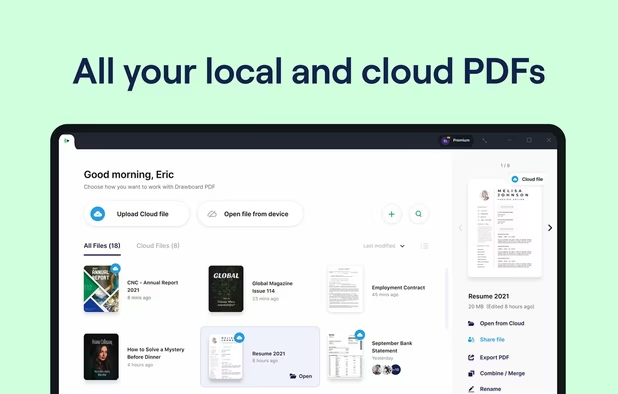
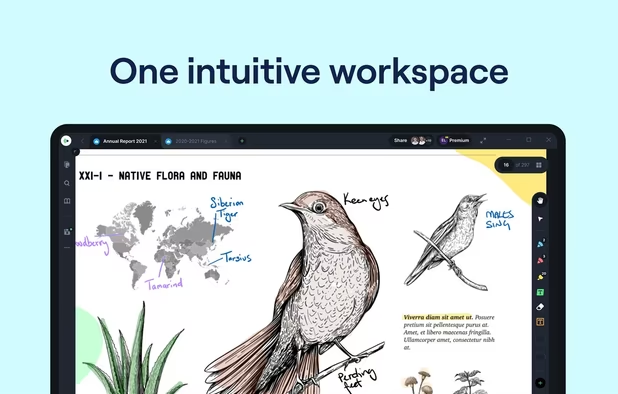
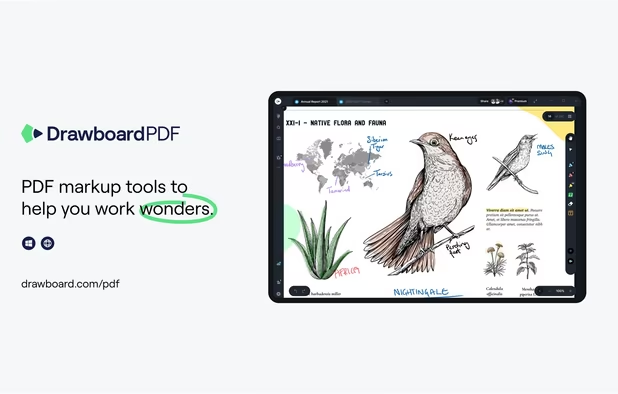
    The top AEC PDF app to markup and manage drawings and documents. Ideal for replacing pen and paper, avoid printing documents again by using our intuitive feature set that makes marking up a PDF easy. Open or create a new PDF, markup using our extensive array of tools, then save...
    57 Drawboard PDF alternatives

    Cost / License

    • Freemium
    • Proprietary

    Application types

    Platforms

    • Mac
    • Windows
    • Online
    • Android
    • iPhone
    • iPad
    • Android Tablet
     
  6. GoodReader icon
     48 likes

    With GoodReader on your iPhone, iPod Touch or iPad, you can read virtually anything, anywhere. Books, movies, maps, pictures; GoodReader puts it all in a single app, right in your pocket.

    82 GoodReader alternatives

    Cost / License

    • Paid
    • Proprietary

    Application types

    Platforms

    • iPhone
    • iPad
     
  7. PDF Viewer Pro is a fast and beautiful app, allowing you to view, search, and annotate PDF documents with ease on your iPhone and iPad.

    Cost / License

    • Freemium
    • Proprietary

    Application type

    Platforms

    • Mac
    • Android
    • iPhone
    • iPad
    • Android Tablet
     
  8. Besides exceptionally fast launching and displaying speed, Gaaiho Reader is reliable in printing, filling forms annotating documents and adding bookmarks.

    Cost / License

    • Paid
    • Proprietary

    Application types

    Platforms

    • Windows
    • Android
    • iPhone
    • Android Tablet
    • iPad
    • Mac
     
    |
    1
    Comments about Right PDF Reader as an Alternative to Adobe Acrobat Reader
    Guest
    Positive
    0

    Can select text directly and annotate it.

    Review by a new / low-activity user.
    Right PDF Reader icon
    Right PDF Reader icon
    • Right PDF Reader is Paid and ProprietaryAdobe Acrobat Reader is Freemium and Proprietary
  9. PDF Max is a desktop class PDF app for reading, annotating or signing PDF documents on your iPhone/iPad. Mark up documents with highlights and handwriting, insert texts and stamps, fill out, sign PDFs and even manipulate PDF pages.

    Cost / License

    • Paid
    • Proprietary

    Application types

    Platforms

    • iPhone
    • iPad
     
  10. ezPDF Reader icon
     13 likes

    ezPDF Reader is a PDF viewer with some powerful features such as TTS (Text-to-Speech), annotations and PDF forms.

    Cost / License

    • Paid
    • Proprietary

    Application types

    Platforms

    • Android
    • iPhone
     
  11. Hyphen icon
     3 likes

    Take control of the way your ePubs display. Hyphen comes packed with a ton of options for custom colors, fonts, font sizes, line heights, paragraph indentations, margins - ...well, you get the idea. You can even use styling on a per-book basis.

    Cost / License

    • Free
    • Proprietary

    Platforms

    • iPhone
    • iPad
     
12 of 15 Adobe Acrobat Reader alternatives