


MyPDF
1 like
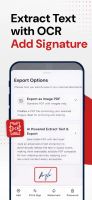
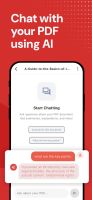
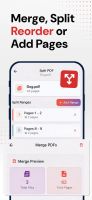
No hefty subscriptions. No annoying ads. 100% offline and private (no accounts/sign up). Fast, simple, yet powerful editor & scanner.


+3

Cost / License
- Freemium (Pay once)
- Proprietary
Application typeApplication types
 EU
EUPlatforms
- Android
- iPhone
- iPad
- Android Tablet

Features
Highlights All activities
MyPDF News & Activities
Recent activities
 mateid added MyPDF as alternative to Adobe Acrobat Reader
 mateid added MyPDF as alternative to Foxit PDF Reader
 mateid added MyPDF as alternative to PDFCreator and PDF-XChange Editor
Strong competitor for Adobe, at a fraction of the cost
- mateid added PDF compression as a feature to MyPDF
- mateid added Fill PDF Forms as a feature to MyPDF
- mateid added Built-in viewer as a feature to MyPDF
- mateid liked MyPDF
- mihnea-ungureanu1224 added MyPDF
- Paul updated MyPDF


Developed by
 Future Software Solutions S.R.L.
 Licensing
Proprietary and Freemium product.Pricing
One time purchase (perpetual license) ranging between $4 and $5 + free version with limited functionality.Alternatives
4 alternatives listedBadge
Get an embeddable badge for MyPDFSupported Languages
AlternativeTo Categories
Office & Productivity, Photos & Graphics, Security & Privacy, News & BooksApple AppStore
- Updated
- 4.69 avg rating



Comments and Reviews
Strong competitor for Adobe, at a fraction of the cost