Adobe Acrobat DC Alternatives

Adobe Acrobat DC is described as 'Create and edit PDFs. Collaborate with ease. E-sign documents and collect signatures. Get everything done in one app, wherever you work. Acrobat’s got it. Stay on top of your documents with powerful features for desktop, mobile, and web' and is a very popular PDF Reader in the office & productivity category. There are more than 100 alternatives to Adobe Acrobat DC for a variety of platforms, including Windows, Web-based, Mac, Linux and iPhone apps. The best Adobe Acrobat DC alternative is PDF-XChange Editor, which is free. Other great apps like Adobe Acrobat DC are PDF24 Creator, Nitro PDF , PDFgear and Master PDF Editor.

filter to find the best alternatives

Adobe Acrobat DC alternatives are mainly PDF Editors, but if you're looking for PDF Readers or Document Managers you can filter on that. Other popular filters include Free, Open Source, Windows + PDF Editor, Windows + Free, Windows, Linux and Android. You can also filter by region, for example EU-based alternatives if you prefer software developed in the European Union. These are just examples - use the filter bar below to find more specific alternatives to Adobe Acrobat DC.
Copy a direct link to this comment to your clipboard
Adobe Acrobat DC alternatives page was last updated

Alternatives list

  1. Signature PDF icon
     10 likes

    Free open-source web software for signing (alone or with others), organizing (merge, sort, rotate, delete, extract pages, ...), editing metadatas or compressing PDFs.

    Cost / License

    Application type

    Platforms

    • Online
    • Self-Hosted
    • WebApps
    • Docker Hub
     
  2. Papers icon
     14 likes

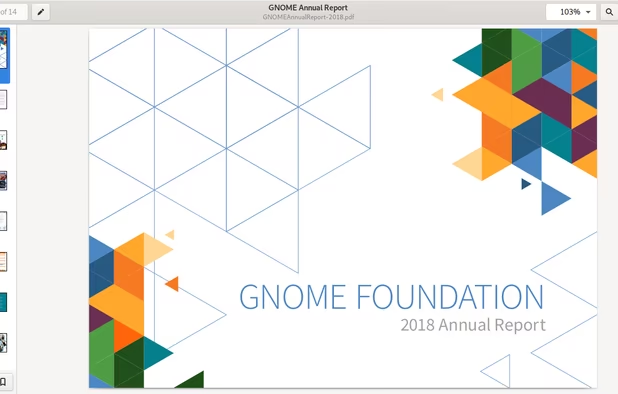
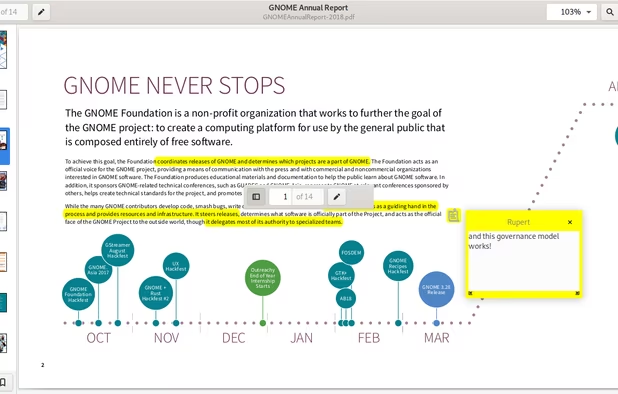
    A document viewer for the GNOME desktop. You can view, search or annotate documents in many different formats.

    Cost / License

    Application types

    Platforms

    • Linux
    • Flathub
    • GNOME
    • Flatpak
    • Linux Mobile
     
    |
    1
    Papers vs Adobe Acrobat DC Comments
    Shaz Shah
    Negative
    0

    It's not a PDF editor, but a really nice looking viewer/reader.

    • Papers is Free and Open SourceAdobe Acrobat DC is Paid and Proprietary
    • Papers is Privacy focused and LightweightAdobe Acrobat DC is not according to our users
  3. PDFill icon
     39 likes

    With PDFill you can create, fill, delete and submit PDF form fields; insert new formatted text, check, image, hyperlink, whiteout, highlight, drawing, comment and annotation anywhere in the document; save, print or email the filled and password-protected PDF; save and resume...

    Cost / License

    • Freemium
    • Proprietary

    Application type

    Platforms

    • Windows
     
    |
    1
    PDFill vs Adobe Acrobat DC Comments
    Guest
    Positive
    2

    except editing files, it allows for everything you would like to do with a .pdf files. It is a buttons based app more like a GUI for a command line tool.

    • PDFill is Freemium and ProprietaryAdobe Acrobat DC is Paid and Proprietary
    • PDFill is a PDF Editor Adobe Acrobat DC is a PDF Reader
  4. DocHub icon
     15 likes

    Provides a comprehensive platform for document editing, signing, and PDF form handling. Offers legally binding eSignatures, robust templates for organization, collaboration tools, and integration with cloud services, enhancing workflow efficiency.

    126 DocHub alternatives

    Cost / License

    • Freemium
    • Proprietary

    Application type

    Platforms

    • Online
    • Android
    • iPhone
    • iPad
    • Google Chrome
    • Google Drive
    • Dropbox
     
  5. SwifDoo icon
     1 like

    Looking for methods to edit, merge,split,convert,rotate,annotate and other related manipulate on PDF? SwifDoo PDF will match your needs and handle most of your PDF-related jobs.

    Cost / License

    • Freemium
    • Proprietary

    Application types

    Platforms

    • Windows
     
  6. LightPDF icon
     23 likes

    Cloud PDF toolkit provides over 20 tools for editing, conversion, OCR, merge, split, annotation, batch processing, and signatures, with free online access, cross-platform usability, no watermarks, no size limits, and options for mobile and desktop integration.

    194 LightPDF alternatives

    Cost / License

    • Freemium
    • Proprietary

    Application types

    Platforms

    • Online
    • Android
    • iPhone
    • Windows
    • Mac
     
  7. PDFfiller.com icon
     2 likes

    Edit, fill, annotate, and sign PDFs online, merge documents, request signatures, upload from cloud storage, save locally, share for collaboration, and track workflow with auditing, supporting various file types and mobile access for document management.

    68 PDFfiller.com alternatives

    Cost / License

    • Freemium
    • Proprietary

    Application type

    Platforms

    • Mac
    • Windows
    • Online
    • Android
    • iPhone
    • Android Tablet
    • iPad
    • Google Chrome
     
  8. Bluebeam Revu icon
     11 likes

    Versatile PDF solution for Windows with editing, markup, batch creation from Office and CAD files, 3D PDF, OCR, forms, advanced organization, custom measurement, real-time collaboration, scripting, security, file comparison, tablet support, and integration features.

    83 Bluebeam Revu alternatives

    Cost / License

    • Paid
    • Proprietary

    Application types

    Platforms

    • Windows
    • iPad
     
    |
    1
    Bluebeam Revu vs Adobe Acrobat DC Comments
    Alex Bustos
    Positive
    0

    Handles easily PDFs with a lot of comments with no lack of performance, native integration with Sharepoint + Windows credentials, and a lot more of features...

    • Bluebeam Revu is Paid and ProprietaryAdobe Acrobat DC is also Paid and Proprietary
    • Bluebeam Revu is a PDF Editor Adobe Acrobat DC is a PDF Reader
  9. OCRmyPDF icon
     18 likes

    OCRmyPDF adds an OCR text layer to scanned PDF files, allowing them to be searched - jbarlow83/OCRmyPDF

    Cost / License

    • Free
    • Open Source

    Platforms

    • Mac
    • Windows
    • Linux
     
  10. PDFtk icon
     19 likes

    PDFtk is a simple tool for doing everyday things with PDF documents. It comes in three flavors: PDFtk Free, PDFtk Pro, and our original command-line tool PDFtk Server.

    52 PDFtk alternatives

    Cost / License

    • Freemium
    • Open Source

    Application type

    Platforms

    • Mac
    • Windows
    • Linux
    • Self-Hosted
     
  11. Comprehensive cross-platform PDF suite enabling accurate conversion from native or scanned files to Word, Excel, PowerPoint, and AutoCAD, with OCR support, document editing, annotation, redaction, interactive forms, table customization, batch creation, secure signing, and multilingual UI.

    89 Able2Extract Professional alternatives

    Cost / License

    • Paid
    • Proprietary

    Application types

    Platforms

    • Mac
    • Windows
    • Linux
     
You are at page 3 of Adobe Acrobat DC alternatives