


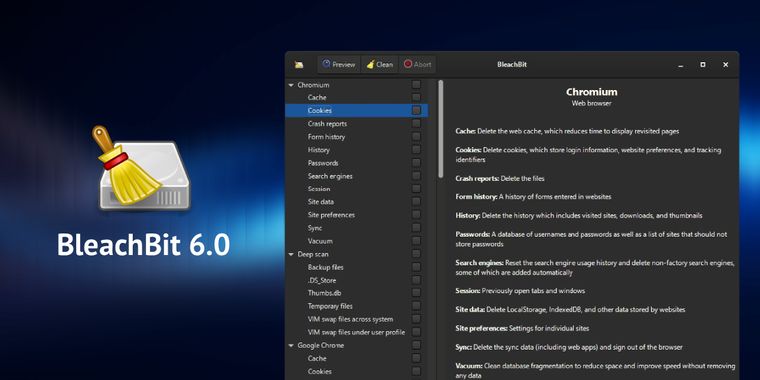

BleachBit 6.0 adds new cookie manager, deeper browser cleaning, and Zen & Vivaldi support
BleachBit 6.0 has been released as the latest version of this free and open-source computer cleaner and optimizer, one year after BleachBit 5.0 was released. This version introduces a new cookie manager, giving users greater control over which cookies are retained when cleaning Chromium- and Firefox-based browsers. This release also expands browser cleaning capabilities, providing deeper removal of cache, storage, crash reports, and session backups not only for Chrome and other Chromium browsers but also for Firefox, LibreWolf, and Waterfox.
Alongside these changes, the update adds native cleaners for Vivaldi and Zen browsers and delivers notable improvements in Opera cleaning. Following these browser-focused updates, BleachBit reorganizes browser data settings under a clearer “Site data” category and clarifies session option descriptions. Additionally, a new expert mode option now restricts advanced operations, aiming to prevent errors by less experienced users.
For users who prefer automation, the command-line interface now supports negation for more flexible scripting. Chaff improvements include faster generation, enhanced stop controls, and a clearer completion message. The user interface also gains usability updates, such as remembering warning choices, allowing preview skipping, distinguishing custom paths, a refreshed preferences' dialog, and better dark theme contrast. Additional enhancements include the ability to shred files by pasting them with Ctrl+V from the clipboard and several bug fixes, performance upgrades, and translation updates.





- System Cleaner
- Free
- Open Source
Related news
External links
- BleachBit 6.0.0 release notesBleachBit • Official source
- BleachBit 6.0 Introduces New Cookie Manager, Improves Browser Cleaning9to5Linux
- BleachBit 6.0 Lands as the Project’s Biggest Release in YearsLinuxiac
Comments
Cookie Manager.. Yeah! It's what's needed.