

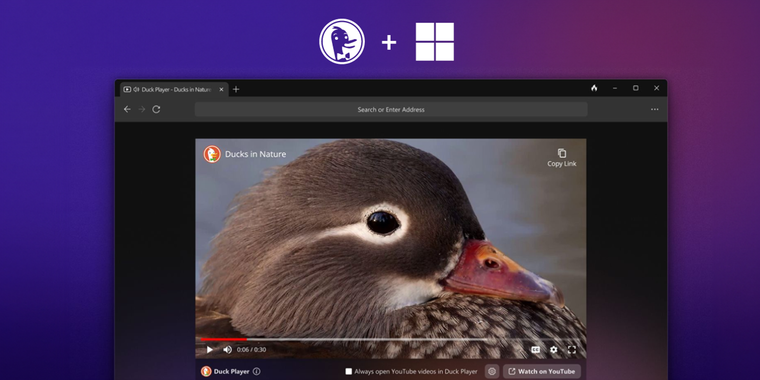
DuckDuckGo expands its privacy-focused browser alternative with the beta launch for Windows
DuckDuckGo is not only a great search engine but also a renowned company with a wide portfolio of products focused on privacy and security for the most discerning users. Among its offerings we have the DuckDuckGo Privacy Browser, which has been available on mobile devices and macOS for some time now (the latter being launched just 9 months ago). However, just a few hours ago, the company announced the release of the native version of its browser for Windows 11 in public beta, providing a secure and private alternative to users looking to switch from the three market leaders such as Google Chrome, Microsoft Edge, or Mozilla Firefox.
One of the standout features of DuckDuckGo's Windows browser is Duck Player, a built-in YouTube player that eliminates privacy-invading ads and prevents video views from influencing recommendations (kinda similar to other popular adblockers like Adblock Plus, but better imo). By blocking tracking cookies and personalized ads, Duck Player provides users with a more private way to enjoy online videos without constantly having to share their usage data with external companies.
DuckDuckGo's Windows browser also incorporates cutting-edge tracker blocking technology, going beyond what Chrome and other browsers offer. It includes 3rd-party Tracker Loading Protection, which effectively blocks hidden trackers from prominent companies such as Google and Facebook. Additionally, the browser's Smarter Encryption ensures a higher percentage of visited websites and clicked links are encrypted, surpassing encryption capabilities of other browsers. The app features Cookie Pop-up Management, which automatically selects the most private options and hides cookie consent pop-ups. The Fire Button allows users to conveniently erase recent browsing data with a single click, while the "Fireproof" option enables staying logged into specific sites. For added protection, they even have an Email Protection feature, which offers unique @duck.com addresses, shielding personal email addresses when signing up online.
DuckDuckGo's Windows browser has garnered early acclaim from users who have praised its speed, performance, and comprehensive privacy features. The browser consumes approximately 60% less data than Chrome due to its ability to block trackers before they load. The company has been diligently addressing compatibility issues based on feedback from testers, ensuring optimal performance across a wide range of hardware and software configurations. And although the Windows app is currently in its beta stage and lacks some features, such as extension support, the app does include ad-blocking and secure password management features. The password manager automatically remembers and fills in login credentials while suggesting robust passwords for new logins. In the near future, DuckDuckGo plans to introduce private syncing across devices, enabling seamless synchronization of bookmarks and saved passwords. The company's vision extends beyond being merely a search engine, aiming to bridge the gap between browsers and search engines.
By positioning itself as an all-in-one privacy solution, DuckDuckGo seeks to simplify and safeguard users' browsing activities. The company believes that convincing users to switch to their browser is easier than persuading them to install a Chrome extension to bolster privacy, and it is committed to making it available on as many devices as possible. However, if the option of DuckDuckGo Privacy Browser doesn't convince you, we always recommend taking a look at other similar alternatives such as Brave, LibreWolf, Tor Browser, or Mull. And of course, feel free to share in the comments which other alternative you consider to be your top choice.

- Web Browser
- Freemium
- Open Source
Related news
External links
- DuckDuckGo's Windows browser now available in public betaSpread Privacy • Official source
- DuckDuckGo’s privacy-focused browser is now available for Windows users in betaThe Verge
- DuckDuckGo browser comes to Windows with a ton of privacy and security featuresXDA Developers
- DuckDuckGo's Windows browser is now available as a public beta releasegHacks