• Google Chrome icon
  • Awesome Screenshot Minus icon
  • Firefox Developer Edition icon
  • Malwarebytes Anti-Malware icon
  • HijackThis icon
  • +15

The first 20 apps I install on a new Windows PC

DavidDavid20 appsUpdated
Copy a direct link to this comment to your clipboard

Windows is bundled with scores of important and useful apps by default, much more than it had in its early days. There are still a lot of other apps I think are incredibly helpful or just really cool, while some third-party apps are essential for specific types of work. Here's a list of 20 of them I typically install before anything else on a new Windows PC.

  1. Web browser built on an open-source platform featuring multiple account support, integrated password manager, dark mode, real-time translation, and seamless cross-device syncing.

    Cost / License

    • Free
    • Proprietary

    Application type

    Platforms

    • Mac
    • Windows
    • Linux
    • Android
    • iPhone
    • Chrome OS
    • Android Tablet
    • iPad
    • Flathub
    • PortableApps.com
    • Chocolatey
    Google Chrome screenshot 1
    Google Chrome screenshot 1
    Google Chrome screenshot 2
    +12
    Google Chrome screenshot 3
    DavidDavid’s note

    The browser is my main work platform as I personally rely on a number of work-critical web services. So the browser is the most important app for me and Chrome is my choice work tool. It's an easy way to carry over things like web bookmarks and login details and lets me easily get back up to speed with communications and work stuff when setting up a new PC. It's usually the first thing I install since I use it to download the rest.

  2. Awesome Screenshot Minus is a less intrusive, open source version of the popular Awesome Screenshot icon Awesome Screenshot .

    Cost / License

    • Free
    • Open Source

    Application type

    Platforms

    • Online
    • Google Chrome
    Awesome Screenshot Minus screenshot 1
    DavidDavid’s note

    Once Chrome is installed, my next task is to get it configured with the main extension I use for work items. This is the uber safe variant of the popular Awesome Screenshot. It's fast, minimal and makes capturing web screenshots a breeze.

  3. Firefox Developer Edition brings you latest features, fast performance, and the development tools you need to build for the open web. Its powerful development tools will extend your ability to work across multiple platforms from one place.

    Cost / License

    • Free
    • Open Source

    Application type

    Platforms

    • Mac
    • Windows
    • Linux
    • PortableApps.com
    Firefox Developer Edition screenshot 1
    Shapes Editor
    Master CSS Grid
    +2
    Fonts Panel
    DavidDavid’s note

    I generally install Firefox Developer Edition as an alternative browser. It's handy to have around anytime problems come up in Chrome, I can easily try things out through Firefox to help isolate Chrome issues. The developer edition has lots of helpful tools built in for additional debugging too.

  4. Advanced AI-driven protection software that offers real-time defense against new and known threats using machine learning for superior threat detection.

    Cost / License

    • Freemium
    • Proprietary

    Application type

    Platforms

    • Mac
    • Windows
    • Android
    • iPhone
    • Chrome OS
    • Android Tablet
    • iPad
    • Kindle Fire
    Malwarebytes Anti-Malware screenshot 1
    Malwarebytes Anti-Malware screenshot 1
    Malwarebytes Anti-Malware screenshot 2
    +11
    Malwarebytes Anti-Malware screenshot 3
    DavidDavid’s note

    After removing any pre-installed anti-malware software, I generally install Malwarebytes Anti-Malware as my go-to malware killer. It's just so much faster than the more popular but bulkier apps and has established itself as a trusty, key piece of security software.

  5. HijackThis™ is a free utility which quickly scans your Windows computer to find settings that may have been changed by spyware, malware or other unwanted programs. HijackThis creates a report, or log file, with the results of the scan.

    Cost / License

    • Free
    • Open Source

    Application type

    Platforms

    • Windows
    • PortableApps.com
    HijackThis screenshot 1
    DavidDavid’s note

    HijackThis is a super tiny download that's easily installed by just unzipping it in a folder. I usually install it in a folder near the hard drive root and let it sit there until it's needed.

  6. 7-Zip icon
     Like

    Efficient file archiver offering superior compression and encryption. Supports multiple formats such as TAR, ZIP, with a unique self-extracting feature.

    Cost / License

    • Free
    • Open Source

    Application type

    Platforms

    • Mac
    • Windows
    • Linux
    • BSD
    • PortableApps.com
    • ReactOS
    • Arch Linux
    Main Window
    Add to Archive
    Options
    DavidDavid’s note

    Windows works with ZIP files natively but not other formats like ARC or TAR archives. 7ZIP covers all the popular archive formats plus less common ones, but more importantly, it's much faster at extracting archives than Windows is by default.

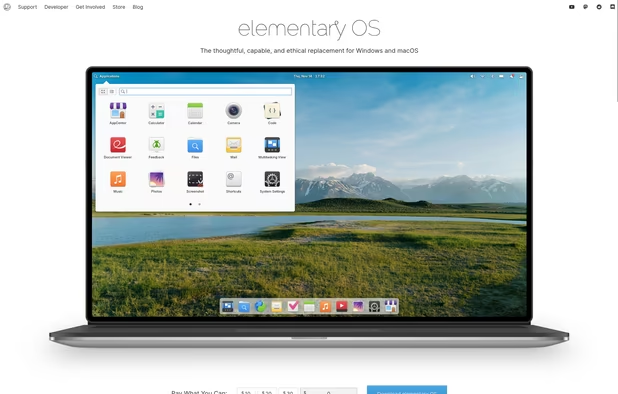
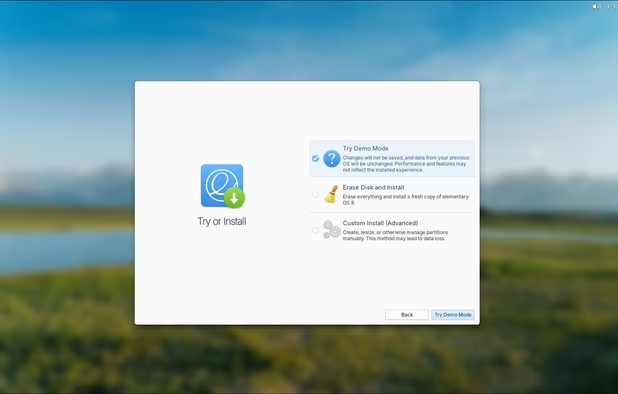
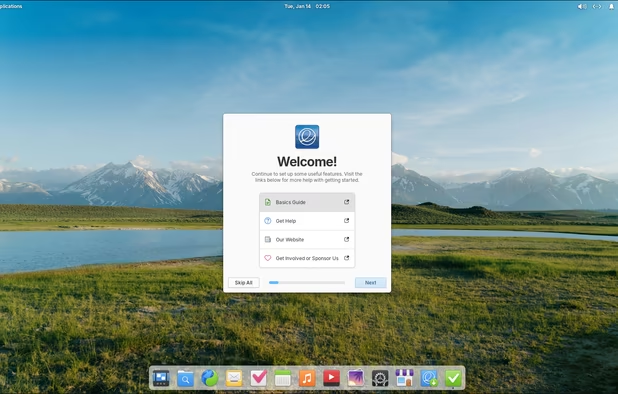
  7. elementary OS is a free, fast and aesthetically pleasing operating system based on Ubuntu icon Ubuntu .

    Cost / License

    • Free
    • Open Source

    Application type

    Platforms

    • Linux
    Boot Screen
    Website
    Installation Screen from ISO
    +11
    Onboarding Window
    DavidDavid’s note

    I love dual-boot systems and it's easiest to install right at the start of a new PC. I usually install elementary OS, which serves as a backup system that allows access to the Windows files in case of malware or other issues. After install, I typically will install all the same apps from the Windows OS as well, sort of mirroring the Windows configuration on Linux.

  8. fish icon
     Like

    Fish is a user-friendly command line shell for UNIX-like operating systems such as Linux

    Cost / License

    • Free
    • Open Source

    Application type

    Platforms

    • Mac
    • Windows
    • Linux
    • BSD
    • Rust
    • Linux Mobile
    fish screenshot 1
    fish screenshot 1
    fish screenshot 2
    +1
    fish screenshot 3
    DavidDavid’s note

    Fish greatly simplifies work in the terminal. The aesthetics and built-in color highlighted auto-completion are reason enough for me to rely on it and it's generally the first thing I install on elementary OS.

  9. Wine icon
     Like

    A free, open-source compatibility layer allowing Windows applications to run on Linux and other systems, offering configuration and community support.

    Cost / License

    • Free
    • Open Source

    Application type

    Platforms

    • Mac
    • Linux
    • Android
    • Android Tablet
    • BSD
    • Flathub
    Wine screenshot 1
    Wine screenshot 1
    Wine screenshot 2
    +1
    Wine screenshot 3
    DavidDavid’s note

    I like being able to run Windows apps right through Linux and WINE makes that relatively easy. It's one of the first apps I install on Linux (elementary OS in my case).

  10. Terminal emulator which mimics the look and feel of the old cathode tube screens, designed for eye-candy with lots of graphic options.

    Cost / License

    • Free
    • Open Source

    Application type

    Platforms

    • Mac
    • Linux
    Cool Retro Term screenshot 1
    Cool Retro Term screenshot 1
    Cool Retro Term screenshot 2
    DavidDavid’s note

    Totally unnecessary app, but I just love CRT's retro style. I use it to liven up the sometimes boring terminal.

  11. Atom icon
     Like

    Atom is an open-source, Electron icon Electron based text editor with a massive ecosystem of plugins and themes that are easily accessible through a built-in package manager. Being built with Electron, it uses web technology (HTML, CSS, JavaScript and Node.

    Cost / License

    • Free Personal
    • Open Source

    Application type

    Platforms

    • Mac
    • Windows
    • Linux
    • Chrome OS
    • BSD
    • Electron / Atom Shell
    Intro screen
    Command palette
    Choose from scores of community made themes
    +2
    Project view
    DavidDavid’s note

    I typically end up installing Atom a bit early on mainly due to the fact that it provides a sleek interface for working with various text files. I interact with lots of text files even while setting up a new PC.

  12. Inkscape icon
     Like

    Open source vector graphics editor supporting SVG with features like custom brushes, pressure sensitivity, and layer management across multiple platforms.

    Cost / License

    • Free
    • Open Source

    Application type

    Platforms

    • Mac
    • Windows
    • Linux
    • BSD
    • Snapcraft
    • Flathub
    • PortableApps.com
    • Haiku
    Inkscape screenshot 1
    Inkscape screenshot 1
    Inkscape screenshot 2
    +8
    Inkscape screenshot 3
    DavidDavid’s note

    Inkscape is an important work tool for myself, I'm just really accustomed to the keyboard shortcuts and workflow. I use it to create original designs, edit screenshots and for general purpose cropping of images.

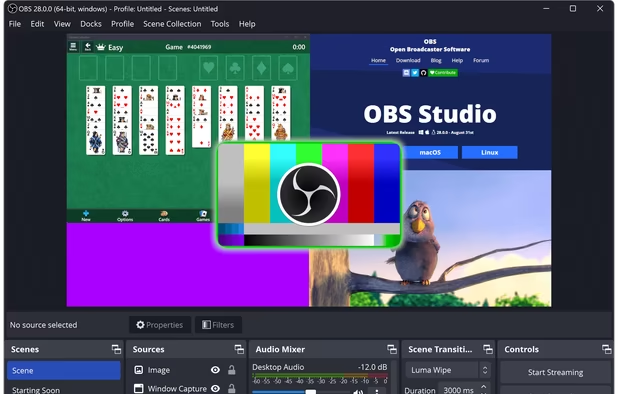
  13. Comprehensive software providing screen recording and live streaming on Mac, Windows, and Linux with powerful encoding support and unlimited scenes.

    Cost / License

    • Free
    • Open Source

    Application type

    Platforms

    • Mac
    • Windows
    • Linux
    • BSD
    • Snapcraft
    • Flathub
    • PortableApps.com
    • Steam
    • FreeBSD
    OBS Studio screenshot 1
    OBS Studio screenshot 1
    OBS Studio screenshot 2
    +8
    OBS Studio screenshot 3
    DavidDavid’s note

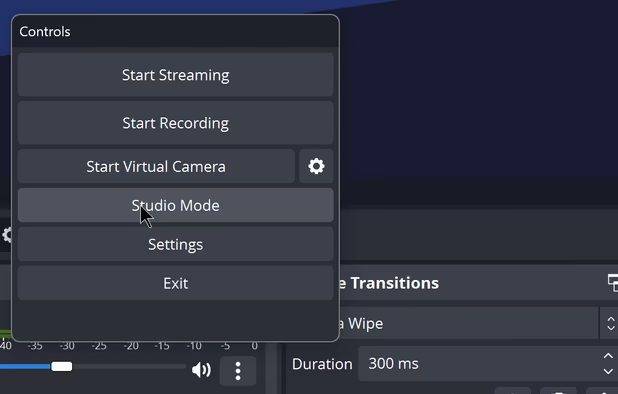
    OBS is just plain awesome. It's totally free, cross-platform and makes it super easy to record screencasts. It's one of the last but more important apps I install. I use it for recording bugs to report software issues, for creating walk-throughs and tutorials and for game-play recordings.

  14. Kdenlive icon
     Like

    Intuitive multi-track video editor with robust hardware-accelerated support; offers chroma key, color grading, and extensive audio/video format compatibility.

    Cost / License

    • Free
    • Open Source

    Application type

    Platforms

    • Mac
    • Windows
    • Linux
    • BSD
    • KDE Plasma
    • Snapcraft
    • Flathub
    • Flatpak
    Logging
    Editing
    Audio
    +2
    Effects
    DavidDavid’s note

    Video and screen recordings need editing and with its recent launch on Windows, kdenlive is my new go-to editor. It sports a commercial workflow that's intuitive and fast, and now works across platforms.

  15. FL Studio icon
     Like

    Comprehensive DAW for digital audio tasks, featuring advanced composition, arrangement, and editing tools, tailored for music professionals.

    Cost / License

    • Paid
    • Proprietary

    Application type

    Platforms

    • Mac
    • Windows
    • Online
    • Android
    • iPhone
    • Android Tablet
    • HUAWEI AppGallery
    • iPad
    FL Studio screenshot 1
    FL Studio screenshot 1
    FL Studio screenshot 2
    +3
    FL Studio screenshot 3
    DavidDavid’s note

    Since I work with music and audio files on a commercial level, I need an adept DAW and FL Studio easily fills that need. I personally install both the desktop and mobile versions early on in my new PC setups.

  16. Ocenaudio icon
     Like

    Ocenaudio is a cross-platform, easy to use, fast and functional audio editor. It is the ideal software for people who need to edit and analyze audio files without complications. ocenaudio also has powerful features that will please more advanced users.

    Cost / License

    • Free
    • Proprietary

    Application type

    Platforms

    • Mac
    • Windows
    • Linux
    Ocenaudio version 3.7.19 running on Windows with an audio file open.
    Ocenaudio version 3.7.19 running on Windows with no file open.
    Ocenaudio screenshot 2
    +4
    audio screenshot
    DavidDavid’s note

    I do a lot with audio files and Ocenaudio being one of the fastest audio editors, I use it across Windows and Linux for the same, quick and intuitive workflow. It's free but easily compares with commercial wave editors and can be very useful even for those who don't work with audio professionally.

  17. Scirra Construct is a 2D game development engine with a focus on building games visually. No programming is required though the software uses a visual method for event handling that relies on programming concepts like variables, loops and conditions.

    Cost / License

    • Freemium
    • Proprietary

    Application type

    Platforms

    • Windows
    Construct 2 screenshot 1
    Construct 2 screenshot 1
    DavidDavid’s note

    Construct 2 is a 2D game development tool and while I use it for game development, I often use it for prototyping ideas as well. For me, it's a helpful productivity tool that happens to have amazing game design features!

  18. Hardwood Solitaire IV offers a beautiful solitaire experience with over 100 variations of solitaire, including Free Cell, Spider and Klondike.

    Cost / License

    • Freemium
    • Proprietary

    Application type

    Platforms

    • Mac
    • Windows
    • Online
    • Android
    • iPhone
    • Android Tablet
    • iPad
    • Apple TV
    • Kindle Fire
    Hardwood Solitaire IV screenshot 1
    Hardwood Solitaire IV screenshot 1
    Hardwood Solitaire IV screenshot 2
    +3
    Hardwood Solitaire IV screenshot 3
    DavidDavid’s note

    I love solitaire and Hardwood Solitaire is the very best solitaire game in my experience. The game helps me to clear my mind and regain focus on busy days. Plus it works great both on Windows and on Linux through WINE.

  19. 0 A.D. icon
     Like

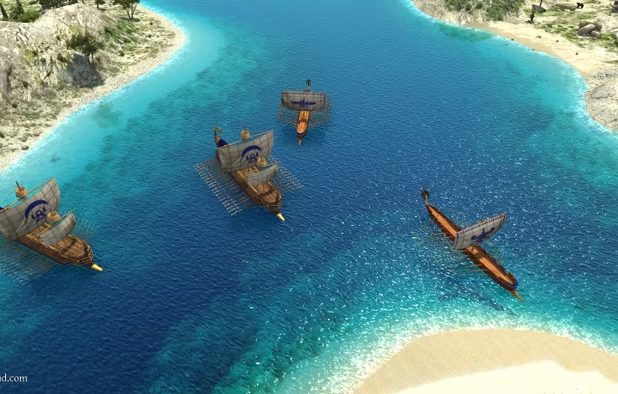
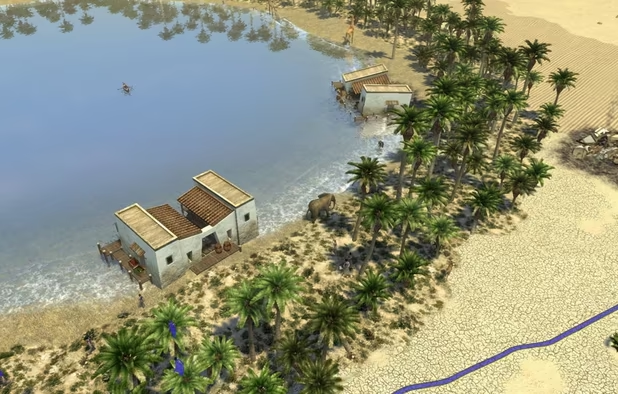
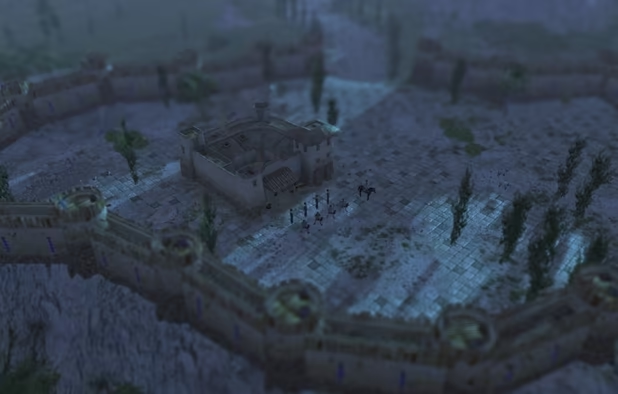
    Free, open-source real-time strategy game featuring ancient warfare from 500 B.C. to 500 A.D., with city building, custom maps, and cross-platform support.

    Cost / License

    • Free
    • Open Source

    Application type

    Platforms

    • Mac
    • Windows
    • Linux
    • BSD
    • Snapcraft
    • Arch Linux
    • Flathub
    • Haiku
    0 A.D. screenshot 1
    0 A.D. screenshot 1
    0 A.D. screenshot 2
    +5
    0 A.D. screenshot 3
    DavidDavid’s note

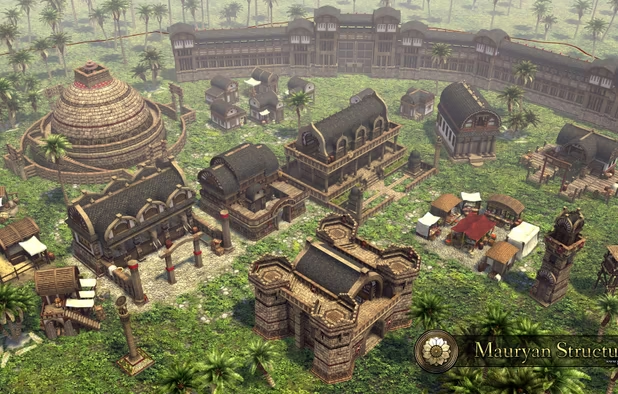
    I install this gem of a game on every new system. It's totally free and the game mechanics are very similar to Age of Empires II, one of my favorite games of all time. It also helps me to quickly test the limits of a system, through massive game maps with scores of enemy units. It's a game, so it's typically one of the last things I install.

  20. Steam icon
     Like

    Steam is a digital distribution, digital rights management, multiplayer and communications platform developed by Valve Corporation. It is used to distribute a wide range of games and related media entirely over the internet, stretching from one-man independent efforts to some of...

    Cost / License

    • Free
    • Proprietary

    Application type

    Platforms

    • Mac
    • Windows
    • Linux
    • Online
    • Android
    • iPhone
    • Android Tablet
    • Windows Phone
    • iPad
    • Snapcraft
    • Flathub
    • SteamOS
    Steam screenshot 1
    Steam screenshot 1
    Steam screenshot 2
    +4
    Steam Store
    DavidDavid’s note

    What PC would be complete without the Steam gaming platform? Steam even has tons of games that work great on low-end PCs. I usually install it as a finishing touch, then the game downloads begin.

Comments

Shaz Shah
0
Co-host at Radio Bros

This is a good list and 7-zip is a great shout out, as well as Firefox Developer Edition. Thanks for sharing fish. That's a new one for me to check out :-)

As usual, when enough time passes, some apps would need to be re-checked and whatnot. So here's my tuppence:

  • Depending on how paranoid you are, I'd probably go with another Chromium browser like Brave, or Ungoogled Chromium Browser
  • Atom is no more after Microsoft's acquisition of Github. So I'd probably suggest VSCode / VSCodium, or even Phoenix Code
  • If open source is not a requirement for free software, I'd suggest considering DaVinci Resolve. It's great for its colour correction, non-linear editing, and audio editing with it's built-in Fairlight engine. I do not need to do composition in my line of work, so haven't dabbled with the node-based approach.

Thanks for sharing.

Jeff Witty
0

BEST compression setting in 7z "on average" settings as: 7zip > ultra > LZMA2 > 1536mb > 273 > Solid

Jeff Witty
0

7z and paq are the 2 most advanced "common" compression containers, the xzip or zipx is "hit or miss" depending on whats being zipped (much like paq) 7z max everything, solid archive in peazip or 7zip is generally "most ideal" for speed/size and easy of sending someone else a 7z (they know what they are)

1 reply
Replying to @Jeff Witty

Thanks for that helpful clarification. I use 7zip because it's fast and bloat free, I had no idea the compression was top notch.

JustanotherMalaysian
1

Thanks for 7Zip! I've always needed something like that. WinRAR is really bad (imo).

1 reply
Replying to @JustanotherMalaysian

Yeah 7Zip is great! There's also PeaZip, but 7Zip has been around longer. I recall reading that WinRAR's compression rates are still better than the rest. But I only use these tools for decompression myself.

Amir Serbilind
1

Nice! this list comes in handy

1 reply
Replying to @Amir Serbilind

Thanks! Glad you found it helpful! :)