"Do Not Track" - software.

This is a list containing mostly open source and free software, that should reduce the footprint you give to everything that tracks you online. A lot of these are replacements for Google products. And most of these have other alternatives, the ones listed here are just my favorites.

ljoonal
ljoonalList by ljoonal, last updated 
Copy a direct link to this comment to your clipboard
  1. Secure your browser

    This is the easiest thing to do, and it gets you quite far.

  2. Privacy respecting search engine. You should definitely replace your current one with something that doesn't track you.

    Cost / License

    • Free
    • Proprietary

    Platforms

    • Online
    • Android
    • iPhone
    • Android Tablet
    • iPad
    • Microsoft Edge
    • Vivaldi
    • Google Chrome
    • Safari
    • F-Droid
    • Yandex Browser
    • Tor
    • Opera
    • Mozilla Firefox
    DuckDuckGo Homepage
    DuckDuckGo screenshot 1
    DuckDuckGo screenshot 2
    +16
    DuckDuckGo screenshot 3
  3. An alternative to Chrome from a trusted privacy oriented company. You can never be fully sure that Google is not adding something suspicious to their browser. If you do trust chromium though, or something based on it, then you should totally check out the alternatives.

    Cost / License

    • Free
    • Open Source

    Application type

    Platforms

    • Mac
    • Windows
    • Linux
    • Android
    • iPhone
    • Android Tablet
    • BSD
    • HUAWEI AppGallery
    • iPad
    • AppImageHub
    • Snapcraft
    • Flathub
    • Samsung Galaxy Store
    • PortableApps.com
    • Haiku
    • Flatpak
    • Homebrew
    • Chocolatey
    • Gecko
    Firefox Desktop (Light Theme)
    Firefox Desktop (Dark Theme)
    Firefox iOS (Light Theme)
    +7
    Firefox iOS (Dark Theme)
  4. This is the grand father of good adblock. Sure, it's interface might not be that pretty, but it sure does it's job really well. You might wanna checkout Nano Adblocker though if you want something a bit more fresh.

    Cost / License

    • Free
    • Open Source

    Application types

    Platforms

    • Microsoft Edge
    • Vivaldi
    • Google Chrome
    • Pale Moon
    • Thunderbird
    • Opera
    • Node.JS
    • Chromium
    • Mozilla Firefox
    uBlock Origin screenshot 1
    uBlock Origin screenshot 1
  5. uMatrix icon
     Like

    Limits all kinds of trackers and ads. Might be a bit too much for most users. But it's one of the best ways to limit the attack surface for tracking you.

    Cost / License

    • Free
    • Open Source

    Application types

    Platforms

    • Google Chrome
    • Opera
    • Brave
    • Firefox
    uMatrix screenshot 1
    uMatrix screenshot 1
    uMatrix screenshot 2
    +5
    uMatrix screenshot 3
  6. Communications

    I think that it is essential to secure the way you communicate with others.

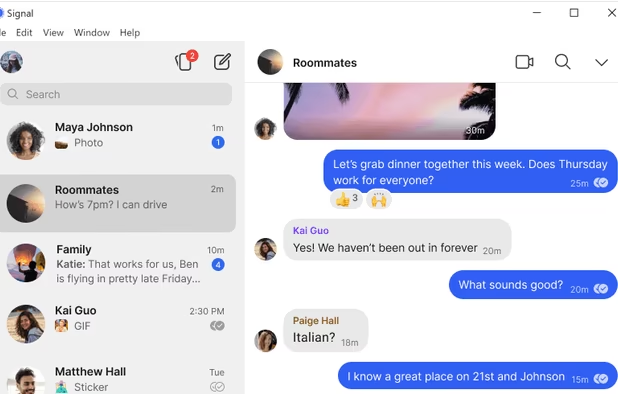
  7. Signal icon
     Like

    The way to go if you want truly secure communications.

    Cost / License

    • Free
    • Open Source

    Platforms

    • Mac
    • Windows
    • Linux
    • Android
    • iPhone
    • iPad
    • Flathub
    • Ubuntu
    • Debian
    • Snapcraft
    Signal screenshot 1
    Signal screenshot 1
    Signal screenshot 2
    +4
    Signal screenshot 3
  8. Matrix icon
     Like

    Matrix is a federated communications system, which provides excellent security and privacy. But currently it still feels a bit unfinished, so make sure that you can bare a few rough edges if you're going to start using it.

    Cost / License

    • Free
    • Open Source

    Platforms

    • Mac
    • Windows
    • Linux
    • Online
    • Android
    • iPhone
    • Android Tablet
    • iPad
    • Self-Hosted
    • WebRTC
    • Python
    • JavaScript
    • Go (Programming Language)
    • Cloudron
    • Java
    • Perl
    Main Page
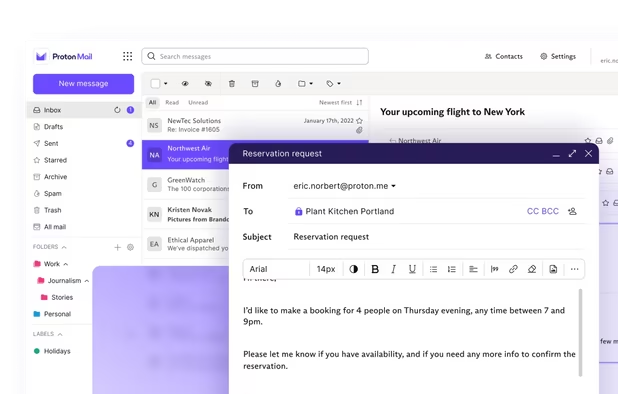
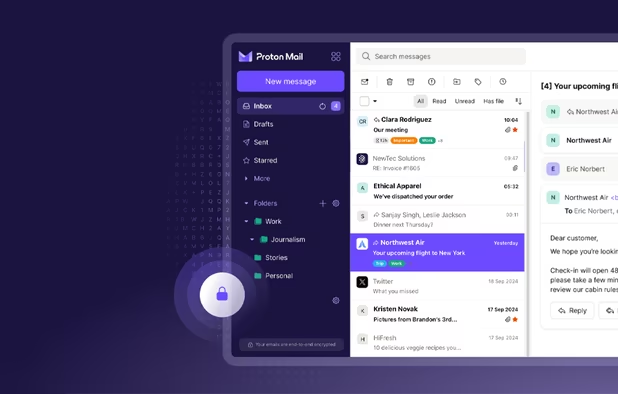
  9. Secure email that works. There are other privacy focused email providers too, check out the alternatives if Protonmail isn't the one that you'd t rust.

    Cost / License

    • Freemium
    • Open Source

    Platforms

    • Mac
    • Windows
    • Linux
    • Online
    • Android
    • iPhone
    • iPad
    • Tor
    • Flathub
    • Snapcraft
    Proton Mail screenshot 1
    Proton Mail screenshot 1
    Proton Mail screenshot 2
    +9
    Proton Mail screenshot 3
  10. Telegram icon
     Like

    If you want at least something that claims to not to track you and doesn't have the worst reputation, and you want your messenger to be usable, you might wanna check out Telegram. Though again, it's privacy is debatable.

    Cost / License

    • Freemium
    • Proprietary

    Platforms

    • Mac
    • Windows
    • Linux
    • Online
    • Android
    • iPhone
    • Android Tablet
    • HUAWEI AppGallery
    • iPad
    • Apple Watch
    • Android Auto
    • Linux Mobile
    • Android Wear
    • PortableApps.com
    • FreeBSD
    • Apple Car Play
    Telegram Desktop
    Telegram iOS #1
    Telegram iOS #2
    +17
    Telegram iOS #3
  11. Easy replacements

    These are replacements for some Google products.

  12. F-Droid icon
     Like

    You can get Android apps from something that isn't the Play store.

    Cost / License

    • Free
    • Open Source

    Platforms

    • Online
    • Android
    • Android Tablet
    • F-Droid
    F-Droid screenshot 1
    F-Droid screenshot 2
    F-Droid screenshot 3
  13. KeePass icon
     Like

    Replaces google's password manager. There's also Android apps that can use the KeePass database file. Something that keeps your database file always offline guarantees that nobody else can access your passwords.

    Cost / License

    • Free
    • Open Source

    Platforms

    • Mac
    • Windows
    • Linux
    • BSD
    • Mono
    Entry Templates Plugin
    Main window
    Login Screen
    +5
    Built-in Password Generator
  14. Kee icon
     Like

    Integrates KeePass into Firefox for autofill. This is more of an "ease to use" thing, it's security might be a bit questionable though, so only use this on very trusted devices.

    Cost / License

    • Freemium
    • Open Source

    Application type

    Platforms

    • Mac
    • Windows
    • Linux
    • Vivaldi Browser
    • Firefox
    Kee screenshot 1
    Kee screenshot 1
    Kee screenshot 2
    +1
    Kee screenshot 3
  15. Syncthing icon
     Like

    Better than your cloud provider spying on you. You could use this to sync your KeePass database file.

    Cost / License

    • Free
    • Open Source

    Platforms

    • Mac
    • Windows
    • Linux
    • BSD
    • Self-Hosted
    • Cloudron
    • Termux
    • Terminal
    Syncthing screenshot 1
  16. EteSync icon
     Like

    Replaces Google's calendar and contacts sync. Or alternatively, use caldav and webdav.

    Cost / License

    • Freemium
    • Open Source

    Platforms

    • Mac
    • Windows
    • Linux
    • Online
    • Android
    • iPhone
    • Android Tablet
    • BSD
    • iPad
    • Self-Hosted
    • F-Droid
    • Software as a Service (SaaS)
    • Etebase
    EteSync screenshot 1
    EteSync screenshot 2
    EteSync screenshot 3
  17. What about YouTube?

    There is no good way to escape the hold that Google has on online video. Here's some suggestions though.

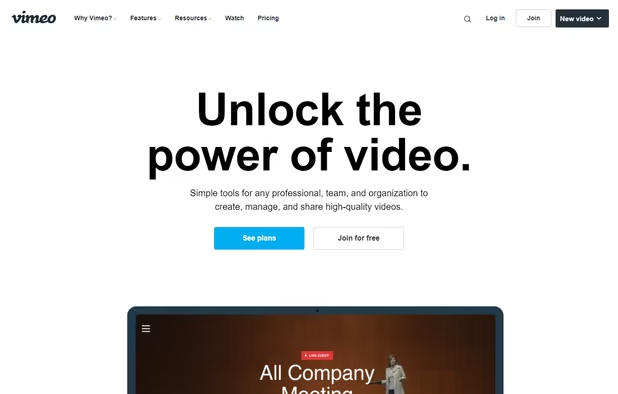
  18. Vimeo icon
     Like

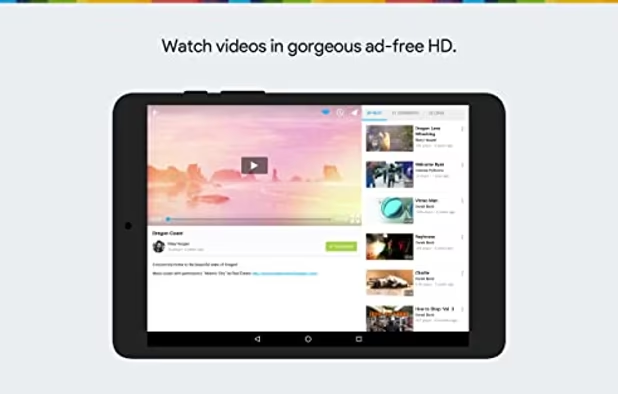
    If you don't use YouTube for anything, and only need a place to upload videos, Vimeo will be fine for you.

    Cost / License

    • Freemium
    • Proprietary

    Platforms

    • Online
    • Android
    • iPhone
    • Android Tablet
    • Windows Phone
    • Apple TV
    • Kindle Fire
    Main Page
    Kindle
    Android
  19. Invidious icon
     Like

    It's YouTube without any of the personalized trackers, and a bit less features.

    Cost / License

    • Free
    • Open Source

    Platforms

    • Online
    • Self-Hosted
    • Cloudron
    Invidious screenshot 1
    Invidious screenshot 1
    Invidious screenshot 2
  20. Paranoia strikes

    These are in my opinion over the top ways to make your life way harder to track. But even I do not do most of these, and I do not think that anyone should need to do these to achieve privacy.

  21. Pi-hole icon
     Like

    This is quite easy to setup on a raspberrypi. It's dns level ad blocking, but it doesn't catch everything. But more layers of security usually is better than less layers.

    Cost / License

    • Free
    • Open Source

    Application type

    Platforms

    • Linux
    • Self-Hosted
    • CentOS
    • Fedora
    • Ubuntu
    • Debian
    • Raspberry Pi OS
    • Raspberry Pi
    The Web interface shows how many ads were blocked, a query log, and more.
    Domains can be whitelisted and blacklisted using either the web interface or the command line.
    The settings page lets you control and configure your Pi-hole.
    +2
    Pi-hole screenshot 3
  22. GnuPG icon
     Like

    Nobody will be reading your messages if you GPG them

    Cost / License

    • Free
    • Open Source

    Application type

    Platforms

    • Mac
    • Linux
    • PortableApps.com
    • Xfce
    • OpenPGP
    GnuPG Shell running GnuPG on Windows
  23. Why not setup your own VPN too, so that you can use it as a proxy to your real vpn maybe? Buy a cheap vServ, setup OpenVPN to listen on port 443, and you've basically made yourself a really good firewall bypasser.

    Cost / License

    • Freemium
    • Open Source

    Application types

    Platforms

    • Mac
    • Windows
    • Linux
    • Android
    • iPhone
    • Android Tablet
    • iPad
    • Self-Hosted
    • Cloudron
    OpenVPN Connect screenshot 1
    OpenVPN Connect screenshot 2
    OpenVPN Connect screenshot 3

You're being tacked even now. Alternativeto.net has Google's tag manager at the very least, and who knows what else. You can never fully escape tracking, but these pieces of software should make your life a tiny bit more private.

Comments

TheEmperorArt
2

You forgot about these: Privacy oriented Browsers: Epic Browser SRware Iron Ghost Browser Brave Browser Vivaldi Browser ... not seen as a privacy browser but is far more private than most chromium browsers, uses own sync system and does not collect data in batches nor do they sell them Opera First browser to feature a built-in VPN to keep all of your info secure and hidden

Privacy Oriented Search Engine: Startpage Qwant Searx

Password Manager: Myki (imo is better than Keepass and allowing another app sync your documents, Myki is offline and syncs with your devices without storing it in the cloud or their servers. They hold absolutely no info on you apart. As well has a built in 2FA. Less apps you use the more private you are.)

Texting: I wouldn't use Telegram for lots of reasons, it had/has tons of privacy security issue, just need to search it. Tox Project even if it's in beta it still a good competitor to Signal. Actually just search Signal on Alternativeto and the first like 15 apps or so are pretty secure and very privacy oriented

Web Extension: Adguard holds more adblock rules, and is surprisingly in a smaller package than other adblocks Silent Mode, blocks all if not most trackers and even protects your identity like what OS you are using, if it's 32 vs 64 bit and much more.

[Edited by artexjay, December 27]

2 replies
ljoonal

I wanted to only list some of the most popular / easiest to use alternatives to popular products / services, and not list every single alternative, since that's imo the job of alternativeto :)

Telegram was included because it's easy to use, not because it's secure for sure. But if someone wants to migrate away from Facebook / Google, it's at least a good start. But I understand that I could have focused a bit more on the controversies with it.

While privacy oriented browsers do exist, I've find those in the past to lack a lot of features when compared to FF/Chrome, and generally I cannot recommend them because I've not tired them (I mean I tried Vivaldi but I wouldn't call that privacy focused, and found it to be quite a bit slower than Firefox). And with Firefox you can go to about:config and turn off pretty much all data being sent to Mozilla. Librefox (https://github.com/intika/Librefox) is a quick config that I personally use.

As per password managers, I know that there's a lot of solutions out there, but keepass stands out to me as the best privacy / security focused one because of the open source nature of it, and also that it's well maintained and has at least a bit of popularity. And the fact that the database never even leaves your computer without you yourself setting that up is imo a good thing, because that means that it's harder to even get anything to try to hack.

While adguard might hold more adblock rules by default, you need to note that uBlock does support custom rules (and a lot of them exist, and a lot of them can be found from https://filterlists.com/ ). And as far as I know, uBlock is one of the most performant adblocking solutions out there. Not to forget that it's open source, meaning that you can audit it yourself if you have privacy / security concerns. And uMatrix is a really safe bet if you disable scripts by default, since there's not a ton of data that a website can gather from just a http request.

But I do admit that this is by no means an extensive list. For example I could've included nano defender (https://jspenguin2017.github.io/uBlockProtector/) also. Or browserplugs (https://www.browserplugs.com/). But those aren't really that much alternatives anymore, and more like stacking privacy features on top of already existing privacy features.

TheEmperorArt

Adguard can holds custom rules as well. And personally see adguard as a superior adblocker to Ublock, for a tons of reasons, one being a much more friendly user interface.

For browsers i find FF to be the slower in opening and browsing compared to it's chrome counterparts some of them being Vivaldi and Opera. Although I do agree that Vivaldi's primary focus isnt privacy they still end up having an excellent browser if you want to keep chrome like functionality. Epic for example does not gather any info on you neither does Iron.

Keepass is decent, but still see Myki as the superior one as I have stated before it's also an offline password manager BUT has similar capabilities to that of a cloud password manager, encrypts your data then sends it via an encrypted channel via LAN to your extension on any PC connected.

Telegram I do not view as an FB alternative rather it's just a messaging app so a Whatsapp alternative in fact. There are plenty of more secure messaging apps out there.

Gu