
• Scriptorium icon
  • Novellier icon
  • Insanitomeium icon
  • InkSpine icon
  • Priama icon
  • +22

Writing Apps

kcoder1127 appsUpdated
Copy a direct link to this comment to your clipboard
  1. Novellier icon
     Like

    Novellier is a complete writing suite designed for novelists, screenwriters, and storytellers. Unlike traditional word processors, it lets you manage entire book series within a single project—switch between novels while sharing characters, locations, and resources across all of...

    Cost / License

    • Free
    • Proprietary

    Application type

    Platforms

    • Windows
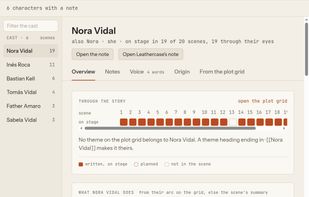
    • Mac
    • Online
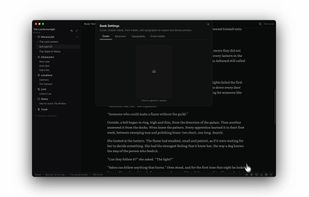
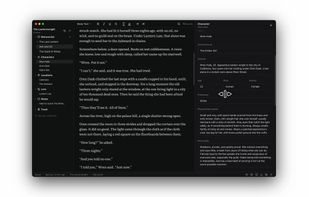
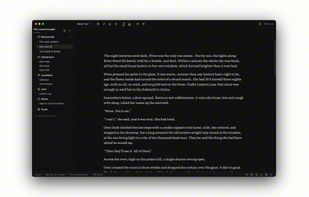
    Writing Page
    Vineyard (Planning Canvas)
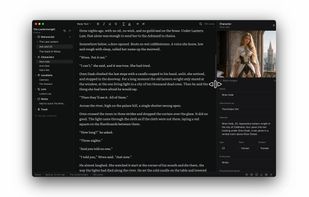
    Expanded Resource Image
    +1
    Launcher Screen
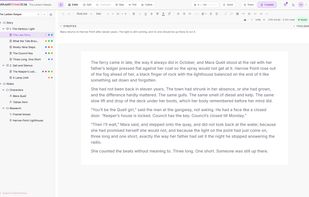
  2. Free Scrivener-style novel writing app in your browser: binder, corkboard, plot board, outliner, character sheets, and compile to PDF, DOCX and ePub.
    Cost / License

    • Free
    • Proprietary

    Application type

    Platforms

    • Online
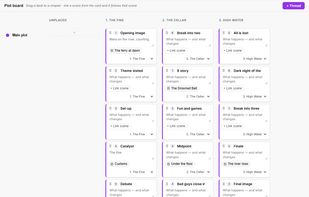
    Plot Board: plot threads across chapters with beats as draggable cards
    Session and draft word-count goals with progress bars
    Writing sprint timer with a live word count
    +7
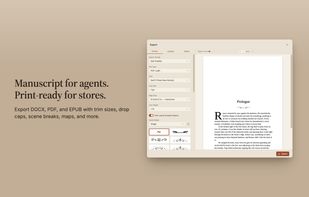
    Compile & Export: pick documents, set the order, export to PDF, DOCX, EPUB, Markdown or Manuscript
  3. InkSpine icon
     Like

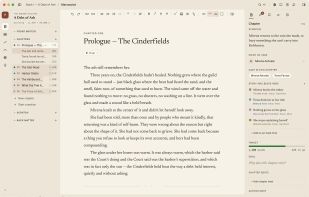
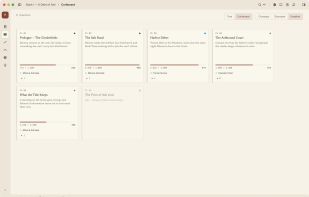
    Offline-first writing app for fiction, memoir and non-fiction: a Markdown editor, structured notes on people, places and ideas, and EPUB, DOCX and PDF export.
    Cost / License

    • Freemium
    • Proprietary

    Application type

    Platforms

    • Windows
    • Mac
    • Linux
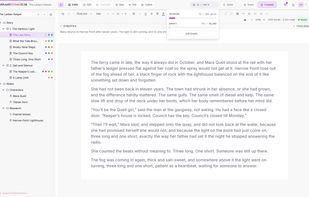
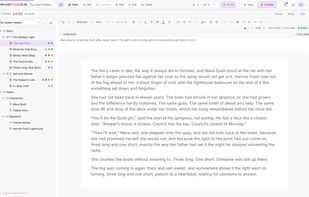
    The editor: a chapter in the manuscript, with the project tree and inspector
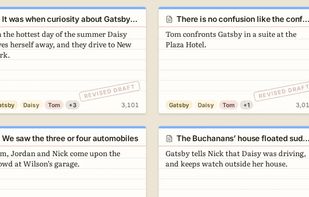
    The corkboard: chapters as cards you can reorder
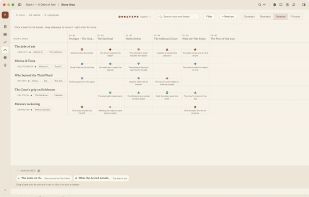
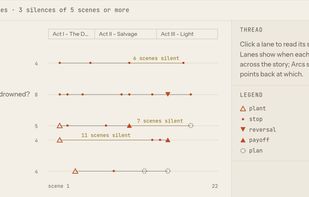
    Story arcs drawn as lanes across the chapters, showing where a thread went quiet
    +2
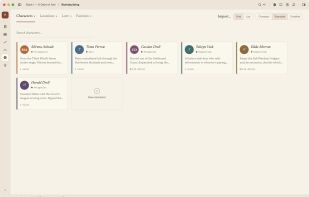
    Worldbuilding: characters, locations and lore that link into the manuscript
  4. Priama icon
     Like

    Priama — local-first desktop writing app for authors.

    Cost / License

    • Free
    • Open Source

    Application type

    Platforms

    • Windows
    • Mac
    • Linux
    Priama screenshot 1
    Priama screenshot 1
    Priama screenshot 2
    +2
    Priama screenshot 3
  5. Plotiar icon
     Like

    The writing app for authors, academics, and worldbuilders who need to plan, write, and collaborate - all in one place.

    Cost / License

    • Freemium
    • Proprietary

    Application type

    Platforms

    • Online
    • Software as a Service (SaaS)
    Editor page
    Analyze page
    Flowcharts page
    +1
    Plotgrid page
  6. garret icon
     Like

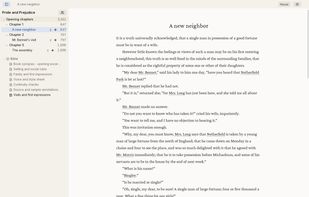
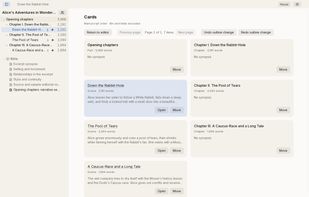
    garret is a free, open-source writing studio for novelists. It keeps your manuscript, story planning, research, and revisions together on your own disk. You can write offline without creating an account.
    Cost / License

    • Free
    • Open Source

    Application type

    Platforms

    • Windows
    • Mac
    • Linux
    • Android
    Writing with chapter and scene navigation (Linux desktop).
    Outline cards with scene summaries.
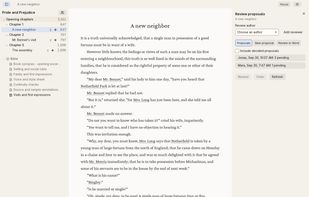
    Attributed DOCX review proposals.
    +1
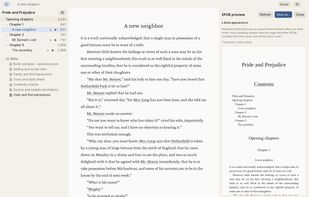
    EPUB preview and export with book design.
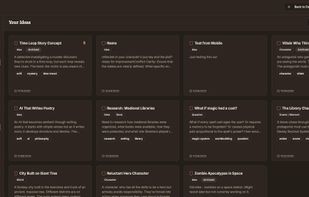
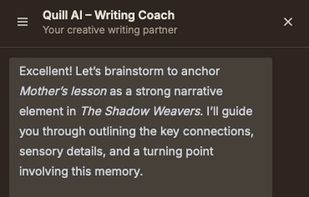
  7. Novel writing workspace for outlining, drafting, and refining manuscripts with hierarchical organization, offline editing, AI suggestions, and collaboration.
    Cost / License

    • Freemium
    • Proprietary

    Application type

    Platforms

    • Windows
    • Mac
    • Chrome OS
    • Online
    • Android
    • iPhone
    • iPad
    • Android Tablet
    Quill Writer screenshot 1
    Quill Writer screenshot 1
    Quill Writer screenshot 2
    +5
    Quill Writer screenshot 3
  8. Quilvo icon
     Like

    Tracks writing projects, drafts, goals, submissions, markets, and editor contacts while logging stats, word counts, sessions, reminders, and writing progress.

    Cost / License

    • Freemium
    • Proprietary

    Application type

    Platforms

    • Online
    Quilvo screenshot 1
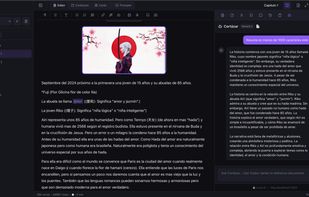
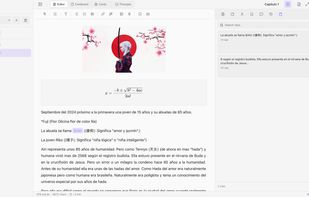
  9. Rayuela Editor is moderm, privacy-focused writing environment designed for long-form fiction (novels, screenplays, and theses). It bridges the gap between the structural power of Scrivener and the portability of modern web technology, wrapped in a native desktop application.
    Cost / License

    • Free
    • Proprietary

    Application type

    Platforms

    • Windows
    • Mac
    • Linux
    • Online
    Dark Mode
    Light Mode
  10. Neverkin icon
     Like

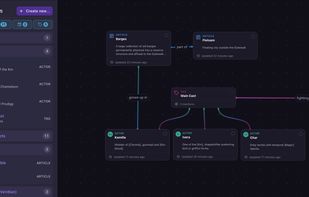
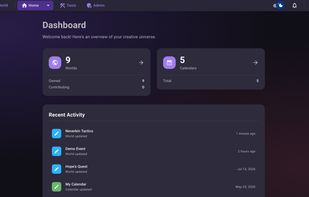
    Neverkin is a free and open-source webapp aimed at different kind of writers and storytellers that have large stories or worlds to keep track of. It includes a wide range of features and it keeps evolving.
    Cost / License

    • Free
    • Open Source

    Application type

    Platforms

    • Windows
    • Mac
    • Linux
    • Online
    • Software as a Service (SaaS)
    Mindmap
    Main dashboard
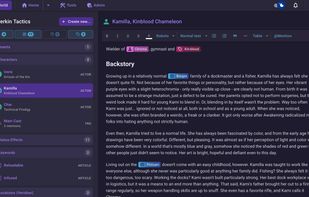
    Wiki article
    +3
    Main timeline view
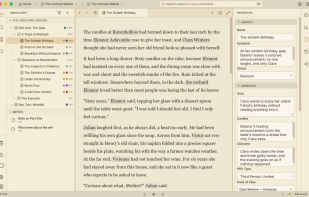
  11. Free offline novel-writing app with scene planning, a Book Wiki, local Markdown files, version history, and DOCX/EPUB export.
    Cost / License

    • Free
    • Proprietary

    Application type

    Platforms

    • Windows
    • Mac
    • Linux
    Manuscript editor with chapter and scene navigation, plus scene properties for goal, conflict, outcome, and point of view.
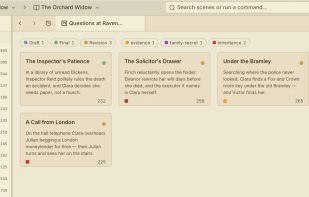
    Corkboard scene cards show synopses and statuses; rearranging cards changes manuscript order.
    Manuscript editor with chapter and scene navigation.
    +2
    Book Wiki character card keeps story details beside the manuscript.
  12. The only app you'll need to write your novels and build your worlds. Organize your thoughts and cross-reference anything at any time.

    Cost / License

    • Free
    • Proprietary

    Application type

    Platforms

    • Windows
    • Mac
    • Linux
    • Online
    Overview screen
    Story section
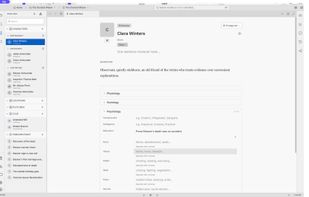
    Editing a character
    +4
    Vieding a character
  13. kindling icon
     Like

    Free, open-source writing app for fiction writers who outline. Each scene opens with its beats, characters and notes beside the draft. Imports Scrivener, Plottr, yWriter, Obsidian and novelWriter. No AI, no subscription, no account.
    Cost / License

    • Free
    • Open Source

    Application type

    Platforms

    • Windows
    • Mac
    • Linux
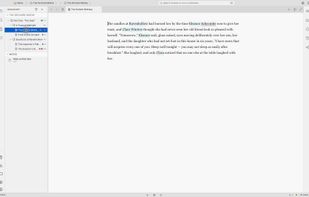
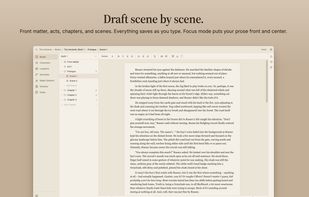
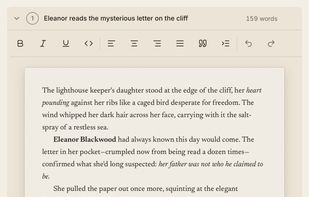
    Draft beneath the scene's beats: each beat is a prompt, with the prose written right under it.
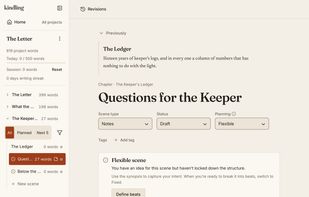
    Rolling Outline: each scene is Fixed, Flexible or Undefined, and the chapter tree shows its planning state.
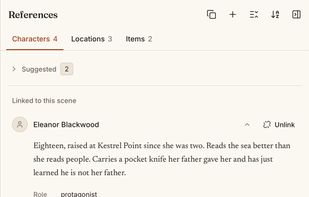
    References panel: the characters, locations and items linked to a scene, beside the draft.
    +3
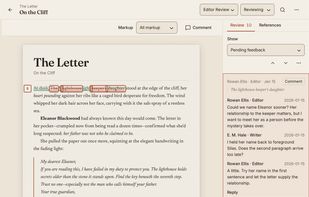
    Editorial review (new in 1.3): work through an editor's comments and suggestions in the manuscript.
  14. Draftline icon
     Like

    Free, open source, local-first novel editor with writing, planning, continuity checks, prose analysis, typeset export, and BYO cloud sync. No account or subscription required.
    Cost / License

    • Free
    • Open Source

    Application type

    Platforms

    • Windows
    • Mac
    • Linux
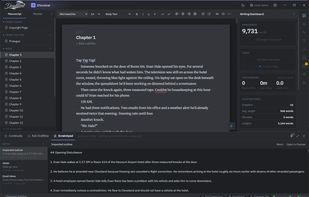
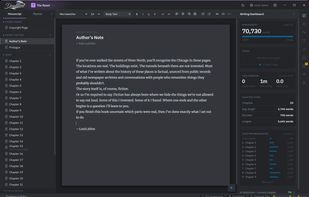
    The writing editor with the Writing Dashboard open, showing manuscript word count against your target, daily goals, session stats, and a chapter-by-chapter length breakdown, all updating as you write.
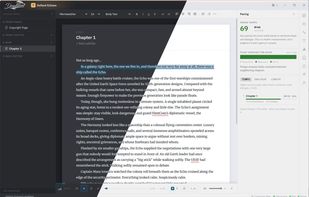
    The Pacing panel scores prose tempo from sentence shape and dialogue and tracks flow across the whole book, shown here in both dark and light themes. The read-aloud player runs along the bottom, highlighting each sentence as it's read.
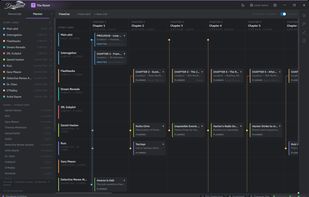
    The Planner timeline, with story lines for the main plot, subplots, and each character running across chapters. Plot cards show location, status, and characters, and your codex characters can be added as their own lanes.
    +2
    The Scratchpad docked below the manuscript, so your outline and notes sit right under the chapter you're drafting. The same notes open in the Planner too, and nothing in the scratchpad ever touches the manuscript.
  15. Outcome icon
     Like

    Outcome is a desktop writing and creative workspace designed to help writers, researchers, creators, and organizations manage complex content in a structured environment.

    Cost / License

    • Free
    • Open Source

    Application type

    Platforms

    • Windows
    • Mac
    • Linux
    Outcome Writing Software
    Themes
    Multi Platforms
    +1
    Main Logo
  16. Vellerune icon
     Like

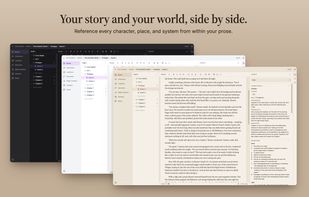
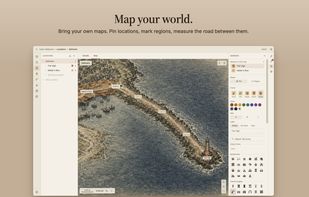
    One app to build your world, write your stories, and format for publishing. Draft your novel with every character, place, and system in your world just a keystroke away.
    Cost / License

    • Paid
    • Proprietary

    Application type

    Platforms

    • Windows
    • Mac
    • Linux
    Vellerune screenshot 1
    Vellerune screenshot 1
    Vellerune screenshot 2
    +7
    Vellerune screenshot 3
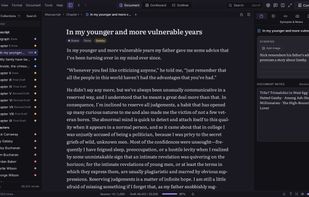
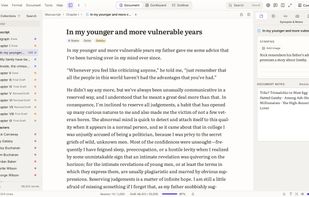
  17. Cross-platform writing software for novels, screenplays, plays, and theses, with binder organization, revision tools, writing goals, and multi-format export.
    Cost / License

    • Paid
    • Proprietary

    Application type

    Platforms

    • Windows
    • Mac
    • Linux
    Dreamwrite Studio screenshot 1
    Dreamwrite Studio screenshot 1
    Dreamwrite Studio screenshot 2
    +5
    Dreamwrite Studio screenshot 3
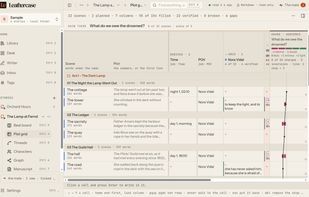
  18. Free desktop app that shows the structure of your novel or screenplay (scenes, threads, characters) over the files you already write in.
    Cost / License

    • Free
    • Proprietary

    Application type

    Platforms

    • Mac
    • Linux
    Plot grid: scenes across the top, threads down the side
    Threads: each storyline followed from first mention to last
    Characters: what each one carries from scene to scene
    +3
    Writer board: references, lines and images shared across your stories
  19. Talesmyth icon
     Like

    Talesmyth lets writers, GMs, and game designers build interconnected worlds using genre templates like Fantasy or Sci-Fi, with smart linking and AI for quick summaries.

    Cost / License

    • Free
    • Proprietary

    Application type

    Platforms

    • Online
    Talesmyth screenshot 1
  20. Focus on your words not the interface. Quoll Writer is a writing application that helps you focus on your words. Clean and uncluttered. Feature rich. Features are where you would expect them to be.

    Cost / License

    • Free
    • Open Source

    Application type

    Platforms

    • Windows
    • Mac
    • Linux
    Quoll Writer screenshot 1
    Quoll Writer screenshot 1
    Quoll Writer screenshot 2
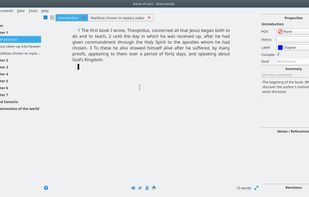
  21. Open-source writing tool with hierarchical outliner, distraction-free editor, character management, plot development, Snowflake method, and writing goal support.
    Cost / License

    • Free
    • Open Source

    Application type

    Platforms

    • Windows
    • Mac
    • Linux
    • Flathub
    • Snapcraft
    • Flatpak
    Manuskript screenshot 1
    Manuskript screenshot 1
    Manuskript screenshot 2
    +5
    Manuskript screenshot 3
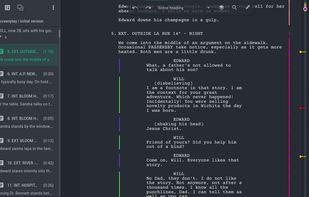
  22. novelWriter is a Markdown-like text editor designed for writing novels and larger projects of many smaller plain text documents. It uses its own flavor of Markdown that supports a meta data syntax for comments, synopsis and cross-referencing between files.

    Cost / License

    • Free
    • Open Source

    Application type

    Platforms

    • Windows
    • Mac
    • Linux
    • Python
    • Qt
    Screenshot of older version
    Default system theme
    Dark theme
  23. A smooth yet powerful writing experience for devoted authors. With only wanted features and native workflow it runs faster than all your previous apps combined.
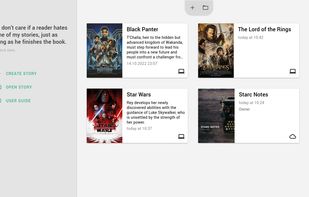
    Cost / License

    • Freemium
    • Open Source

    Application type

    Platforms

    • Windows
    • Mac
    • Linux
    • Chrome OS
    • Android
    • Flathub
    • AppImageHub
    Story Architect (STARC) screenshot 1
    Story Architect (STARC) screenshot 1
    Story Architect (STARC) screenshot 2
    +7
    Story Architect (STARC) screenshot 3
  24. Tintero icon
     Like

    Organize your ideas, create memorable characters, build immersive worlds, and write captivating stories. Tintero is your ideal companion to take your creative projects to the next level, from planning to book generation.

    Cost / License

    • Free
    • Proprietary

    Application type

    Platforms

    • Windows
    • Linux
    • Online
    • Android
    • Android Tablet
    • Flathub
    • Snapcraft
    • Flatpak
    Scene management
    Advanced search
    Main writing interface
    +3
    Character edit
  25. Fortelling provides the tools you need to plot & write your book.

    Cost / License

    • Freemium
    • Proprietary

    Application type

    Platforms

    • Online
    • Android
    • iPhone
    • iPad
    • Android Tablet
    Fortelling is optimised for both a smal and a large screen.
    Create a story element for every character, location, item, and so much more.
    Create a relationship board between your story elements for an optimal writing experience.
    +3
    You can create multiple timelines to plan out your story.

No comments so far, maybe you want to be first?