Kindling icon
Kindling icon

Kindling

Free, open-source writing app for plotters. Import your outline from Scrivener, Plottr, yWriter, or Obsidian — then draft with your scene beats, character notes, and story structure visible alongside your prose. No AI, no subscription, no cloud.

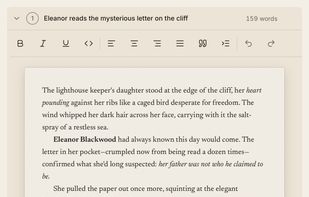
Scene list and light theme — full app layout with light and dark theme support.

Cost / License

  • Free
  • Open Source (MIT)

Platforms

  • Mac
  • Windows
  • Linux
5likes
1comment
0articles

Features

Properties

  1.  Lightweight
  2.  Privacy focused
  3.  Distraction-free
  4.  Local-First

Features

  1.  Desktop Application
  2.  No registration required
  3.  Ad-free
  4.  Dark Mode
  5.  Support for MarkDown
  6.  Works Offline
  7.  Hierarchical Structure
  8.  Portable
  9.  No Tracking
  10.  File Versioning
  11.  Offline
  12.  Distraction-free Writing

Kindling News & Activities

Highlights All activities

Recent activities

  • Calliope icon
    wyktor33 added Kindling as alternative to Calliope
  • StoryGuard icon
    Lukeee added Kindling as alternative to StoryGuard
  • Guest reviewed Kindling  

    Bugs under Linux Cinnamon.

    • menu feature "Window" doesn't work

    • you need to maximize the window to find your project list but this makes half of the import options get hidden, scrolling doesn't work

    • invisible links within a word and the links do not even work, hence, you need to find a way to edit the word without clicking it

    • while writing the programme buffers, it continues your writing then at the end of the whole text, so you have to retrieve the text and get back to the original...

  • Kavya Studio icon
    juanmanuelferrera added Kindling as alternative to Kavya Studio
  • Insanitomeium icon
    brian-chalfant added Kindling as alternative to Insanitomeium
  • SceneWeaver icon
    sceneweaver added Kindling as alternative to SceneWeaver
  • InkBreaker icon
    spiffai added Kindling as alternative to InkBreaker
  • Writers Studio icon
    POX added Kindling as alternative to Writers Studio
  • Quilvo icon
    Danilo_Venom added Kindling as alternative to Quilvo
  • fadthousand liked Kindling

Kindling information

  • Developed by

    CA flagKindling
  • Licensing

    Open Source (MIT) and Free product.
  • Written in

  • Alternatives

    49 alternatives listed
  • Supported Languages

    • English

AlternativeTo Categories

News & BooksOffice & Productivity

GitHub repository

  •  24 Stars
  •  1 Forks
  •  33 Open Issues
  •   Updated  
View on GitHub

Our users have written 1 comments and reviews about Kindling, and it has gotten 5 likes

Kindling was added to AlternativeTo by smith-and-web on and this page was last updated .

Comments and Reviews

   
Guest
0

Bugs under Linux Cinnamon.

  • menu feature "Window" doesn't work

  • you need to maximize the window to find your project list but this makes half of the import options get hidden, scrolling doesn't work

  • invisible links within a word and the links do not even work, hence, you need to find a way to edit the word without clicking it

  • while writing the programme buffers, it continues your writing then at the end of the whole text, so you have to retrieve the text and get back to the original line

What is Kindling?

Kindling is a desktop writing app for plotters and outliners — writers who build a detailed outline before they start drafting. Most writing software gives you a blank page when it's time to write. Kindling gives you a scaffolded writing space where your scene beats are expandable prompts, your character and location details surface automatically, and your story structure stays visible while you write.

Import your existing outline from Scrivener (.scriv), Plottr (.pltr), yWriter (.yw7), Obsidian Longform, or Markdown — no need to rebuild your work. When your draft is ready, export to Scrivener, DOCX (Standard Manuscript Format), EPUB, Markdown, or Obsidian Longform.

Kindling is free, open source (MIT license), and local-first. No AI. No subscription. No account required, no cloud dependency. Your projects are saved on your machine as SQLite files — open, inspectable, and permanently yours.

Available for macOS, Windows, and Linux.

Official Links