Things that Make Life as a Windows User A Bit Easier

You tired of Windows spyware but don't want to switch to a whole new operating system? Here are some open source free(mium) apps to help make Windows more private or just simpler.

Re
RemovedUserList by RemovedUser, last updated 
Copy a direct link to this comment to your clipboard
  1. System Tweakers

    Tweak your OS to be a bit more private.

  2. This system tweaker uses command prompt to disable any Windows data collection & bloatware. It can also be used to disable data collection and bloatware in macOS and Linux.

    Cost / License

    • Free
    • Open Source

    Platforms

    • Mac
    • Windows
    • Linux
    privacy.sexy screenshot 1
  3. A simple, easy to use powershell script to remove bloatware apps from windows, disable telemetry, bing in windows search aswell as perform various other changes to declutter and improve your windows experience. This script works for both windows 10 and windows 11.

    Cost / License

    • Free
    • Open Source

    Platforms

    • Windows
    Win11Debloat screenshot 1
  4. XD-AntiSpy is a tweaking tool for Windows 11, derived from the xp-AntiSpy icon xp-AntiSpy tool for Windows XP. It is a small application, less than 350 kilobytes, that can run without installation.

    Cost / License

    • Free
    • Open Source

    Application type

    Platforms

    • Windows
    XD-AntiSpy screenshot 1
    XD-AntiSpy screenshot 1
  5. WindowsSpyBlocker is an application written in Go and delivered as a single executable to block spying and tracking on Windows systems.

    Cost / License

    • Free
    • Open Source

    Application type

    Platforms

    • Windows
    WindowsSpyBlocker screenshot 1
    WindowsSpyBlocker screenshot 1
    WindowsSpyBlocker screenshot 2
    +1
    WindowsSpyBlocker screenshot 3
  6. Privatezilla integrates the most critical Windows 10 privacy settings and allows you to quickly perform a privacy check against these settings. Active settings are marked with the status "Configured" and indicates that your privacy is protected.

    Cost / License

    • Free
    • Open Source

    Application type

    Platforms

    • Windows
    Main UI
  7. Firewalls Baby!!

    Any firewall can block apps and their access to the internet. However these firewalls go a bit further than Windows Defender.

  8. This has a blocklist for Windows spyware. It doesn't have as many built-in blocklists as Portmaster but it's light on resources. I would say configure the settings 1st though.

    Cost / License

    • Free
    • Open Source

    Application types

    Platforms

    • Windows
    Main Window
    Right Click on an Application
    Setting - General
    +2
    Setting - Rules
  9. This has a blocklist for Windows spyware, among others. It also comes with DNSCrypt and a proxy known as SPN. However it is heavy on resources. Every time I tried this, my cpu & memory usage went up a ridiculous amount.

    Cost / License

    • Freemium
    • Open Source

    Application types

    Platforms

    • Windows
    • Linux
    Dashboard PMv1.4
    SPN Map
    Network Activity Overview
    +3
    Detailed Connections of Brave Browser
  10. NextDNS icon
     Like

    NextDNS protects you from all kinds of security threats, blocks ads and trackers on websites and in apps and provides a safe and supervised Internet for kids — on all devices and on all networks.

    Cost / License

    • Freemium
    • Open Source

    Application types

    Platforms

    • Mac
    • Windows
    • Linux
    • Online
    • Android
    • iPhone
    • Chrome OS
    • BSD
    • iPad
    • UC Browser
    • Vivaldi
    • Google Chrome
    • UniFi Network
    • Safari
    • Yandex Browser
    • Software as a Service (SaaS)
    • OpenWrt
    • Opera
    • Alpine Linux
    • pfSense
    • Mozilla Firefox
    • DD-WRT
    NextDNS screenshot 1
    NextDNS screenshot 1
    NextDNS screenshot 2
    +11
    NextDNS screenshot 3
  11. It shows the filepath for apps to help you check if something's malware posing as legit software. Plus it distinguishes between different svchost.exe functions.

    Cost / License

    • Free
    • Open Source

    Application types

    Platforms

    • Windows
    Main UI
    Edit
    Settings
    +1
    Network Traffic
  12. Virtualization Tools

    Make them think you're on a different computer.

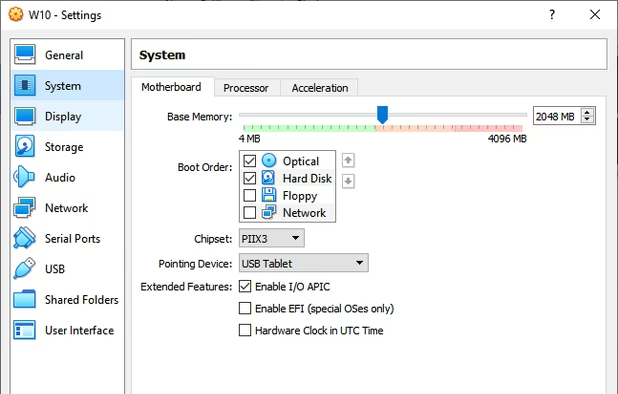
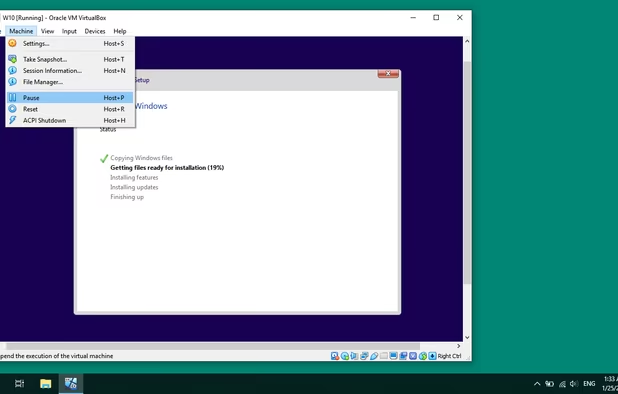
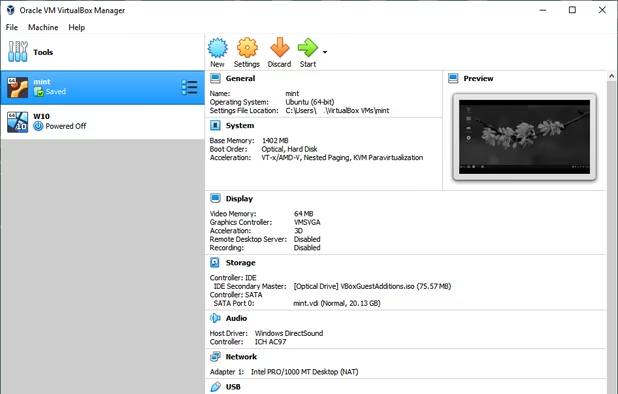
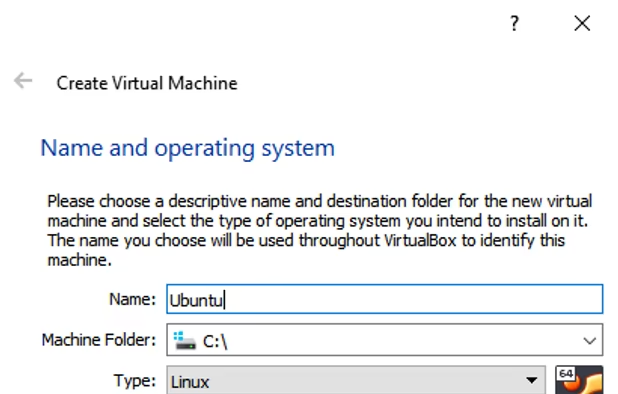
  13. Open source virtualization tool supporting x86/AMD64, runs on Windows, Linux, Mac, Solaris. Offers portable, lightweight, ad-free use.
    Cost / License

    • Free
    • Open Source

    Application type

    Platforms

    • Mac
    • Windows
    • Linux
    • BSD
    • Oracle Solaris
    VirtualBox Manager
    Create Virtual Machine
    Setting of an OS
    +5
    Instaling Windows 10 as Virtual Machine
  14. Sandboxie Plus creates a sandbox-like isolated operating environment in which applications can be run or installed without permanently modifying the local or mapped drive.

    Cost / License

    • Freemium
    • Open Source

    Application type

    Platforms

    • Windows
    Sandboxie runs your programs in an isolated space
    Sandboxie Control  in Windows XP
    Sandboxie Control in Vista
    +3
    View a tutorial in a sandboxed Web browser
  15. Proxies

    This is mostly going to be anonymous proxies.

  16. Tor icon
     Like

    Tor is free software and an open network that helps you defend against traffic analysis, a form of network surveillance that threatens personal freedom and privacy, confidential business activities and relationships, and state security.

    Cost / License

    • Free
    • Open Source

    Platforms

    • Mac
    • Windows
    • Linux
    • BSD
    Tor screenshot 1
    Tor screenshot 1
  17. I2P icon
     Like

    The I2P network provides strong privacy protections for communication over the Internet. Many activities that would risk your privacy on the public Internet can be conducted anonymously inside I2P.

    Cost / License

    • Free
    • Open Source

    Platforms

    • Mac
    • Windows
    • Linux
    • Android
    • BSD
    I2P screenshot 1
    I2P screenshot 1
    I2P screenshot 2
    +1
    I2P screenshot 3
  18. Browsers

    I'm personally more biased towards gecko-engine browsers, but you can opt to use Brave or Vivaldi if that's what you prefer.

  19. This isn't as private as Librewolf or Mullvad Browser. But it's still more private than Chrome or Edge.


    Cost / License

    • Free
    • Open Source

    Platforms

    • Mac
    • Windows
    • Linux
    • Android
    • iPhone
    • Android Tablet
    • BSD
    • iPad
    • AppImageHub
    • Snapcraft
    • Flathub
    • Samsung Galaxy Store
    • PortableApps.com
    • Haiku
    • Flatpak
    • Homebrew
    • Chocolatey
    • Gecko
    Firefox Desktop (Light Theme)
    Firefox Desktop (Dark Theme)
    Firefox iOS (Light Theme)
    +7
    Firefox iOS (Dark Theme)
  20. LibreWolf icon
     Like

    A hardened fork of Firefox with ublock.

    Cost / License

    • Free
    • Open Source

    Application type

    Platforms

    • Mac
    • Windows
    • Linux
    • AppImageHub
    • Linux Mint
    • Arch Linux
    • Gentoo
    • Flathub
    • Fedora
    • Ubuntu
    • Debian
    • Homebrew
    • Chocolatey
    • OpenBSD
    Homeage
    Settings
  21. A fork of Firefox that's inspired by Tor Browser. It's meant to be used with a VPN. Since part of the company's wide acclaim among privacy advocates is their VPN service. However if you use another VPN, you may lose out on certain features like their mullvad.leta search engine or their extension that chooses a different location for each site.

    Cost / License

    • Free
    • Open Source

    Application types

    Platforms

    • Mac
    • Windows
    • Linux
    • Flathub
    • Flatpak
    • Mozilla Firefox
    Mullvad Browser screenshot 1
    Mullvad Browser screenshot 1
    Mullvad Browser screenshot 2
    +1
    Mullvad Browser screenshot 3
  22. Email

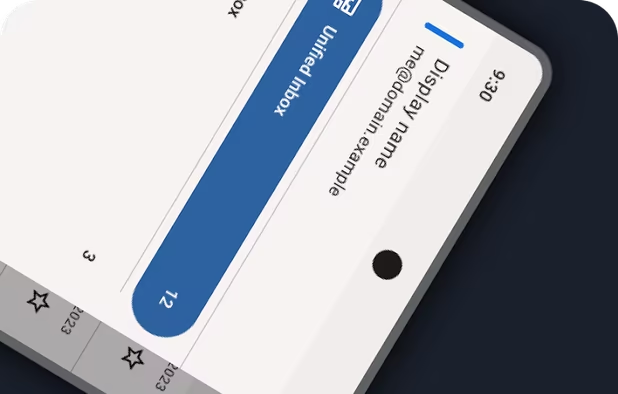
  23. Cross-platform email client providing POP/IMAP support, robust filtering, multiple accounts, and chat. Extendable via add-ons with RSS/Atom, etc.


    Cost / License

    • Free
    • Open Source

    Application types

    Platforms

    • Mac
    • Windows
    • Linux
    • Android
    • BSD
    • AppImageHub
    • Snapcraft
    • Flathub
    • PortableApps.com
    • F-Droid
    • Haiku
    • Homebrew
    • Chocolatey
    Thunderbird screenshot 1
    Thunderbird screenshot 1
    Thunderbird screenshot 2
    +8
    Thunderbird screenshot 3
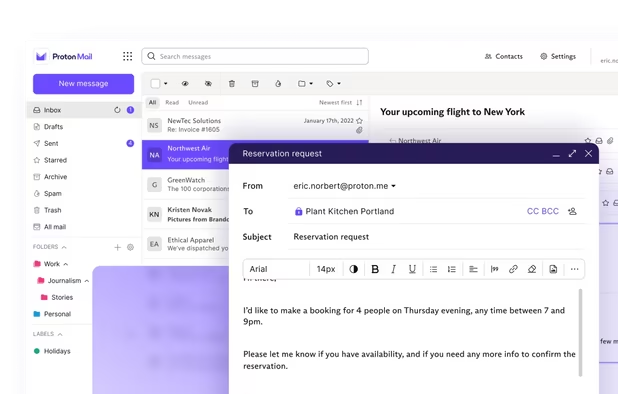
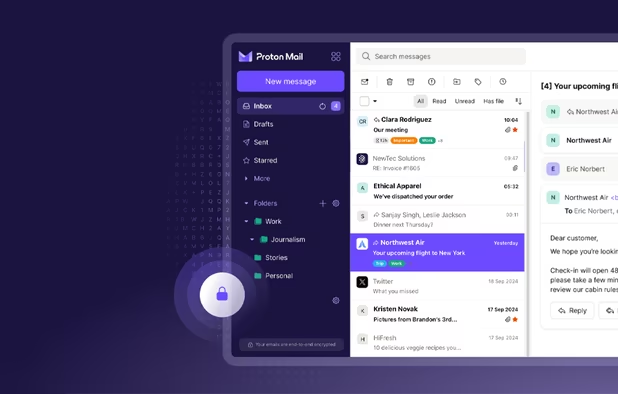
  24. Protonmail is more private than most email providers. However they cracked down on activists a couple of times. So be sure to use it over Tor if that's what you're using it for.

    Cost / License

    • Freemium
    • Open Source

    Platforms

    • Mac
    • Windows
    • Linux
    • Online
    • Android
    • iPhone
    • iPad
    • Tor
    Proton Mail screenshot 1
    Proton Mail screenshot 1
    Proton Mail screenshot 2
    +9
    Proton Mail screenshot 3
  25. Tuta Mail icon
     Like

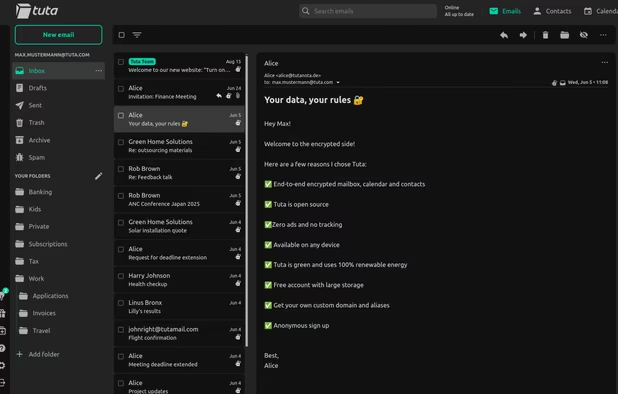
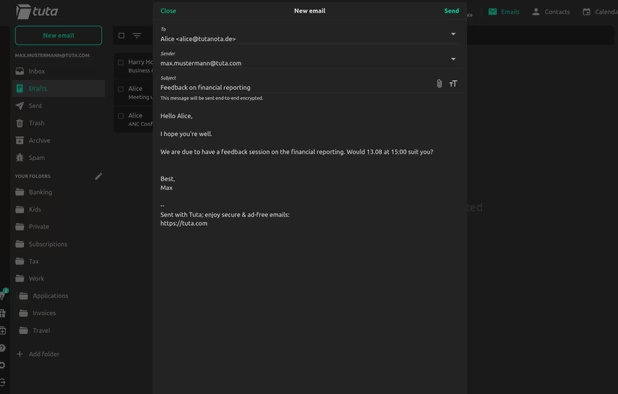
    I'd say same as with protonmail. But I'm not sure if they allow for use over Tor.

    Cost / License

    • Freemium
    • Open Source

    Platforms

    • Mac
    • Windows
    • Linux
    • Online
    • Android
    • iPhone
    • iPad
    • Flathub
    • F-Droid
    Tuta Mail screenshot 1
    Tuta Mail screenshot 1
    Tuta Mail screenshot 2
    +1
    Tuta Mail screenshot 3
  26. I2P Mail icon
     Like

    Email over the I2P network. It can also be used over Thunderbird with pgp keys. But if you do this, make sure Thunderbird is automatically routed through either I2P or Tor.

    Cost / License

    • Free
    • Open Source

    Application type

    Platforms

    • Online
    • I2P
    I2P Mail screenshot 1
  27. Riseup icon
     Like

    It gained a considerable amount of trust after protecting protesters. It also has a .onion url. But it should be noted they lost trust after they got subpoenaed. Same goes for their vpn.

    Cost / License

    • Free
    • Proprietary

    Application type

    Platforms

    • Online
    • Tor
    Riseup screenshot 1
    Riseup screenshot 1
    Riseup screenshot 2

updates: added nextdns

Comments

RemovedUser
1

Not bad. From your list, I use tuta, virtual box and Portmaster

1 reply
RemovedUser

I use tuta too. :) I tried using portmaster but my cpu gets overworked too easily. So I have opted to use simplewall & fort firewall instead since it's more lightweight. Portmaster is definitely a good choice though.

Review by a new / low-activity user.
Gu