


Portmaster
201 likes
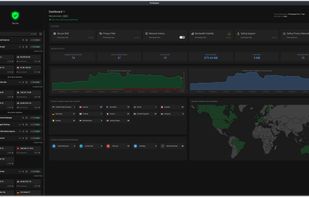
Free, open-source privacy suite monitoring all network activity, blocking unwanted connections, using trusted filter lists for ads and malware, enforcing DNS-over-TLS, providing custom app and global rules, and supporting advanced privacy management.

 EU
EUPlatforms
- Windows
- Linux


Features
Portmaster News & Activities
Highlights All activities
Recent News
No news, maybe you know any news worth sharing?
Share a News Tip
Recent activities
 aiXis Studio added Portmaster as alternative to Snitch Network Visualizer
- hotfixer669 liked Portmaster
- Shadow5964 | シャドウ liked Portmaster
- Shadow5964 | シャドウ thinks No Logs is a important feature of Portmaster
- Shadow5964 | シャドウ thinks Anonymous Proxy is a important feature of Portmaster
 DeinitLabs added Portmaster as alternative to NetworkTuna
 R0sbif added Portmaster as alternative to Aegis-eBPF
- Usnyn liked Portmaster
- freash uping liked Portmaster


Featured in Lists



Into the Cyberverse
The ultimate list of apps/services for better Security, Privacy & Anonymity; Defense against Surveillance.
What sets this list apart is its commitment to authenticity:
No Sponsorship: Choices are made without commercial bias.
No Affiliate Links: Purely user-benefit-focused.
No Brand Deals: Independent and unbiased evaluations.
Strict criteria ensure the tools prioritize user welfare and software quality:
Opensource Preference: Prioritizing transparent and community-driven software.
Cross-Platform Availability: Emphasizing tools usable across multiple systems.
Active Development and Security Updates: Selecting only actively maintained tools with regular security enhancements.
Proven Track Record: Requiring a history of reliability and positive feedback.



FOSS Privacy & Security Part1
All your FOSS cravings, mainly for Windows.


Useful Windows programs
Clean, small, use!
For activation use: https://massgrave.dev/ or https://github.com/massgravel/Microsoft-Activation-Scripts
For all windows USE OFFICIAL MS SITE if u can / for reserv use this: https://massgrave.dev/genuine-installation-media
For office download use: https://gravesoft.dev/office_c2r_links
What is Portmaster?
Portmaster Videos
Portmaster information
Developed by
 Safing ICS Technologies GmbH
 Licensing
Open Source (GPL-3.0) and Freemium product.Pricing
Subscription ranging between $5 and $11 per month + free version with limited functionality.Written in
Rating
Average rating of 4.2Alternatives
41 alternatives listedBadge
Get an embeddable badge for PortmasterSupported Languages

AlternativeTo Categories
Security & Privacy, Network & Admin, Web BrowsersGitHub repository
- 13,863 Stars
- 590 Forks
- 102 Open Issues
- Updated


Comments and Reviews
It's not a bad app, but it is quite bloated, and lacks useful features like anonymized DNS through DNSCrypt currently. It would actually use less system resources to have Simple Wall + a dns service like YogaDNS, unbound, pi-hole. And you can have better ad-blocking with a client adblocker like Zen ad-blocker (and of course browser ad-blockers are even better, being able to block scripts and content filters).
It does have pretty granular control over connection, so that's good. But not as easy or intuitive as Simple Wall.
The paid SPN is a cool idea, so this could be an all-in-one thing. If they were to implement anonymized DNS, this would definitely be my choice.
Portmaster also, by default, adds a bunch of filter lists that are redundant, which will slow down your connections by a bit.
Finally, and perhaps most damaging, with Windows firewall or Simple Wall, you already have a robust firewall. Someone can reply to this comment if they have a good answer, but I don't see how adding to the kernel improves upon it. If anything it makes it more difficult to secure.
Bloated, Confusing and Annoying. These are my first impressions of this software, unless you're a control freak I don't think you would find this software good for daily drive, I would recommend Fort (by tnodir & Contributors) or SimpleWall (By Henrypp & Contributors)
If you like these modern apps that consume 500Mb of ram. My eyesight doesn't allow me to see dark themes with a lot of white letters. Heavy interface with annoying notifications and guides, which nobody read. From the first launch it sets some dns (?) settings that can be not reachable from the place where you are, and they don't revert it back until you find these settings among these convoluted small letters in the darkness.
Great insight into individual app connections. Allows for extremely granular control. First-class support for DoH, DoT, and DoQ. Overall, great app!
Easy to use and set, awesome controls, excellent on free-tier already, but great premium features.
It works like a charm. Great app!
I like the concept of Portmaster mixing firewall with adblocking rules, however Portmaster is not ready to be used on a productivity PC. For starters Portmaster crashes the host computer, a lot. The GUI process also tends to become unresponsive and will have to restart for it to be operative again, which is a minor pain. The learning curve is somewhat steep but is manageable. The features shown to you in the UI are a mishmash of things that should be free by default (network activity history) but are not and things that want to upsell you. In short, feels like a classic "free" antivirus. If you don't mind your computer crashing from time to time and would like to use it, go for it.
Edit: Safing has been acquired recently by a VPN company called IVPN but their own page about Ownership does not reflect this acquisition