




Fort Firewall
Standalone firewall for Windows 7 and later featuring flexible rules by application, address, or protocol, wildcards, parent process filtering, SvcHost controls, blocklists, bandwidth graphs, traffic stats tracking, speed limits, and real-time network monitoring.
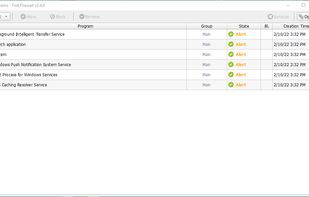



Features
Fort Firewall News & Activities
Recent News
No news, maybe you know any news worth sharing?
Recent activities
- theonlynoone liked Fort Firewall
- Nodir Temirkhodjaev replied to a comment / review on Fort Firewall
- Nodir Temirkhodjaev replied to a comment / review on Fort Firewall
- Nodir Temirkhodjaev replied to a comment / review on Fort Firewall
- Nodir Temirkhodjaev replied to a comment / review on Fort Firewall
- Nodir Temirkhodjaev replied to a comment / review on Fort Firewall
- Netkuszkusz replied to a comment / review on Fort Firewall
- Nodir Temirkhodjaev replied to a comment / review on Fort Firewall
A truly simple firewall for average users would be great, but Fort Firewall has a few frustrating flaws that prevent me from recommending it.
Driver conflicts and boot slowdowns: While it relies on the Windows Filtering Platform (WFP), it utilizes its own custom kernel-mode callout driver (fortfw.sys). Unfortunately, this driver isn't particularly well-optimized and frequently conflicts with other network services or WFP filters. In my case, it added over 40 seconds to the system boot time —...


Things that Make Life as a Windows User A Bit Easier




Privacy 101
Official Links
Install from the command line
winget install -e --id NodirTemirkhodjaev.FortFirewall
Developed by
 Nodir Temirkhodjaev
 Licensing
Open Source (GPL-3.0) and Free product.Written in
Rating
Average rating of 4.6Alternatives
42 alternatives listedBadge
Get an embeddable badge for Fort FirewallSupported Languages

AlternativeTo Categories
OS & Utilities, Security & Privacy, Network & Admin, Office & ProductivityGitHub repository
- 3,604 Stars
- 247 Forks
- 33 Open Issues
- Updated


Comments and Reviews
Pros:
Cons: 1̶. N̶e̶i̶t̶h̶e̶r̶ p̶o̶r̶t̶-̶ n̶o̶r̶ p̶r̶o̶t̶o̶c̶o̶l̶-̶f̶i̶l̶t̶e̶r̶i̶n̶g̶ Y̶E̶T̶. 2. No server/client-setup possible YET. 3̶. N̶o̶ c̶o̶m̶p̶l̶e̶x̶ r̶u̶l̶e̶s̶ p̶o̶s̶s̶i̶b̶l̶e̶ Y̶E̶T̶.
To me the perfect (and only real) simplewall-alternative. To be precise: The best (FOSS) Firewall there is.
Kodi, thanks for kind review.
Can you please create issue on Github?
There already is one ("Centralized management for the enterprise environment #246") :-)
Kodi, with v3.14.13 you can tick off the 1) and 3) of Cons.
You're awesome, thanks! And ticked off they are :)
A truly simple firewall for average users would be great, but Fort Firewall has a few frustrating flaws that prevent me from recommending it.
Driver conflicts and boot slowdowns: While it relies on the Windows Filtering Platform (WFP), it utilizes its own custom kernel-mode callout driver (fortfw.sys). Unfortunately, this driver isn't particularly well-optimized and frequently conflicts with other network services or WFP filters. In my case, it added over 40 seconds to the system boot time — an issue that stayed unresolved even after hours of troubleshooting.
Excessive network noise: If you want an interactive "ask-to-connect" mode where no application gets internet access without approval, you'll be bombarded with constant pop-up notifications for 20 to 30 different system processes. Blocking some of these (whether intentionally or by accident) can easily break core Windows functionality. Sadly, Fort Firewall lacks pre-defined rulesets or smart defaults to filter out this background noise for average users.
Better alternatives: I personally use Portmaster, which is light-years ahead in terms of usability and feature set. Even simplewall appears to be a much stronger alternative: unlike Fort Firewall, simplewall operates natively on top of the built-in WFP API without installing a custom kernel driver, making it significantly lighter, less prone to boot-time conflicts, and less risky for system stability (though I have yet to test simplewall hands-on).
I'm not giving it a 1-star rating because it's completely terrible, but that 4.9 score definitely needs to come down.
"A truly simple firewall for average users would be great, but Fort Firewall has a few frustrating flaws that prevent me from recommending it."
First of all, it's a simple firewall for advanced users. I.e. for those users, who know what they are doing and know about system services and processes.
I've created it for myself for my needs. I'm happy, if it's useful for anyone else.
"Unfortunately, this driver isn't particularly well-optimized and frequently conflicts with other network services or WFP filters. In my case, it added over 40 seconds to the system boot time — an issue that stayed unresolved even after hours of troubleshooting."
You're first one, who reports such a problem - see issues on Github.
Can you please elaborate, how to reproduce that Fort "conflicts with other network services or WFP filters"?
Fort specifically designed and implemented to not conflict with other WFP filters. It even has "Ignore, if not blocked or allowed" filter mode to test other firewalls and WFP filters.
"Blocking some of these (whether intentionally or by accident) can easily break core Windows functionality."
I block all system services and processes. Only "System" and "DNSCache" service have access to LAN only.
But I don't use MS account and Windows Update.
"Excessive network noise: If you want an interactive "ask-to-connect" mode where no application gets internet access without approval, you'll be bombarded with constant pop-up notifications for 20 to 30 different system processes."
Any interactive firewall will bombard you with pop-ups after fresh installation. What specific system processes are you talking about? Do you mean SVCHost services?
"I personally use Portmaster, which is light-years ahead in terms of usability and feature set."
It doesn't have required functionality for me and I don't like bloated software.
"simplewall operates natively on top of the built-in WFP API without installing a custom kernel driver"
It doesn't have required functionality for me and can't have them, because lack of driver.
@Nodir Temirkhodjaev Portmaster as bloated software... :D lol. You don't use Windows Update :D lol. That alone shows how little you know about security. But thanks for the reply, sadly I cannot modify my review to 0 star.
@Netkuszkusz Also I don't use any antivirus (Windows Defender is disabled). But I do backups and don't work as admin.
I know what I'm doing and I don't recommend those practices to others.
It was your statement: "Blocking some of these (whether intentionally or by accident) can easily break core Windows functionality."
I'm blocking all system processes, so which core Windows functionality is broken?
-- Questions about "driver conflicts" and "excessive network noise" are unanswered and have no proofs.
"driver ... conflicts with other network services or WFP filters."
Rebuttal: https://github.com/tnodir/fort/discussions/698
Truly an amazing FOSS firewall. I just wish it had easier ways to block inbound, and maybe a different way to auto update instead of what seems to be utilizing vbs. Lastly not being able to use memory integrity isn't ideal ( I know its because of m$ not signing the driver).
definitely the best one, it works perfectly with windows 11, and also support notifications like the good old windows Windows Firewall Notifier. Not to mention that the developer Nodir Temirkhodjaev looks involved
The best firewall app i have used so far after getting confused with all the other firewalls. Its simple, lightweight, user friendly and gets the job done. Highly recommended!
Probably the best firewall available for Windows right now. You can pass it lists of IPs from the internet and it will periodically re-fetch them and keep your block list updated. Its neat, it doesn't lag the system and overall its way better than Windows Defender.
The OpenSnitch equivalent to Windows.
What didn't you like that made you leave 4 stars?
You can´t block inbound connections easily.
"You can´t block inbound connections easily."
Let me see what can I do...
@Creative_joe Added in v3.20.0