• Proton Mail icon
  • addy.io icon
  • AdGuard DNS icon
  • Mullvad VPN icon
  • LibreWolf icon
  • +21

Privacy Tools - Best Of Its Kind

Lemon x Lime26 appsUpdated
Copy a direct link to this comment to your clipboard

When it comes to privacy tools, people are always "spoiled" with options, when open source becomes the industry standard, some of those options may not be as good as it looks like.

Here are my personal top recommendation. "Literally No BS."

All tools listing below are used by myself on a daily bases (Except the last section). Windows and Android are the operating system I used on daily bases, sometimes I also use Mac and IOS, I also start learning to use a bit of Linux for experimental purpose.

Most of the software I recommended supports various operating system, so don't worry if you are not using the same system as me :)

Email

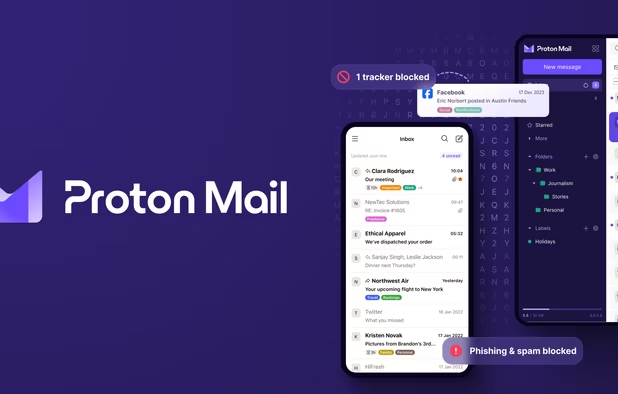
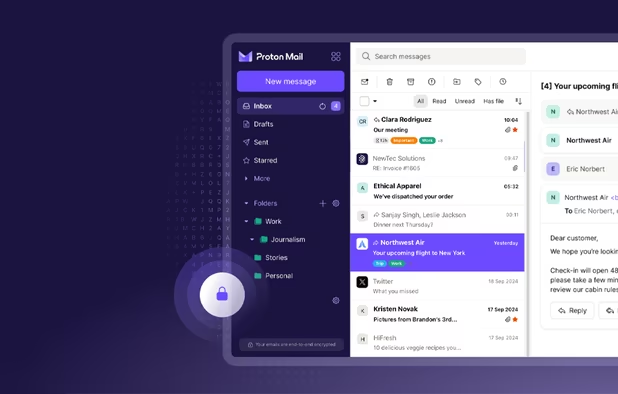
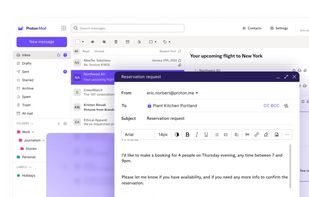
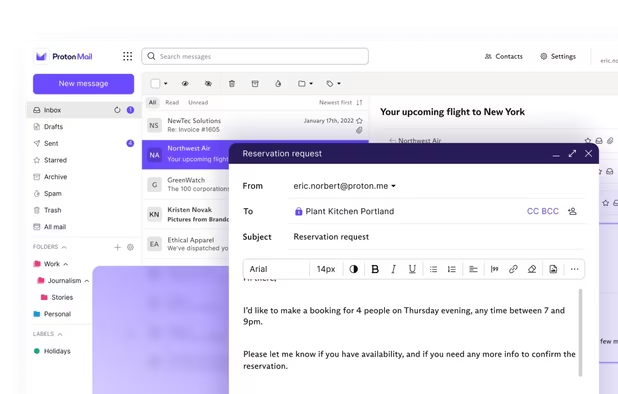
  1. Secure Swiss-based email with end-to-end encryption and zero third-party access. Available across devices, offering a free version to promote privacy.

    Cost / License

    • Freemium
    • Open Source

    Application type

    Platforms

    • Mac
    • Windows
    • Linux
    • Online
    • Android
    • iPhone
    • iPad
    • Snapcraft
    • Flathub
    • OpenAPK
    • Tor
    Proton Mail screenshot 1
    Proton Mail screenshot 1
    Proton Mail screenshot 2
    +9
    Proton Mail screenshot 3
    Lemon x Lime’s note

    My personal choice Not ideal, but still better than the rest.

    The deal breaker here is Proton has its own proxy server which allows user to load all email images without being tracked. I believe currently there is no other email service provider can achieve this.

Email Aliases

  1. addy.io icon
     Like

    Open-source service offering unlimited anonymous email aliases, encrypted forwarding, spam protection, and anonymous replies to keep your identity private.

    Cost / License

    • Freemium
    • Open Source

    Application type

    Platforms

    • Online
    • Android
    • iPhone
    • Android Tablet
    • iPad
    • Self-Hosted
    • Microsoft Edge
    • Google Chrome
    • Safari
    • F-Droid
    • Software as a Service (SaaS)
    • Mozilla Firefox
    Manage aliases from the dashboard
    The main interface for the Firefox extension
    Settings for the extension
    +1
    Generate Random Chars alias using the extension.
    Lemon x Lime’s note

    My personal choice. However, if you are using Proton Unlimited Membership, go with SimpleLogin premium as it will come for free.

DNS Resolver (with customisation)

DNS customization allows you to add various ads blacklist or you can even make your own one. This is a deal-breaking feature compare to using free public DNS such as Quad9.

  1. Cloud-based DNS for blocking ads, trackers, and malicious domains, offering real-time stats, parental controls, and customizable filtering for every device.

    Cost / License

    • Freemium
    • Proprietary

    Application type

    Platforms

    • Mac
    • Windows
    • Linux
    • Android
    • iPhone
    • Self-Hosted
    AdGuard DNS screenshot 1
    AdGuard DNS screenshot 1
    AdGuard DNS screenshot 2
    Lemon x Lime’s note

    My personal choice Again, not ideal, company used to be Russian based. Unfortunately when it comes to customized DNS there isn't really too many options.

VPN

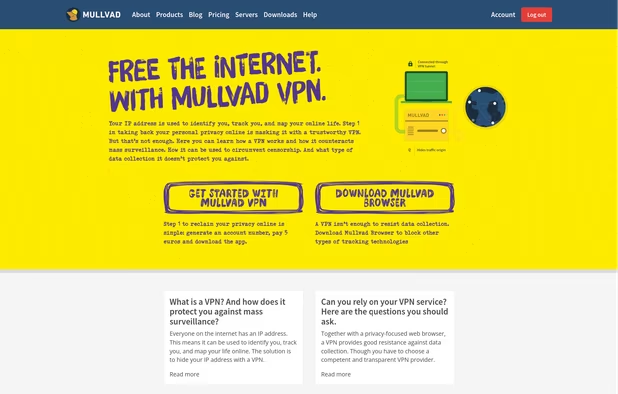
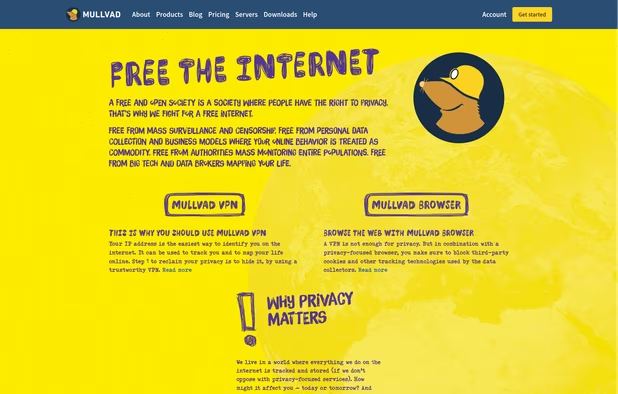
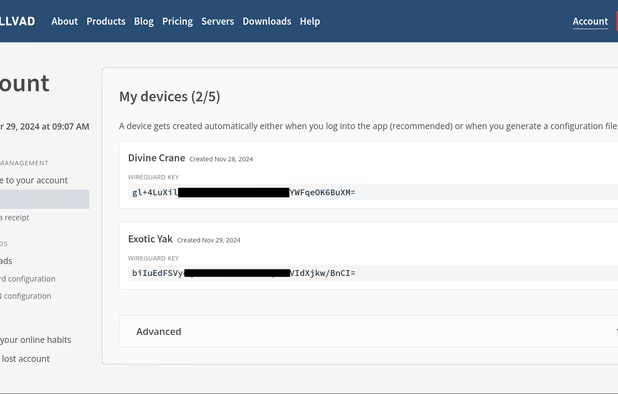
  1. Free the internet from data collection with Mullvad VPN – a service that helps keep your online activity, identity, and location private. Only €5/month.

    Cost / License

    • Paid
    • Open Source

    Application type

    Platforms

    • Mac
    • Windows
    • Linux
    • Android
    • iPhone
    • Chrome OS
    • Android Tablet
    • iPad
    • F-Droid
    • WireGuard
    • OpenAPK
    • OpenWrt
    • Tomato
    • pfSense
    • DD-WRT
    Mullvad VPN screenshot 1
    Mullvad VPN screenshot 1
    Mullvad VPN screenshot 2
    +7
    Mullvad VPN screenshot 3
    Lemon x Lime’s note

    My personal choice

Browser

  1. LibreWolf icon
     Like

    This project is a custom and independent version of Firefox, with the primary goals of privacy, security and user freedom.

    Cost / License

    • Free
    • Open Source

    Application type

    Platforms

    • Mac
    • Windows
    • Linux
    • AppImageHub
    • Linux Mint
    • Arch Linux
    • Gentoo
    • Flathub
    • Fedora
    • Ubuntu
    • Debian
    • Homebrew
    • Chocolatey
    • OpenBSD
    Homeage
    Settings
    Lemon x Lime’s note

    My daily driver.

  2. The Mullvad Browser is a privacy-focused web browser developed in a collaboration between Mullvad VPN and the Tor Project. It’s designed to minimize tracking and fingerprinting. You could say it’s a Tor Browser to use without the Tor Network.

    Cost / License

    • Free
    • Open Source

    Application type

    Platforms

    • Mac
    • Windows
    • Linux
    • Flathub
    • Flatpak
    Mullvad Browser screenshot 1
    Mullvad Browser screenshot 1
    Mullvad Browser screenshot 2
    Lemon x Lime’s note

  3. Mull icon
     Like

    This is a privacy oriented and deblobbed web browser based on Mozilla Firefox icon Mozilla Firefox technology. It enables many features upstreamed by the Tor icon Tor Uplift project using preferences from the arkenfox-user.js project.

    Cost / License

    • Free
    • Open Source

    Application type

    Platforms

    • Android
    • F-Droid
    Mull screenshot 1
    Lemon x Lime’s note

Search Engine

  1. Swisscows icon
     Like

    Privacy-focused search engine offering web and image search with no data tracking, no personalized profiling, encrypted access, and family-friendly filtered results.

    Cost / License

    • Freemium
    • Proprietary

    Application type

    Platforms

    • Online
    • Android
    • iPhone
    • Android Tablet
    • iPad
    • Google Chrome
    • Mozilla Firefox
    Swisscows screenshot 1
    Swisscows screenshot 1
    Swisscows screenshot 2
    Lemon x Lime’s note

    My daily driver. Long story short. "Don't use Duckduckgo, Brave, startpage etc."

  2. SearXNG icon
     Like

    Metasearch engine aggregating results from 251 services with strong privacy, script and cookie flexibility, Tor support, and user-controlled search preferences.

    Cost / License

    • Free
    • Open Source

    Application type

    Platforms

    • Linux
    • Online
    • Self-Hosted
    • Arch Linux
    • Fedora
    • Ubuntu
    • Debian
    • Cloudron
    • Docker
    • Red Hat Enterprise Linux
    SearXNG screenshot 1
    SearXNG screenshot 1
    SearXNG screenshot 2
    +1
    SearXNG screenshot 3
    Lemon x Lime’s note

Messenger with E2EE

  1. Element icon
     Like

    A secure collaboration app with end-to-end encryption and interoperability across web, desktop, and mobile. Includes chat, voice, and video calls.

    Cost / License

    • Free Personal
    • Open Source

    Application type

    Platforms

    • Mac
    • Windows
    • Linux
    • Online
    • Android
    • iPhone
    • Android Tablet
    • iPad
    • Self-Hosted
    • Snapcraft
    • Matrix.org
    • Flathub
    • F-Droid
    • OpenAPK
    • Cloudron
    Element screenshot 1
    Element screenshot 1
    Video calls for desktop and mobile
    +3
    Collaboration widgets
    Lemon x Lime’s note

Browser Addons

  1. uBlock Origin (uBO) is a CPU and memory-efficient wide-spectrum content blocker. It blocks ads, trackers, coin miners, popups, annoying anti-blockers, malware sites, etc., by default using EasyList, EasyPrivacy, Peter Lowe's Blocklist, Online Malicious URL Blocklist, and uBO...

    Cost / License

    • Free
    • Open Source

    Application type

    Platforms

    • Microsoft Edge
    • Google Chrome
    • Thunderbird
    • Opera
    • Node.JS
    • Mozilla Firefox
    uBlock Origin screenshot 1
    uBlock Origin screenshot 1
    uBlock Origin screenshot 2
    +3
    uBlock Origin screenshot 3
    Lemon x Lime’s note

    Nowadays comes with firefox by default, not much to say.

  2. A web extension that redirects YouTube, Twitter, Instagram... requests to alternative privacy friendly frontends and backends.

    Cost / License

    • Free
    • Open Source

    Application type

    Platforms

    • Google Chrome
    • Mozilla Firefox
    LibRedirect screenshot 1
    LibRedirect screenshot 1
    LibRedirect screenshot 2
    +2
    LibRedirect screenshot 3
    Lemon x Lime’s note

  3. NoScript icon
     Like

    The NoScript Firefox extension provides extra protection for Firefox, Seamonkey and other mozilla-based browsers: this free, open source add-on allows JavaScript, Java, Flash and other plugins to be executed only by trusted web sites of your choice (e.g. your online bank).

    Cost / License

    • Free
    • Open Source

    Application type

    Platforms

    • Mac
    • Windows
    • Linux
    • BSD
    • Google Chrome
    • SeaMonkey
    • Mozilla Firefox
    Diablog of blocked scripts
    NoScript Anwhere (Firefox Mobile version).
    Lemon x Lime’s note

    Very useful if you want to block some optional Javascript. Works great with Ublock.

Password Manager

  1. KeePassXC icon
     Like

    Open-source password manager storing passwords, notes, and attachments offline with AES-256 encryption, browser extensions, cross-platform support, and TOTP.

    Cost / License

    • Free
    • Open Source

    Application type

    Platforms

    • Mac
    • Windows
    • Linux
    • AppImageHub
    • Snapcraft
    • Microsoft Edge
    • Google Chrome
    • Flathub
    • PortableApps.com
    • Flatpak
    • Homebrew
    • Chocolatey
    • Mozilla Firefox
    Welcome Screen
    Unlock Database
    New Database Wizard
    +13
    New Database Wizard
    Lemon x Lime’s note

  2. KeePassDX icon
     Like

    KeePassDX is a material design KeePass client for managing keys and passwords in an encrypted database for your Android device.

    Cost / License

    • Free
    • Open Source

    Application type

    Platforms

    • Android
    • Android Tablet
    • F-Droid
    • OpenAPK
    KeePassDX screenshot 1
    KeePassDX screenshot 2
    KeePassDX screenshot 3
    Lemon x Lime’s note

Privacy Frontend(s)

There are still lots of many other for various services but these are the ones that I personally used the most.

  1. Invidious icon
     Like

    An open-source, ad-free front-end to YouTube offering video downloads, audio-only mode, and subscription management without JS or registration.

    Cost / License

    • Free
    • Open Source

    Application type

    Platforms

    • Online
    • Self-Hosted
    • Cloudron
    Invidious screenshot 1
    Invidious screenshot 1
    Invidious screenshot 2
    Lemon x Lime’s note

    Works well with Freetube on Windows.

  2. Piped icon
     Like

    Ad-free frontend for YouTube supporting channel subscriptions, playlist import/export, dark mode, SponsorBlock, and privacy features without Google connection.

    Cost / License

    • Free
    • Open Source

    Application type

    Platforms

    • Online
    • Self-Hosted
    Trending page
    settings
    Player
    +1
    Piped screenshot 3
    Lemon x Lime’s note

    Great backup when Invidious doesn't work.

  3. FreeTube icon
     Like

    Experience YouTube ad-free on desktop with enhanced privacy. FreeTube prevents Google tracking and works seamlessly across Windows, Mac, and Linux.

    Cost / License

    • Free
    • Open Source

    Application type

    Platforms

    • Windows
    • Mac
    • Linux
    • Flathub
    • Flatpak
    • AppImage
    Watching a video
    Browse videos from subscribed channels
    Search for and discover content
    +3
    Manage subscribed channels
    Lemon x Lime’s note

  4. Libreddit icon
     Like

    Private, fast Reddit front-end written in Rust with no JavaScript, ads, or tracking. Proxies all requests, avoids Reddit OAuth, and enforces strong content security.

    Cost / License

    • Free
    • Open Source

    Application type

    Platforms

    • Online
    • Self-Hosted
    • Reddit
    Libreddit screenshot 1
    Lemon x Lime’s note

    For reddit, UI is much user friendly than Teddit

  5. Nitter icon
     Like

    Nitter is a free and open-source front-end mirror of Twitter, which allows you to consult Twitter, with a focus on privacy.

    Cost / License

    • Free
    • Open Source

    Application type

    Platforms

    • Online
    • Self-Hosted
    Nitter screenshot 1
    Lemon x Lime’s note

    For twitter.

Private Self-Hosting Provider

  1. FlokiNET icon
     Like

    Operating in Iceland, Finland, and Romania, FlokiNET provides secure, stable and anonymous webhosting, virtual servers, dedicated servers, secure VoIP (ZRTP), and more.

    Cost / License

    • Paid
    • Proprietary

    Application type

    Platforms

    • Online
    Lemon x Lime’s note

    My personal choice

  2. The 1984 Hosting Company was established in 2006 by a couple of Free Software and civil rights enthusiasts. We have since grown to become Iceland's biggest web hosting company by far. Our goal is to offer high quality web hosting and VPS services at a competitive price...

    Cost / License

    • Paid
    • Proprietary

    Application type

    Platforms

    • Online
    Lemon x Lime’s note

Other Options

These are the tools I had tried and decide to NOT use them. However, I do still consider these are viable alternative options for some person, if that person is you, feel free to use them.

  1. Swiss-based VPN that ensures online privacy with a high-speed network, advanced encryption, and no-logs policy, offering a free version. Supports multiple platforms and unblocks content worldwide.

    Cost / License

    • Freemium
    • Open Source

    Application type

    Platforms

    • Mac
    • Windows
    • Linux
    • Android
    • iPhone
    • Chrome OS
    • Android Tablet
    • iPad
    • Google Chrome
    • Apple TV
    • Flathub
    • F-Droid
    • Android TV
    • OpenAPK
    • Flatpak
    • Fire TV
    • Mozilla Firefox
    • Kindle Fire
    Proton VPN screenshot 1
    Proton VPN screenshot 1
    Proton VPN on Fedora
    +7
    Proton VPN screenshot 3
    Lemon x Lime’s note

  2. Tuta Mail icon
     Like

    Tuta is an all-in-one email, calendar and contacts app which protects your data with full end-to-end encryption and it requires zero personal information. Tuta is built with open source software so you can inspect every piece of code running on your devices so you can be sure...

    Cost / License

    • Freemium
    • Open Source

    Application type

    Platforms

    • Mac
    • Windows
    • Linux
    • Online
    • Android
    • iPhone
    • Android Tablet
    • iPad
    • Flathub
    • F-Droid
    • OpenAPK
    • Thunderbird
    Tuta Mail screenshot 1
    Tuta Mail screenshot 2
    Tuta Mail screenshot 3
    Lemon x Lime’s note

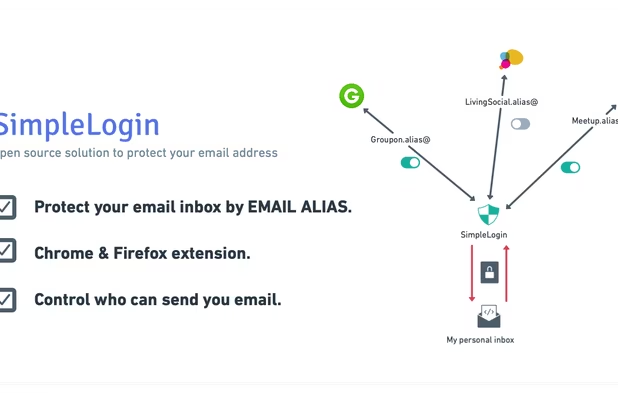
  3. Open source solution to protect your personal email address. Generous free plan with uncapped bandwidth and infinite sends/replies, self-hostable, lot of powerful features, open roadmap, you can count on SimpleLogin to guard your email inbox.

    Cost / License

    • Freemium
    • Open Source

    Application type

    Platforms

    • Mac
    • Windows
    • Linux
    • Online
    • Android
    • iPhone
    • Android Tablet
    • iPad
    • Self-Hosted
    • Microsoft Edge
    • Google Chrome
    • Safari
    • F-Droid
    • Mozilla Firefox
    Open source solution to protect your email address.
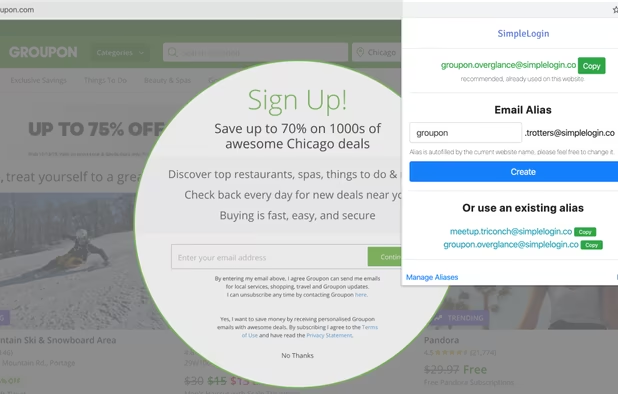
    Create alias quickly with SimpleLogin Chrome & Firefox extension.
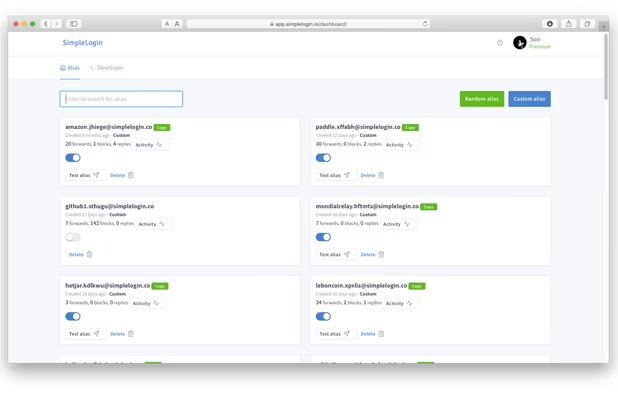
    Alias management dashboard.
    +1
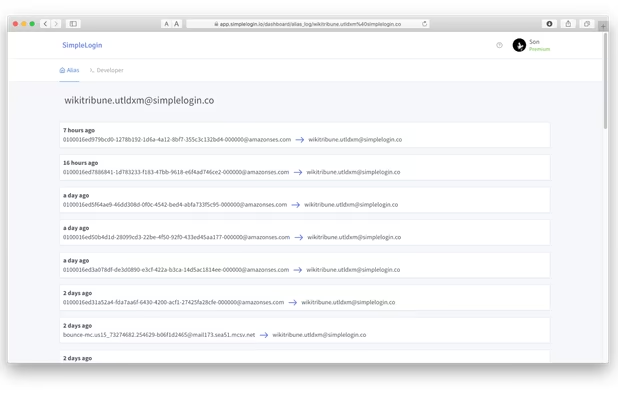
    Visualize all emails sent to or replied from an alias.
    Lemon x Lime’s note

  4. NextDNS icon
     Like

    NextDNS protects you from all kinds of security threats, blocks ads and trackers on websites and in apps and provides a safe and supervised Internet for kids — on all devices and on all networks.

    Cost / License

    • Freemium
    • Open Source

    Application type

    Platforms

    • Mac
    • Windows
    • Linux
    • Online
    • Android
    • iPhone
    • Chrome OS
    • BSD
    • iPad
    • UC Browser
    • Vivaldi
    • Google Chrome
    • UniFi Network
    • Safari
    • Yandex Browser
    • Software as a Service (SaaS)
    • OpenWrt
    • Opera
    • Alpine Linux
    • pfSense
    • Mozilla Firefox
    • DD-WRT
    NextDNS screenshot 1
    NextDNS screenshot 1
    NextDNS screenshot 2
    +11
    NextDNS screenshot 3
    Lemon x Lime’s note

No comments so far, maybe you want to be first?