Software we love even though it's made with Electron

Electron is a framework for developing cross-platform desktop applications with web technologies (JavaScript, HTML and CSS), essentially packaging web apps into native desktop apps that look and behave consistently across operating systems. The infrastructure (back-end) is coded in https://alternativeto.net/software/node-js/, and the interface (front-end) is built on https://alternativeto.net/software/chromium/ tools, the open source part of https://alternativeto.net/software/google-chrome/. It was developed by https://alternativeto.net/software/github/ in 2013 and was originally named Atom Shell in reference to the https://alternativeto.net/software/atom/ editor from whom it originated.

The framework has gained significant traction in a relatively short period of time, but it also has some weaknesses: Some https://alternativeto.net/software/electron/ apps are slower compared to their native counterparts. Additionally, some have reported absurd CPU usage with Electron apps. Huge file size is also a common problem, but this does not mean all Electron apps have the same problems.

So, in defense of Electron, here's a list of ten Electron-based software that don’t suck.

Paul
Paul List by Paul , last updated 
Copy a direct link to this comment to your clipboard
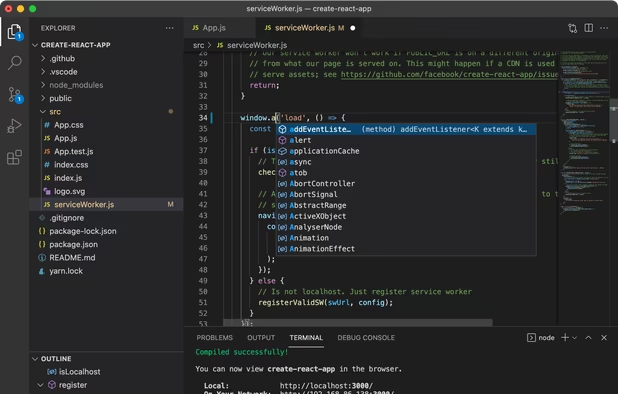
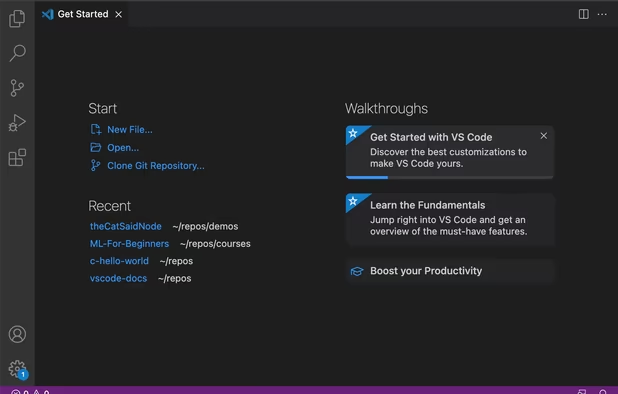
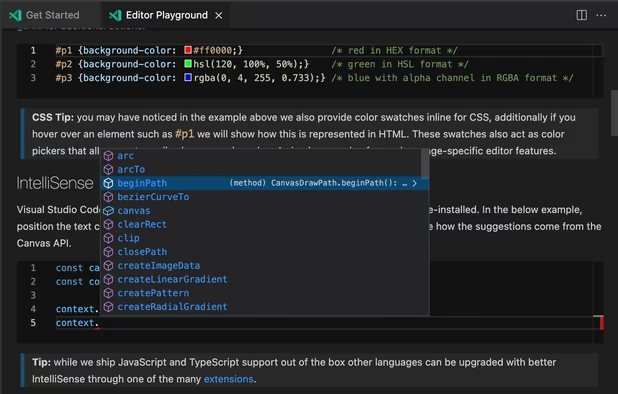
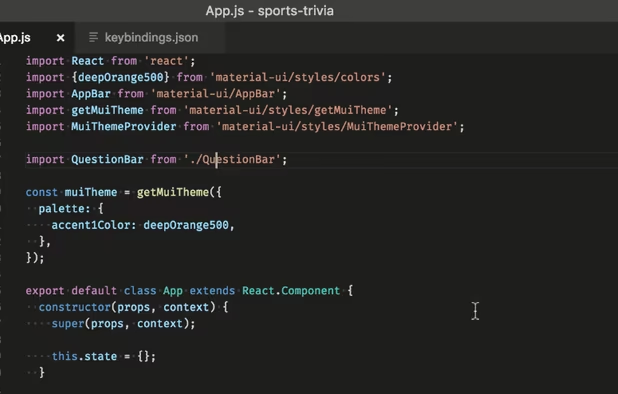
  1. Visual Studio Code is a free, open-source, and cross-platform code editor published by Microsoft. This tool for developers supports several dozen programming languages such as PHP icon PHP, JavaScript icon JavaScript, Python icon Python, Ruby icon Ruby, C++ icon C++, etc. It is one of the most popular code editors currently available and it is highly customizable with hundreds of themes and extensions.

    And if you don't like Microsoft, you can always use VSCodium icon VSCodium, which is a community-driven, freely-licensed binary distribution of VS Code without any telemetry/tracking.

    Cost / License

    • Free
    • Proprietary

    Application types

    Platforms

    • Mac
    • Windows
    • Linux
    • Online
    • Chrome OS
    • Snapcraft
    Visual Studio Code screenshot 1
    Visual Studio Code screenshot 1
    Visual Studio Code screenshot 2
    +2
    Visual Studio Code screenshot 3
  2. Hyper icon
     Like

    Hyper is a terminal built on web technologies, based on JavaScript, HTML and CSS, and providing a beautiful and extensible experience for command-line interface users. The strong point of this terminal is that it is fully customizable and it supports themes and extensions. This means that you can tweak it in all directions, develop or integrate extensions that will help you develop more efficiently or that will best integrate with your tools.

    Of course, being based on Electron, it's a bit heavier and slower than other terminal emulators like iTerm2 icon iTerm2 and Alacritty icon Alacritty, but it's still a very good option that's actively developed.

    Cost / License

    • Free
    • Open Source

    Application types

    Platforms

    • Mac
    • Windows
    • Linux
    • Electron / Atom Shell
    Splitting terminals
    Windows running WSL
    Windows running Powershell and Oh My Posh
    +3
    Windows running CMD
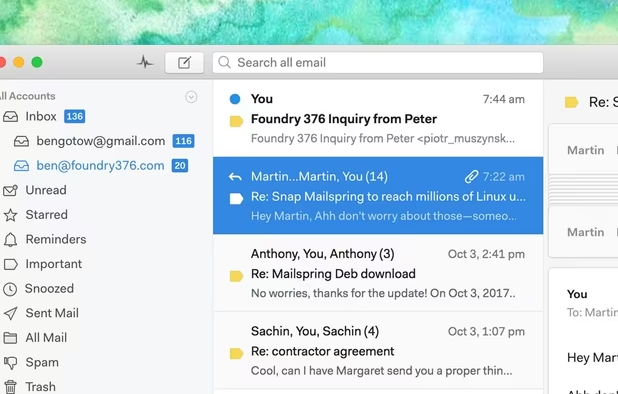
  3. Mailspring is a multi-account mail client based on Nylas Mail icon Nylas Mail and offering advanced features. Integrating a powerful search engine to index all incoming emails, Mailspring offers an efficient search similar to the one offered by Gmail icon Gmail.

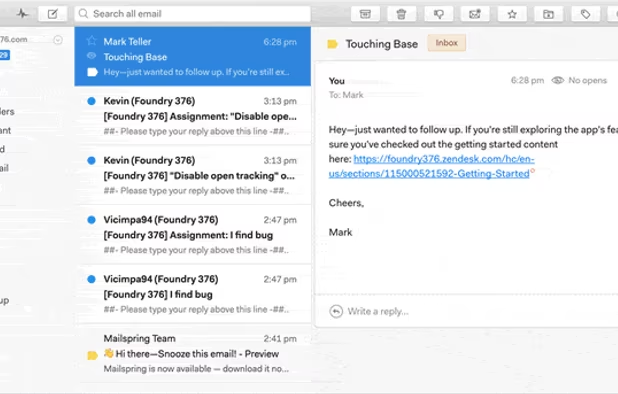
    Its clean design and simple and intuitive usability make it one of the best solutions available today. Despite the blocking of some advanced features - for example, tracking clicks and email openings - that are reserved for the pro version, the free plan is very convincing.

    Cost / License

    • Freemium
    • Open Source

    Platforms

    • Mac
    • Windows
    • Linux
    • Arch Linux
    • Fedora
    • Ubuntu
    Clean design with integrated search and swipe gestures
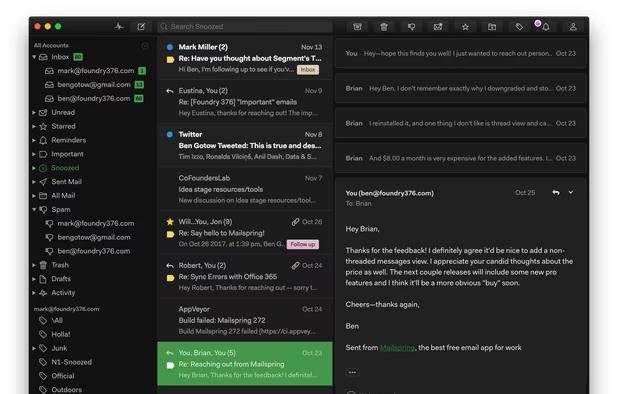
    Built-in dark theme
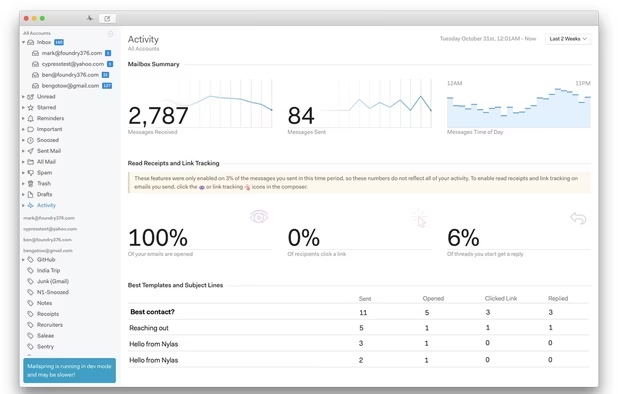
    Advanced mailbox analytics
    +1
    Mailspring comes with six great themes!
  4. Slack icon
     Like

    No need to present it anymore: Slack is a collaborative tool to facilitate communication and data exchange between professionals. No more file exchanges by email and via online storage services, no more conversations on instant messaging services, Slack brings together in a single interface everything you need so that you can discuss and exchange files easily with your friends and teammates.

    Slack offers the possibility to connect a very large number of online services in order to facilitate data exchanges between collaborators of the same team.

    Cost / License

    • Freemium
    • Proprietary

    Platforms

    • Mac
    • Windows
    • Linux
    • Android
    • iPhone
    • Chrome OS
    • Android Tablet
    • iPad
    • Electron
    • Software as a Service (SaaS)
    Slack screenshot 1
    Slack screenshot 1
    Slack screenshot 2
    +7
    Slack screenshot 3
  5. Typora icon
     Like

    Typora is a simplified text editor specially designed for inexperienced users who want to work with the Markdown icon Markdown language. With its minimalist and intuitive interface, Typora combines your experience as a coder and reader with user-friendly functionality. Indeed, the program overlooks the preview window, and focuses exclusively on your need for speed and efficiency through its live preview window.

    Typora is able to export your projects in PDF and HTML formats, but also in formats specific to Microsoft Word icon Microsoft Word, Apache OpenOffice icon Apache OpenOffice, Epub and LaTeX icon LaTeX.

    Cost / License

    • Paid
    • Proprietary

    Platforms

    • Mac
    • Windows
    • Linux
    • Electron
    Typora screenshot 1
    Typora screenshot 1
    Typora screenshot 2
    +4
    Typora screenshot 3
  6. Etcher is a utility that allows you to use a disk image to create a bootable USB stick or memory card on a computer. Extremely easy to use, Etcher has an image verification module to ensure the successful creation of your bootable storage medium.

    Etcher has a very intuitive interface that guides the user step by step through the process. From a single window, you are prompted to follow three steps: select the disk image to use (in .iso or .img format), choose the storage media on which to "burn" the bootable disk image, and finally launch the "burning" process.

    It's a great cross-platform alternative to Rufus icon Rufus and UNetbootin icon UNetbootin.

    Cost / License

    • Free
    • Open Source

    Application type

    Platforms

    • Mac
    • Windows
    • Linux
    balenaEtcher screenshot 1
    balenaEtcher screenshot 1
    balenaEtcher screenshot 2
    +1
    balenaEtcher screenshot 3
  7. Discord icon
     Like

    Discord is an instant messaging service for voice and text messages originally designed for gamers. Designed as an alternative to Skype icon Skype and TeamSpeak icon TeamSpeak, Discord allows you to exchange text messages and make voice calls, but also share images, videos and links directly from your computer or mobile device. It's a great alternative to Slack icon Slack for gamers or people who just want to have a chat room where they can meet and discuss.

    For example, at AlternativeTo icon AlternativeTo, we use Slack as our virtual office for internal communication and Discord to chat with our users, and provide support if needed.

    Cost / License

    • Freemium
    • Proprietary

    Platforms

    • Mac
    • Windows
    • Linux
    • Online
    • Android
    • iPhone
    • Android Tablet
    • iPad
    • Snapcraft
    • Epic Games Store
    • Flathub
    • Electron
    • Playstation
    • Xbox
    Desktop UI
    Desktop UI Color Customization
    Cross Platform Video Chat and Screensharing
    +8
    Phone UI
  8. GitKraken icon
     Like

    GitKraken is a Git icon Git client that allows you to open, manage, clone or create repositories and branches, as well as share code directly from your desktop.

    With a structured and intuitive interface, GitKraken offers you the possibility to access your repositories locally and remotely. In order to simplify your access to the various projects you are working on, GitKraken invites you to synchronize your GitHub icon GitHub, GitLab icon GitLab and Bitbucket icon Bitbucket accounts directly via the user interface.

    Cost / License

    • Freemium
    • Proprietary

    Platforms

    • Mac
    • Windows
    • Linux
    • Visual Studio Code
    • Online
    • Google Chrome
    • Firefox
    • Microsoft Edge
    GitKraken screenshot 1
    GitKraken screenshot 1
  9. SimpleNote is a free, lightweight and easy-to-use cross-platform note-taking utility developed by Automattic, the company behind WordPress icon WordPress. All notes created on SimpleNote are automatically synchronized on all devices on which the software is installed. The notes you are working on can be shared with other users so that they can add what they want. It is also possible to generate a public link allowing everyone to access your notes online. There's actually a native macOS app but the Windows and Linux apps are made with Electron.

    Cost / License

    • Free
    • Open Source

    Platforms

    • Mac
    • Windows
    • Linux
    • Online
    • Android
    • iPhone
    • Android Tablet
    • iPad
    Simplenote screenshot 1
    Simplenote screenshot 1
    Simplenote screenshot 2
    +3
    Simplenote screenshot 3
  10. Kap icon
     Like

    Kap is an advanced screen capture and recording utility for macOS icon macOS users. Very easy to use, it is attached directly to the menu bar once installed. Kap is offers a perfectly intuitive user interface and allows you to take screenshots or record a video of your screen. The program allows you to choose a predefined ratio directly in the application but also manually indicate the size of the capture to be taken.

    Cost / License

    • Free
    • Open Source

    Platforms

    • Mac
    • Electron / Atom Shell
    Kap screenshot 1

There are many other good software based on Electron, like the RSS reader https://alternativeto.net/software/reaven-reader/, the web browser https://alternativeto.net/software/beaker-browser/, the Evernote client https://alternativeto.net/software/tusk/, the note-taking app https://alternativeto.net/software/left/ or the video editing tool https://alternativeto.net/software/lossless-cut/, but I didn't want this list to be endless and so, I only chose ten apps that – I think – are a pretty good example that you can build good apps with Electron.

Bonus: You can also run https://alternativeto.net/software/windows95/ as an Electron app. 😁

Comments

smaragdus
4

Desktop is under attack. It is invaded by Electron. Electron is cancer for the desktop. Electron programs are bulky, bloated, heavy, sluggish and ugly, they are not native and not portable. Who uses Electron trash contributes to the fall of desktop software.

Legions of incompetent coders who have no idea of real programming pile up layer upon layer of junk and call themselves developers.

Big corporations no longer want to invest in good programmers so Electron "framework" is the obvious choice- it is cheap to hire incompetent developers and as a result desktop is quickly becoming Electron junk-yard.

The problem is that the sheeple accept the Electron trash. The average Joe's favourite argument- "Well, it works". How it works does not matter for the dullard. The more idiots accept Electron the gloomier is the future of software.

ENiGMAXG2
1

You can create nice apps, but optimization sucks big time. Nice additions to my black list though.

coralinecastell
4

Interesting idea for a list as always, POX.

Typora icon Typora I both defend, use and recommend. Discord icon Discord , on the other hand, I cannot stand nor recommend. It's owned by the man who previously owned OpenFeint. In case you're not aware, there was a lawsuit involving selling personal user information: https://topclassactions.com/lawsuit-settlements/lawsuit-news/1236-gamers-sue-openfeint-in-class-action-lawsuit/

Here is Richard Stallman on Discord: https://stallman.org/discord.html

I don't trust Discord, its investors nor anything its team creates. Saying you "love" Discord is a very strong word considering its creator's precedents and discord's investors. I'd strongly reconsider supporting them, POX. Not to mention, it's gotten more and more bloated with every release to the point its original purpose (VOIP) is lost among a store, premium features and unnecessary animations and cluttered visual elements.

[Edited by coralinecastell, November 22]

2 replies
robertheadley

Discord feels... cumbersome. That is the primary reason I dislike using it, though this adds to that.

coralinecastell

Thanks for your reply. Have you tried ? It's FOSS and not cumbersome at all.

Gu