Screen Sharing Tools Page 6 of 14

All apps in Screen Sharing Tools category. Use the filters below to narrow down your search. 
Copy a direct link to this comment to your clipboard
  1. Samsung Flow icon
     5 likes

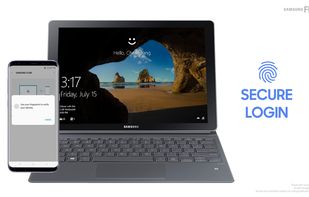
    Android and Windows Apps. Allows for work started on (say) phone, to be completed on Windows Desktop. Sharing of files, screen mirroring, media, clipboard, links, output piping from one app to another. Similar also to Opera Browser's new FLOW facilty.

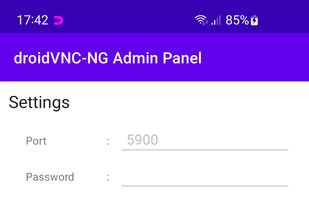
    Samsung Flow screenshot 1
    13 alternatives
  2. PineTalk icon
     1 like

    PineTalk makes team communication effortless with one-click voice rooms—no installs.Designed for spontaneous, secure, and private audio chats, it's perfect for remote teams, communities, or anyone who wants fast, clutter-free conversations.

    PineTalk screenshot 1
    1 alternatives
  3. Mousemux icon
     1 like

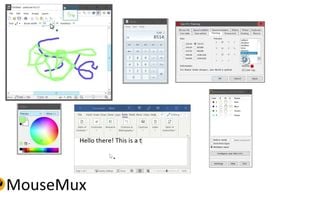
    MouseMux simplifies collaboration by transforming PCs into multi-user systems with added pointer devices and optional keyboards. It allows users to interact independently or simultaneously with different programs on the same desktop, fostering non-interfering collaboration.

    Mousemux screenshot 1
    6 alternatives
  4. Zone Share icon
     1 like

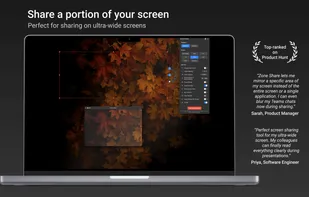
    Zone Share - Screen Sharing for Ultrawide Monitors - is the essential screen sharing solution for macOS ultrawide monitor users. Share only part of your screen in Zoom, Teams, Google Meet, and any video conferencing app.

    • FreemiumProprietary
    • Mac
    Zone Share screenshot 1
  5. Thincast Client turns your computer into a fully Remote Desktop Protocol (RDP) Client, making it easy to connect remotely to your company's infrastructure. Using the Remote Desktop (RD) WebAccess Client you gain easy access to and control of published virtual machines (with...
    138 alternatives
  6. CrossLoop icon
     23 likes

    CrossLoop is a free, secure screen-sharing utility designed for people of all technical skill levels. CrossLoop extends the boundaries of traditional screen sharing by enabling non-technical users to get connected from anywhere on the Internet in seconds without changing any...

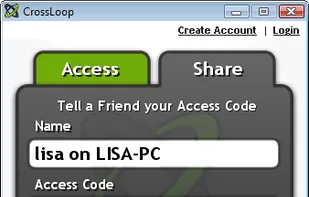
    CrossLoop screenshot 1
    38 alternatives
  7. i-net CoWork icon
     7 likes

    Text and video chat for your teams with unlimited users. Invite any customer to a conference. GDPR-compliant as self-hosted on your own server or in the cloud. Cross-platform support for Windows, Linux, macOS, and as a Docker container.

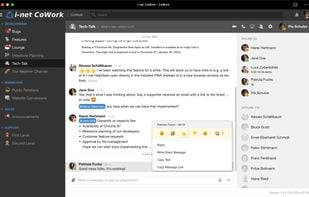
    Chatting in multiple channel. There, too, is an emoji and an optional GIF picker.
    4 alternatives
  8. Air Display icon
     18 likes

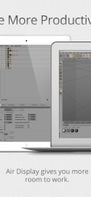
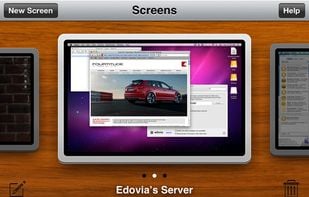
    Use your iPad as a wireless display, to extend your Mac desktop. Ever wish you had an extra display for your computer? There’s an app for that! With Air Display, you can use your iPad as an additional monitor for your Mac (Windows no longer supported)

    Air Display screenshot 1
    Air Display screenshot 2
    Air Display screenshot 3
    22 alternatives
  9. VooV Meeting icon
     1 like

    VooV Meeting provides smooth, secure, and reliable cloud-based HD conferencing services that enable you to start or join meetings with ease anytime, anywhere.

    VooV Meeting screenshot 1
    VooV Meeting screenshot 2
    VooV Meeting screenshot 3
    20 alternatives
  10. OpenTalk.eu icon
     2 likes

    A secure video conferencing solution for businesses of all sizes. With focus on digital sovereignty and data protection.

    • Video Calling App
    • PaidOpen Source
    • Mac
    • Windows
    • Linux
    • Online
    • Android
    • iPhone
    • Software as a Service (SaaS)
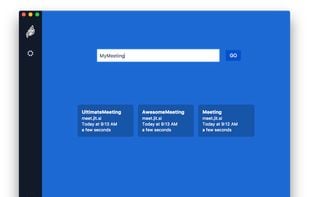
    Video conferencing. Moderating.
    12 alternatives
  11. fairmeeting icon
     3 likes

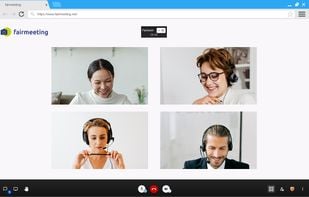
    fairmeeting is a powerful video conferencing service that emphasizes ease of use and data privacy. It is a true alternative to Zoom, Teams, WebEx or Skype. Here's a breakdown of its key features:

    video conferencing with browser
    16 alternatives
  12. Snapify icon
     1 like

    Record your screen with audio directly from your browser and share the video with your team, friends, and family.

    4 alternatives
  13. mmhmm icon
     1 like

    Engaging video meetings where you can present, inform, or entertain over video - appearing on screen with your presentation. Compatible with various systems like Zoom, Google Meet, Microsoft Teams, and Webex. Better meetings are within everyone’s reach.

    • FreemiumProprietary
    • Windows
    • Mac
    • Online
    mmhmm screenshot 1
    10 alternatives
  14. Opaque icon
     1 like

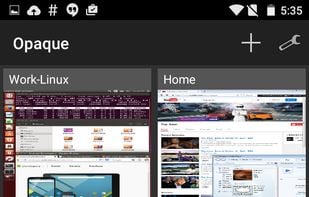
    Opaque is a GPLv3 licensed secure, super fast oVirt, Red Hat Enterprise Virtualization (RHEV), and Proxmox VDI client that allows you to connect graphically to all your virtual machines running in the cloud from anywhere in the world.

    Opaque screenshot 1
    57 alternatives
  15. Zoho Meeting icon
     2 likes

    A one-stop solution for online meeting and webinar needs which work on the browser without any downloads. Host audio/video conferencing and screen/application sharing across devices. Suitable for small, medium and large enterprise organizations.

    • Web Conferencing Tool
    • FreemiumProprietary
    • Mac
    • Windows
    • Linux
    • Online
    • Android
    • iPhone
    • iPad
    • Google Chrome
    • Electron / Atom Shell
    • Software as a Service (SaaS)
    • Firefox
    Zoho Meeting screenshot 1
    58 alternatives
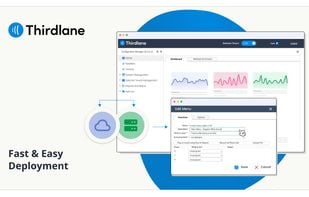
  16. Thirdlane® Business Phone System stands as an advanced IP PBX and Unified Communications solution, designed for both on-premises and cloud deployment.

    • PaidProprietary
    • Online
    • Software as a Service (SaaS)
    Thirdlane Business Phone System — Fast & Easy Deployment
    8 alternatives
    5.0
    Excellent14 reviews
  17. VSee Messenger icon
     26 likes

    Extremely low bandwidth video collaboration software that supports application sharing, desktop sharing, file sharing, and PTZ camera control. Also, this client is free without support for commercial, personal, and government use.

    Vsee Login screen
    82 alternatives