Apps tagged with 'aesthetics'

All apps in Apps tagged with 'aesthetics' category. Use the filters below to narrow down your search. 
Copy a direct link to this comment to your clipboard
  1. Tezza icon
     1 like

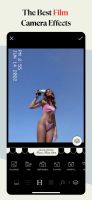
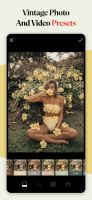
    Tezza is a comprehensive photo and video editing app, designed by creators for creators, offering a range of features including over 40 presets, vintage-inspired effects, 150+ templates, overlays, a feed planner, batch editing capabilities, and professional adjustment tools.

    Cost / License

    • Freemium
    • Proprietary

    Application type

    Platforms

    • iPhone
    Tezza screenshot 1
    Tezza screenshot 1
    Tezza screenshot 2
    +5
    Tezza screenshot 3
    29 alternatives
  2. vibeberry icon
     1 like

    VibeBerry is a growing collection of free tools for making text more aesthetic, expressive and creative.

    Cost / License

    • Free
    • Proprietary

    Platforms

    • Online
    Browse a curated list of aesthetic symbols across all categories. Copy-ready, clean interface with instant search.
    Generate stylized text with a glitchy Unicode vibe. Select, type, copy — no login, no noise.
    11 alternatives
  3. XScreenSaver icon
     4 likes

    XScreenSaver is the standard screen saver collection shipped on most Linux and Unix systems running the X11 Window System. The first version was released in 1992. In 2006, it was ported to macOS 10.4.

    Cost / License

    • Free
    • Open Source

    Application type

    Platforms

    • Mac
    • Linux
    • Android
    • iPhone
    • iPad
    XScreenSaver screenshot 1
    XScreenSaver screenshot 1
    XScreenSaver screenshot 2
    12 alternatives
  4. Orphea icon
     Like

    Orphea is an AI music intelligence platform that goes beyond basic listening stats. Connect your SoundCloud, TIDAL, or Apple Music account and Orphea builds your unique musical DNA — analyzing every track across 4 axes: Beat (rhythm/energy), Lyrics (themes), Structure...

    Cost / License

    • Freemium
    • Proprietary

    Platforms

    • Software as a Service (SaaS)
    • Online
    Dashboard welcoming
    My favorite feature ( you can sort your playlist )
    Analyze function ( yess in french :) )
    +2
    social aspect
    50 alternatives
  5. Embers icon
     Like

    Embers is a software used for playing back piano MIDI Files, it can be heavily customized and has a beautiful aesthetic and it has so many effects.

    Cost / License

    • Freemium
    • Proprietary

    Platforms

    • Windows
    Embers screenshot 1
    Embers screenshot 1
    Embers screenshot 2
    14 alternatives
  6. XScreenSaverWin is a Windows port of XScreenSaver. 204 screensavers in XScreenSaver were ported. A few of the screensavers have some issues. Check the status page for more. (This app is no longer free or open source starting with v0.80.

    Cost / License

    • Free
    • Open Source

    Application type

    Alerts

    • Discontinued

    Platforms

    • Windows
    Configuration
    10 alternatives
  7. SkinAura PRO is a platform designed for estheticians, med spas, and dermatology clinics to better support clients between appointments. It helps skincare professionals organize routines, document treatment plans, track progress over time, and improve client follow-through so...

    Cost / License

    • Paid
    • Proprietary

    Platforms

    • Online
    • Android
    • iPhone
    • iPad
    • Software as a Service (SaaS)
    • Android Tablet
    Client Adherence Analytics
    Professionals Dashboard Overview
    SkinAura PRO screenshot 2
    1 alternatives
  8. Do you want a minimalist setup for deep work and a vibrant vibe for creative sessions? Why manually toggle system settings and app themes every time? Desktop Composer combines your entire macOS aesthetic into one-click profiles, finally allowing your environment to keep up with...

    Cost / License

    • Paid
    • Proprietary

    Platforms

    • Mac
    • Setapp
    Desktop Composer screenshot 1
    Desktop Composer screenshot 1
    Desktop Composer screenshot 2
    1 alternatives
  9. Press a hotkey. Drag over anything on your screen. Get instant answers, explanations, rewrites, translations, or summaries in a floating overlay. No copy-paste. No tab switching. No restrictions. Works on fullscreen, articles, code, videos, PDFs, images, and foreign text.

    Cost / License

    • Paid
    • Proprietary

    Platforms

    • Mac
    LowLighter screenshot 1