


LowLighter
Like
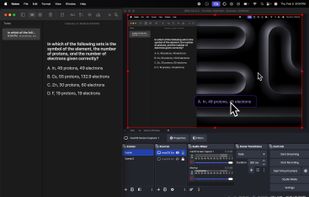
LowLighter is a desktop AI assistant for macOS and Windows. Press a mode hotkey, select content on your screen, and read the result in a floating answer surface. The free plan includes Answer and Summarize with a daily allowance.

Cost / License
- Freemium (Subscription)
- Proprietary
Platforms
- Mac
- Windows
Add Alternatives

0likes
0alternatives
0articles
Features
Highlights All activities
LowLighter News & Activities
Recent activities
- LowLighterApp updated LowLighter
- LowLighterApp added LowLighter
- Paul updated LowLighter
Developed by
 LowLighter LLC
 Licensing
Proprietary and Freemium product.Pricing
Subscription ranging between $10 and $20 per month + free version with limited functionality.Alternatives
0 alternatives listedBadge
Get an embeddable badge for LowLighterSupported Languages
No comments or reviews, maybe you want to be first?