Apps with 'Voice dictation' feature Page 6 of 6

All apps in Apps with 'Voice dictation' feature category. Use the filters below to narrow down your search. 
Copy a direct link to this comment to your clipboard
  1. KeyStow icon
     Like

    Hold your shortcut, speak, and release. KeyStow turns your speech into text on your computer and pastes it at the cursor. No account. No cloud.

    Cost / License

    • Pay once
    • Open Source (MIT)

    Since

    • New

    Platforms

    • Windows
    • Mac
    Hold the shortcut and speak; KeyStow pastes your words at the cursor.
    5 alternatives
  2. Pithflow icon
     Like

    Pithflow is AI voice dictation built Windows-first, now on Windows, Mac, iPhone and iPad. Hold a global hotkey (Ctrl+Space), speak, and release — clean, punctuated text lands in whatever app you have focused: Slack, Gmail, VS Code, Word, your browser, or any other app.

    Cost / License

    • Freemium (Subscription)
    • Proprietary

    Application type

    Since

    • Since 2026

    Platforms

    • Windows
    • Mac
    • iPhone
    • iPad
    • US flagUnited States
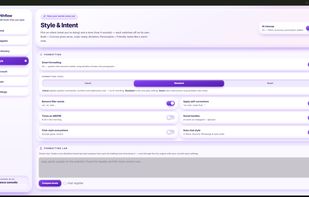
    Pithflow screenshot 1
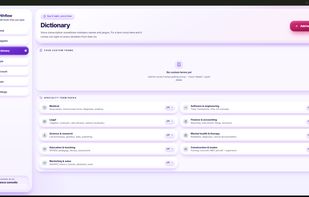
    Pithflow screenshot 2
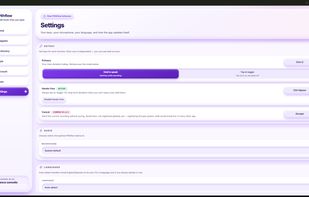
    Pithflow screenshot 3
    +6
    Style & Intent — 8 tones and 6 intent modes, plus the AI cleanup toggle that removes filler words and fixes punctuation.
    5 alternatives
  3. Iris flow icon
     Like

    Iris Flow is an open-source overlay dictation app for Apple Silicon Macs. Hold Left-Ctrl to speak, release, and the transcript is pasted at the cursor in Notes, Slack, browsers, editors, and other apps. There is no account and no hosted backend.

    Cost / License

    • Free
    • Open Source (MIT)

    Since

    • New

    GitHub

    • GitHub stars: 3

    Platforms

    • Mac
    51 alternatives
  4. SaidVault icon
     Like

    SaidVault is a privacy-first macOS transcription app that runs locally on Apple Silicon. It transcribes audio and video files, records voice notes, captures system audio for meetings or video playback, supports Whisper and Parakeet models, and exports to PDF, TXT, Markdown, SRT, and VTT.

    Cost / License

    • Freemium (Pay once)
    • Proprietary

    Application type

    Since

    • Since 2026

    Platforms

    • Mac
    • PL flagPoland
    • European Union flagEU
    Main application view
    Transcription view
    52 alternatives
  5. SnailText icon
     Like

    Voice dictation for Mac and Windows. Press a hotkey, speak, paste into any text field. Audio stays on your device — no cloud, no account, unlimited free tier.

    Cost / License

    • Freemium (Subscription)
    • Proprietary

    Application type

    Since

    • Since 2026

    Platforms

    • Windows
    • Mac
    • ES flagSpain
    • European Union flagEU
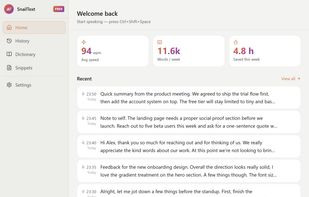
    SnailText main window in light mode — recording history, live word-per-minute stats, and the dictation hotkey.
    SnailText main window in dark mode — same dictation history and stats, dark theme for low-light use.
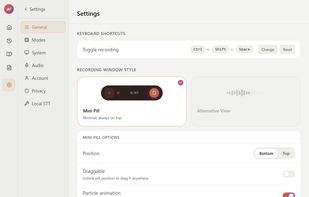
    SnailText settings with the recording pill active at the bottom of the screen — model selection, hotkey config, and the on-screen dictation indicator.
    56 alternatives
  6. HoldTalk icon
     Like

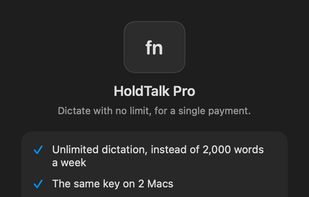
    Hold the fn key, speak, and your words appear at the cursor in any Mac app. Transcription runs on your Mac. No account, no subscription.

    Cost / License

    • Freemium (Pay once)
    • Proprietary

    Since

    • New

    Platforms

    • Mac
    • ES flagSpain
    • European Union flagEU
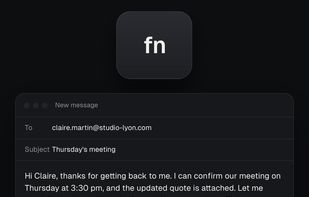
    Hold fn, speak, release: the text appears at the cursor in any app.
    HoldTalk Pro: unlimited dictation for a one-time payment.
    2 alternatives
  7. Elokin icon
     Like

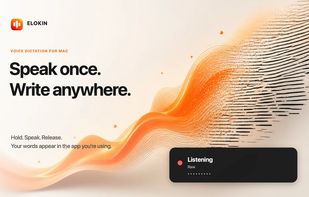
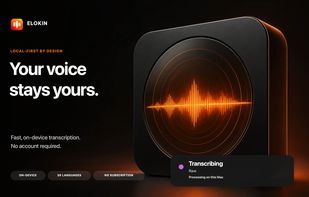
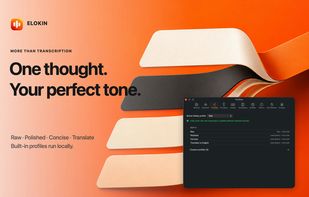
    Private, local-first voice dictation for Apple silicon Macs with writing profiles, multilingual transcription, custom shortcuts, and personal vocabulary.

    Cost / License

    • Pay once
    • Proprietary

    Since

    • New

    Platforms

    • Mac
    • FR flagFrance
    • European Union flagEU
    Elokin screenshot 1
    Elokin screenshot 2
    Elokin screenshot 3
    4 alternatives
  8. SiteSnag icon
     Like

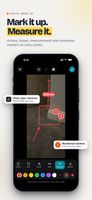
    Capture and mark up defects offline, pin snags to floor plans, use checklists and defect libraries, then send branded PDF reports from site.

    Cost / License

    • Pay once or Subscription
    • Proprietary

    Since

    • New

    Platforms

    • iPhone
    • iPad
    • GB flagUnited Kingdom
    SiteSnag screenshot 1
    SiteSnag screenshot 2
    +2
    SiteSnag screenshot 3
    13 alternatives
  9. BossAI icon
     Like

    A voice-activated AI writing assistant, it transcribes, fixes grammar, removes filler words, and executes screen-aware commands via Boss Mode. 95%+ accuracy, zero data storage, 3x faster than typing.

    Cost / License

    • Freemium (Pay once or Subscription)
    • Proprietary

    Since

    • Since 2026

    Platforms

    • Windows
    • Mac
    • iPhone
    • IN flagIndia
    BossAI screenshot 1
    BossAI screenshot 2
    9 alternatives
  10. FU Flow icon
     1 like

    Free offline dictation for Windows and Ubuntu Linux that types what you say into any application, using a Whisper speech model that runs on your own machine.

    Cost / License

    • Free
    • Open Source (MIT)

    Application type

    Since

    • New

    GitHub

    • GitHub stars: 3

    Platforms

    • Windows
    • Linux
    • Ubuntu
    • GR flagGreece
    • European Union flagEU
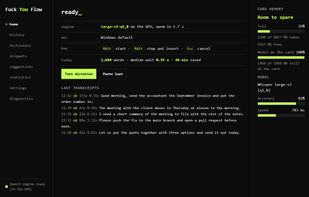
    Main window: the dictation key, the ready state and a live log of what was typed.
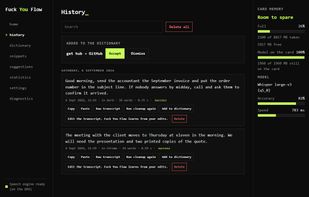
    Local history: every phrase dictated, kept on the machine and reusable.
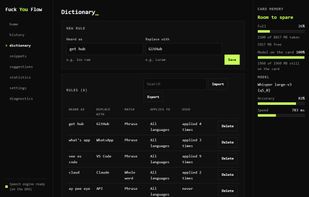
    Personal dictionary: names and terms the model hears wrong are corrected once and stay fixed.
    +1
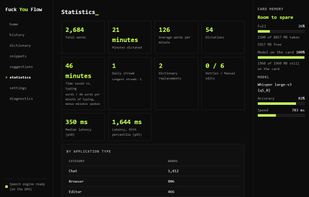
    Statistics: words dictated, minutes saved and measured recognition times on this machine.
    51 alternatives
  11. VoiceOS icon
     Like

    Transcribes speech to highly accurate, natural text in any app, offers zero setup, automatic formatting, real-time multilingual support, and privacy-focused data handling.

    Cost / License

    • Subscription
    • Proprietary

    Since

    • Since 2026

    Platforms

    • Windows
    • Mac
    • JP flagJapan
    VoiceOS screenshot 1
    VoiceOS screenshot 2
    VoiceOS screenshot 3
    +2
    VoiceOS screenshot 4
    11 alternatives
  12. Jeronimo icon
     Like

    Offline Mac dictation that types into any app, with a personal dictionary, reusable snippets, and call transcripts with speaker labels, summaries, and action items.

    Cost / License

    • Pay once
    • Proprietary

    Application type

    Since

    • New

    Platforms

    • Mac
    • US flagUnited States
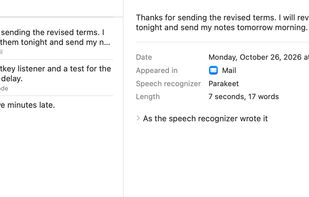
    History: every dictation with the app it appeared in, kept on your Mac
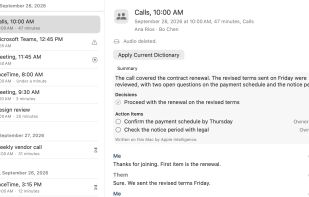
    Meeting notes from your calls: a summary, decisions, and action items above a transcript marked Me and Them
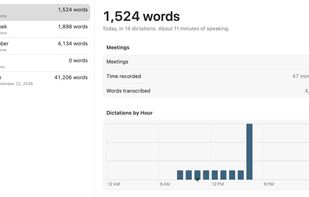
    Activity: words dictated today, this week, and over time
    +2
    A shareable card of how much you dictated
    11 alternatives
  13. Free, open source voice dictation for macOS. On-device transcription with Apple's Speech framework. No cloud, no API keys, no account.

    Cost / License

    • Free
    • Open Source (MIT)

    Since

    • Since 2026 (updated Nov 2026)

    GitHub

    • GitHub stars: 466

    Platforms

    • Mac
    • Homebrew
    • US flagUnited States
    Yap Dictation screenshot 1
    Yap Dictation screenshot 2
    Yap Dictation screenshot 3
    51 alternatives
  14. unWarp icon
     Like

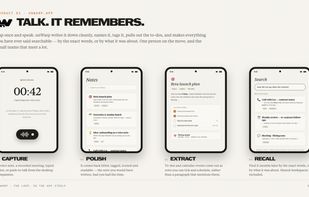
    unWarp is a voice-first note-taking app. You speak; it transcribes, trims the filler words, fixes names and typos, then files every thought into a clean, searchable note with a title, tags, and a one-line summary.

    Cost / License

    • Subscription
    • Proprietary

    Application type

    Since

    • New

    Platforms

    • Windows
    • Mac
    • Linux
    • Online
    • Android
    • Android Tablet
    • FR flagFrance
    • European Union flagEU
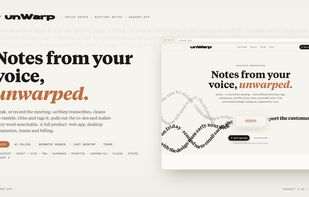
    Voice-first notes for fast thinkers and meetings. Speak freely; unWarp transcribes, cleans up, organises, and makes every thought searchable.
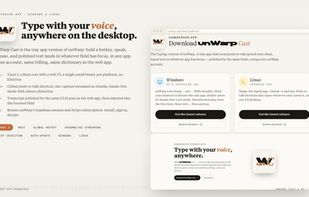
    Cast desktop dictation: hold a hotkey, speak, and release to insert polished text into any app on Windows or Linux.
    Capture, polish, extract, recall: turn speech into organised notes and action items, then find them again by exact words or meaning.
    5 alternatives
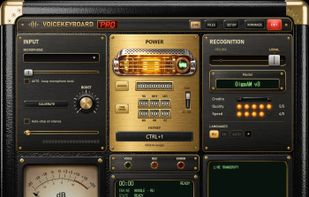
  15. VoiceKeyboard types what you say into the window you are working in: a browser, a chat, a document, a code editor or a terminal. Press Ctrl+1 (can be changed), speak, and the words appear as you talk.

    Cost / License

    • Freemium (Subscription)
    • Proprietary

    Application type

    Since

    • New

    Platforms

    • Windows
    • EE flagEstonia
    • European Union flagEU
    Main screen: press Ctrl+1, speak, and the text is typed into the active window
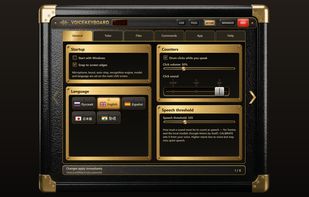
    SETUP: licence, updates and settings
    51 alternatives
  16. VoiceNote icon
     Like

    Windows dictation software that converts speech to text locally, supports Russian and other languages, and lets you copy or save the result.

    Cost / License

    • Freemium (Pay once)
    • Proprietary

    Since

    • New

    Platforms

    • Windows
    • RU flagRussia
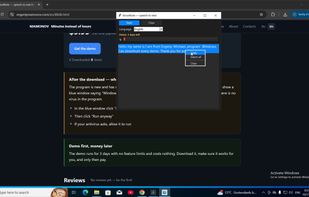
    VoiceNote screenshot 1
    55 alternatives
  17. RMBLR icon
     Like

    RMBLR is a dictation app for Android that writes into whatever text field you are already using, instead of making you copy and paste out of a separate app.

    Cost / License

    • Free
    • Open Source (MIT)

    Since

    • New

    GitHub

    • GitHub stars: 23

    Platforms

    • Android
    RMBLR screenshot 2
    RMBLR screenshot 3
    +3
    RMBLR screenshot 4
    5 alternatives