




VoiceKeyboard
Like
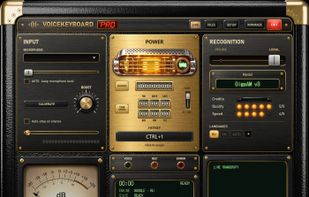
VoiceKeyboard types what you say into the window you are working in: a browser, a chat, a document, a code editor or a terminal. Press Ctrl+1 (can be changed), speak, and the words appear as you talk.

Cost / License
- Freemium (Subscription)
- Proprietary
 EU
EUPlatforms
- Windows


Features
Highlights All activities
VoiceKeyboard News & Activities
Recent activities
- Nick-Gregory added VoiceKeyboard
 Nick-Gregory added VoiceKeyboard as alternative to Vibe Transcribe, FUTO Voice Input, OpenWhispr, Spokenly and 47 more
Developed by
 Grin Studio
 Licensing
Proprietary and Freemium product.Pricing
Subscription ranging between $10 and $15 per month + free version with limited functionality.Alternatives
51 alternatives listedBadge
Get an embeddable badge for VoiceKeyboardSupported Languages


No comments or reviews, maybe you want to be first?