Apps tagged with 'Hard Disk Utility' Page 3 of 3

All apps in Apps tagged with 'Hard Disk Utility' category. Use the filters below to narrow down your search. 
Copy a direct link to this comment to your clipboard
  1. Monitor the physical condition and temperature of your disks 24/7. Predict remaining service life. See the current percentage of your disk's remaining life. Support for most solid-state drives and hard disks.

    Cost / License

    • Paid
    • Proprietary

    Platforms

    • Windows
    • RU flagRussia
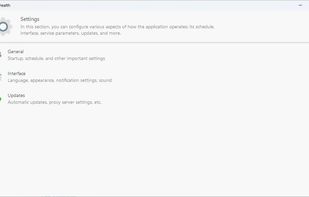
    Kerish Disk Health screenshot 1
    Kerish Disk Health screenshot 1
    Kerish Disk Health screenshot 2
    +6
    Kerish Disk Health screenshot 3
    31 alternatives
  2. ApfsAware icon
     Like

    With ApfsAware, you can integrate APFS support into your Windows 10 and later systems. ApfsAware offers effortless APFS file system read-only access and operations, automatically recognizing and managing APFS disks, both internal and external.

    Cost / License

    • Paid
    • Proprietary

    Platforms

    • Windows
    ApfsAware screenshot 1
  3. Cross platform utilities useful for performing various operations on SATA, SAS, NVMe, and USB storage devices. - Seagate/openSeaChest

    Cost / License

    • Free
    • Open Source

    Platforms

    • Windows
    • Linux
    • OpenSolaris
    8 alternatives
  4. LighterMac opens up the “System Data” your Mac won't explain and tells you, item by item, what each thing is and what happens if you delete it (“Xcode rebuilds it on the next build”, “this may be your only copy”).

    Cost / License

    • Freemium
    • Proprietary

    Application type

    Platforms

    • Mac
    Free up space: every item says what it is, what happens if you remove it, and when you last used it. Cleared items go to the Trash, never straight to deletion.
    Uninstall an app along with what it left behind. Docker is 2.4 GB, and its container holds another 16.1 GB.
    Move to another drive: things you keep but rarely open. LighterMac leaves a link behind, so nothing that uses them breaks.
    +1
    Automatic rules only cover things that rebuild themselves, and only ever move them to the Trash. Nothing that could be your only copy can be automated.
    27 alternatives
  5. StorageRadar maps your disk, shows blocked paths instead of hiding them, lets you dry-run cleanup, and compares what changed over time. Scan data stays local, while analytics and diagnostics remain separately controllable in settings.

    Cost / License

    • Freemium
    • Proprietary

    Application type

    Platforms

    • Mac
    • TH flagThailand
    StorageRader screenshot 1
    StorageRader screenshot 1
    StorageRader screenshot 2
    +3
    StorageRader screenshot 3
    51 alternatives
  6. MacMetra icon
     Like

    A macOS system monitor that lives entirely in the menu bar, showing CPU load, thermal state and memory at a glance, with a one-click dashboard.

    Cost / License

    • Paid
    • Proprietary

    Platforms

    • Mac
    • RO flagRomania
    • European Union flagEU
    The dashboard, one click from the menu bar: CPU load split into user, system and idle, memory with the pressure the system reports, startup disk space, thermal state and power.
    The menu bar item: CPU load, thermal state and memory in one compact readout. You choose which of the three appear and in what order.
    Settings: choose which readings appear in the menu bar and in what order, and turn on launch at login.
    6 alternatives
  7. PixWash icon
     Like

    PixWash is an ideal tool for fast and efficient cleaning of your media library. It allows you to easily browse your photos and videos, identify unnecessary content, and free up storage space effortlessly.

    Cost / License

    • Freemium
    • Proprietary

    Application type

    Platforms

    • Windows
    • FR flagFrance
    • European Union flagEU
    Main window
    Fast scanning
    Image sweeping
    +5
    RAW compatible
    12 alternatives