




StorageRader
Like
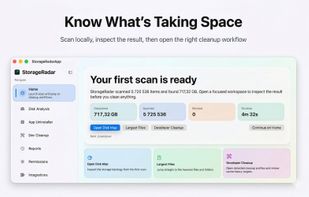
StorageRadar maps your disk, shows blocked paths instead of hiding them, lets you dry-run cleanup, and compares what changed over time. Scan data stays local, while analytics and diagnostics remain separately controllable in settings.

Cost / License
- Freemium (Pay once)
- Proprietary
Application type
Platforms
- Mac


Features
Highlights All activities
StorageRader News & Activities
Recent activities
 Paul added StorageRader as alternative to WinDirStat, WizTree, Baobab Disk Usage Analyzer, TreeSize and 47 more
- Paul added StorageRader


Developed by
 Vladimir Chemeris
 Licensing
Proprietary and Freemium product.Pricing
One time purchase (perpetual license) ranging between $10 and $20 + free version with limited functionality.Alternatives
51 alternatives listedBadge
Get an embeddable badge for StorageRaderSupported Languages


No comments or reviews, maybe you want to be first?