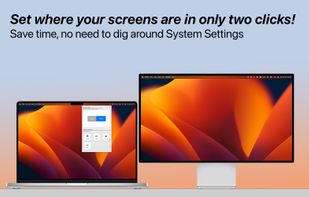
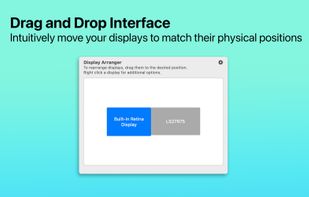
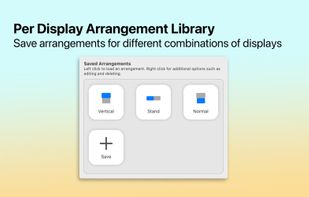
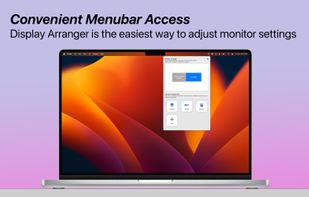
Tired of having to adjust your settings whenever you move your displays? Maybe you like to use your laptop on a stand and on your desk? This app is for you!
Cost / License
- Paid
- Proprietary
Platforms
- Mac

United States


Tired of having to adjust your settings whenever you move your displays? Maybe you like to use your laptop on a stand and on your desk? This app is for you!


The program is designed to adjust the brightness of monitors, laptop displays and other equipment. Runs on Windows 7+ and does not require installation. Works with all external monitors that have DDC/CI support, as well as with built-in displays of laptops, all-in-ones and...


Visual test app for macOS offering 20+ full-screen patterns to assess pixels, backlight, colors, gradients, response time, burn-in, HDR, and display info.


TotalXDR is a macOS menubar app that removes the brightness limit of your MacBook Pro display and keeps XDR/HDR brightness always on.

HP Adjustment Pattern Utility is a single-pattern program that is designed to help improve the picture quality of HP or Compaq Flat-Panel Monitors that are attached to computers using an analog video cable (VGA connector).
Windows implementation of the ddcutil Linux program for querying and changing monitor settings, such as brightness and color levels.
This small utility will try to make controlling your external monitor brightness and contrast easier. Also it have day and night presets, which stored in a right-click on a button.


"JBlueCut" is a blue light screen filter - eye protection App. Can effectively reduce the bluelight on screen and ease eyestrain by few simple steps.

Program for testing the quality of CRT/LCD screens. It displays various patterns and allows you to estimate the quality of your CRT/LCD monitor.

macOS command line utility to configure multi-display resolutions and arrangements. Essentially XRandR for macOS.
SmartControl is a software utility that allows monitor adjustment and color tuning using the Display Data Channel Command Interface (DDC/CI) protocol. All adjustments to the display are controlled via software to eliminate the need to use the monitor on-screen display (OSD).


Nokia Monitor Test is a freeware utility to help test and adjust a monitor for an optimum display.

Adaptive per-monitor brightness manager for Windows that automatically dims inactive displays, with two-stage dimming, burn-in protection, break reminders, and energy usage statistics.


Lumen - magic auto brightness based on screen contents. You control Lumen simply by using your brightness keys - it'll automatically learn your preferences.

Turn any Mac you already own — even an old iMac — into a true extended second display for your Mac. No dongle, no subscription, no account, no cloud.


PerfectSuite Plus is a software utility that allows monitor adjustment and color tuning using the Display Data Channel Command Interface (DDC/CI) protocol. All adjustments to the display are controlled via software to eliminate the need to use the monitor on-screen display (OSD).
AceScreen is an easy way to keep the screen of your Android device on. AceScreen prevents the Android device from going to sleep based on the current needs of the user. Simple and intuitive interface. Privacy friendly. Offered in over 50 languages.


Free, open-source display control for Windows 11: one brightness slider for every monitor (DDC/CI and laptop panels), night light, focus mode, keep awake, per-monitor taskbar hiding and glass, OLED care, your monitor's own settings, hotkeys and a CLI.


LiteBright is a lightweight native brightness controller for Windows 10 and 11. It lets you control brightness across multiple monitors from the system tray, adjust displays independently or together, and use global keyboard shortcuts for quick changes.


XDM (in full, the X Display Manager) is the default display manager for the X Window System. It is a bare-bones X display manager. It was introduced with X11 Release 3 in October 1988, to support the standalone X terminals that were just coming onto the market.

Minimalistic, yet full-featured display manager that provides a fast, dialog-based login system without the overhead of the X Window System. Written in pure bash, CDM has almost no dependencies, yet supports multiple users/sessions and can start virtually any desktop environment...