Valentina Studio icon

Valentina Studio

FREE native AI enabled database manager for RDBMS: DuckDB, MariaDB, MySQL, Parquet, PostgreSQL, SQLite, SQL Server, Valentina DB, and MongoDB. PRO Edition adds Report Editor and Form Editor, with JS/Python scripting and dozens of features.
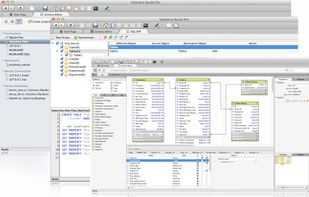
Powerful User Interface

Cost / License

  • Freemium (Pay once)
  • Proprietary

Application type

Platforms

  • Mac
  • Windows
  • Linux
3.5
Good10 reviews
167likes
38comments
0articles

Features

Properties

  1.  Lightweight

Features

  1.  No Tracking
  2.  Support for MS SQL Server
  3.  SQLite
  4.  WYSIWYG Support
  5.  Schema editor
  6.  Multi databases
  7.  Ad-free
  8.  Extensible by Plugins/Extensions
  9.  Works Offline
  10.  Import CSV Data
  11.  Dark Mode
  12.  Built-in viewer
  13.  Command line interface
  14.  No Coding Required
  15.  Autocompletion
  16.  OCR
  17.  Report Builder
  18.  MongoDB
  19.  Export to CSV
  20.  ER Diagrams
  21.  Query Builder
  22.  Database Management Tool
  23.  AI-Powered
  24. PostgreSQL icon  PostgreSQL support
  25.  Tabbed User Interface
  26. MariaDB icon  Support for MariaDB
  27. PostgreSQL icon  PostgreSQL-compatible
  28. MySQL Community Edition icon  MySQL Support
  29.  Foreign key linking
  30.  SSH Tunnel
  31.  Data export/import
  32.  Tabbed interface
  33.  Visual Editing
  34.  Database Administration
  35.  Reporting
  36.  Desktop Application
  37.  Workspaces
  38.  Restore on reboot

Valentina Studio News & Activities

Highlights All activities

Recent News

No news, maybe you know any news worth sharing?
Share a News Tip

Recent activities

  • pararoot updated Valentina Studio
  • VeloxDB icon
    POX added Valentina Studio as alternative to VeloxDB
  • nic-simes reviewed Valentina Studio  

    I’ve been using Valentina Pro 17 for several years, and it has consistently proven to be a reliable and powerful tool for database management.

    Recently, I reached out to their support team for assistance with migrating tables from Microsoft Access to SQL using an ODBC driver, specifically in bulk mode. The support I received was clear, effective, and helped me implement the solution smoothly.

    Thanks to their guidance, I am now able to load tables with over 50,000 rows in just a few seconds,...

  • Guest reviewed Valentina Studio  

    I’ve been using Valentina Pro 17 for several years, and it has consistently proven to be a reliable and powerful tool for database management.

    Recently, I reached out to their support team for assistance with migrating tables from Microsoft Access to SQL using an ODBC driver, specifically in bulk mode. The support I received was clear, effective, and helped me implement the solution smoothly.

    Thanks to their guidance, I am now able to load tables with over 50,000 rows in just a few seconds,...

  • Tusk - PostgreSQL Client icon
    POX added Valentina Studio as alternative to Tusk - PostgreSQL Client
  • DearSQL icon
    dunkbing added Valentina Studio as alternative to DearSQL
  • Dory SQL icon
    dory-finn added Valentina Studio as alternative to Dory SQL
  • 80sbush liked Valentina Studio
  • TablePro Database Client icon
    POX added Valentina Studio as alternative to TablePro Database Client
  • SteelSQL icon
    andypengtian added Valentina Studio as alternative to SteelSQL

Comments and Reviews

   
Comment summary: Valentina Studio is praised for its ease of use, compatibility with multiple DBMS including MySQL and PostgreSQL, and its support across platforms, especially Linux and macOS. Users appreciate the comprehensive features, such as SQL editing, database management, and a snappy interface. However, there are notable criticisms regarding the registration process for its free version, which requires providing personal information, and some users have experienced installation issues and performance drops with large tables.
Top Positive Comment
Guest
1

I’ve been using Valentina Pro 17 for several years, and it has consistently proven to be a reliable and powerful tool for database management.

Recently, I reached out to their support team for assistance with migrating tables from Microsoft Access to SQL using an ODBC driver, specifically in bulk mode. The support I received was clear, effective, and helped me implement the solution smoothly.

Thanks to their guidance, I am now able to load tables with over 50,000 rows in just a few seconds, which has significantly improved my workflow and efficiency.

Overall, I’m very satisfied with both the software and the quality of support provided. Highly recommended.

Review by a new / low-activity user.
Top Negative Comment
Sitino
1

Need to give an endless amount of personal data in order just to get the free version

pararoot

If just DOWNLOAD archive and run it, then registration dialog asks you just: Name + email. Then automatically on site will be create account for you, and you will get email with serial. I guess you have used the second path - register account on the site.

lynn-fredricks

Endless = name + email? Registering on the website asks for more. Registering in the app is very minimal.

N G
1

I’ve been using Valentina Pro 17 for several years, and it has consistently proven to be a reliable and powerful tool for database management.

Recently, I reached out to their support team for assistance with migrating tables from Microsoft Access to SQL using an ODBC driver, specifically in bulk mode. The support I received was clear, effective, and helped me implement the solution smoothly.

Thanks to their guidance, I am now able to load tables with over 50,000 rows in just a few seconds, which has significantly improved my workflow and efficiency.

Overall, I’m very satisfied with both the software and the quality of support provided. Highly recommended.

Review by a new / low-activity user.
lynn-fredricks
1

The best free database management tool available on all three operating systems.

Eugene Starikov
1

Very nice, simple and helpful tool

mmdjv kh
1

Its writen in Qt and is very light and fast

Review by a new / low-activity user.
Elena Korbilo
1

A very convenient program for creating databases. Works with many DBMS

7 of 38 comments

Featured in Lists

A list with 807 apps by AmileyaRyver without a description.

List by AmileyaRyver with 807 apps, updated

A list with 53 apps by MandoVera without a description.

List by MandoVera with 53 apps, updated

What is Valentina Studio?

Valentina Studio is a powerful, cross-platform, AI-enabled database management and development tool for architects, developers, DBAs, teachers, and students — including NoSQL users. It supports popular databases and data stores, including Valentina DB, DuckDB, MariaDB, MySQL, Parquet, PostgreSQL, SQLite, MS SQL Server, and MongoDB.

With Valentina Studio, you get visual data modeling, schema design, record management, SQL development, and server administration — all in a modern, tab-based interface built to boost productivity

Free Edition Highlights

  • Diagram Editor – visually design databases and generate tables and objects directly from diagrams.
  • Schema Editor – create and modify tables, views, fields, enums, links, indexes, triggers, procedures, etc, using tree or column view.
  • Data Editor – browse and edit records with inline editing, sorting, filters, custom layouts, image previews, and hex editing for binary fields.
  • Related Data Editor – navigate linked records, link/unlink with a click, and perform set operations across relationships.
  • SQL Editor – syntax coloring, auto-completion, reusable queries, templates, and error/warning reporting. Multi-provider AI chat.

Free Tools

  • Import/Export Wizard – flexible import/export of CSV, XML, and more.
  • Server Administration – manage users, logs, and server parameters.
  • Documentation Generator – create professional PDF schema documentation.
  • Cloud Sync – share bookmarks, recent connections, snippets, and layouts between your computers (iCloud for MAS, Dropbox/Google Drive for other editions).

Pro Edition ($199) Adds

  • Valentina Projects – combine Reports and Forms with automation via JavaScript or Python.
  • Form Editor – build interactive data-driven forms.
  • Report Editor – design advanced reports with scripting, output to PDF/images, and embed in web applications.
  • Visual Query Builder – build complex SQL queries without typing code.
  • Data Transfer – copy data seamlessly between databases.
  • SQL Diff & Schema Snapshots – compare schemas and track changes over time.
  • Source Control – integrate with any VCS for collaborative development.
  • Data Editor - adds Layouts, jump to parent record.
  • SQL Editor - adds Formatting, Result editing, …
  • and more ...

Single Edition ($79)

All Pro features except Valentina Projects, limited to one database of your choice.

Collaboration with Valentina Server

Pairing Valentina Studio Pro with Valentina Server (available in a free edition) enables multi-user access to Reports and Forms, making it ideal for teams and offices.

From modeling new databases to migrating data, building reports, and maintaining production servers, Valentina Studio delivers a complete toolkit in one application — designed to make data work faster, easier, and more efficient.

Valentina Studio Videos

Official Links

Valentina Studio information

  • Developed by

    US flagParadigma Software
  • Licensing

    Proprietary and Freemium product.
  • Pricing

    One time purchase (perpetual license) ranging between $79 and $199 + free version with limited functionality.
  • Rating

    Average rating of 3.5
  • Alternatives

    102 alternatives listed
  • Supported Languages

    • English
    • Ukrainian
    • Russian
    • German
    • Spanish
    • Polish
    • Japanese
    • French
    • Italian

Our users have written 38 comments and reviews about Valentina Studio, and it has gotten 167 likes

Valentina Studio was added to AlternativeTo by lynnfredricks on and this page was last updated . Valentina Studio is sometimes referred to as Valentina