
DbCat icon
DbCat icon

DbCat

 Like

Free, native database client for Mac and Windows, written in Rust, for MySQL, PostgreSQL, SQL Server, Redis, MongoDB and more.
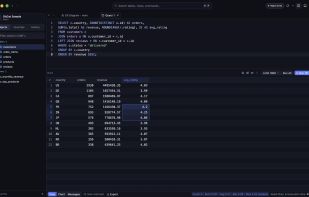
SQL query editor with results grid

Cost / License

  • Free
  • Proprietary

Application type

Since

  • New

Platforms

  • Mac
  • Windows
0likes
0articles
Save

Features

Properties

Features

Highlights All activities

DbCat News & Activities

Recent activities

DbCat information

AlternativeTo Category

Development
DbCat was added to AlternativeTo by forzen on and this page was last updated .

No comments or reviews, maybe you want to be first?

What is DbCat?

DbCat is a free, native database GUI for macOS and Windows, written in Rust and rendered on the GPU without a browser shell. It starts instantly and scrolls smoothly through million-row tables: tables are paginated and every query runs off the UI thread.

Supported databases: MySQL, MariaDB, TiDB, PostgreSQL, CockroachDB, SQLite, DuckDB, SQL Server, ClickHouse, Redis, Valkey and MongoDB.

Features:

  • Table browser with inline editing, 13 filter operators, server-side sorting and foreign-key navigation
  • Query editor with parameter binding, multiple result tabs, split panes, row limits and statement timeouts
  • Turn any query result into a chart; ER diagrams that follow your foreign keys
  • Structure designer for columns, indexes, foreign keys and triggers with DDL preview
  • Export to CSV, JSON or SQL, CSV import with column mapping, backup and restore
  • Execution plans (EXPLAIN / EXPLAIN ANALYZE) as a tree or heat-colored graph
  • Redis/Valkey workspace (all data types, console, Pub/Sub, ACL, slow log, Sentinel, Cluster) and MongoDB (Table/JSON/Tree views, indexes, schema validation)
  • Server administration: users, roles, privileges, live sessions
  • SSH tunnels, verified TLS, color-coded environment tags and four-level write protection
  • Built-in MCP server for AI tools such as Claude Code and Cursor, with approval for writes
  • Passwords only in the system keychain, zero telemetry, built-in auto-updates
  • Keyboard first (Cmd/Ctrl+P, Cmd/Ctrl+K), light and dark themes