

DBClient icon
DBClient icon

DBClient

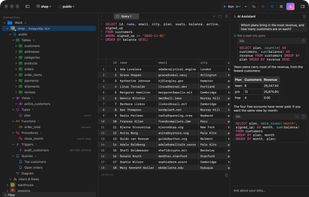
One native app for twelve database engines. Query, edit rows in place, design tables, draw your schema, ask an assistant — no account, no telemetry.
DBClient screenshot 1

Cost / License

  • Freemium (Subscription)
  • Proprietary

Application type

Platforms

  • Mac
  • Homebrew
0likes
0articles

Features

  1.  Ad-free
  2.  Syntax Highlighting
  3.  Dark Mode
  4.  Works Offline
  5.  No Tracking
  6.  No registration required
  7.  Code Formatting
  8.  Database Management Tool
  9.  Built-in terminal emulation
  10. PostgreSQL icon  PostgreSQL support
  11.  Keychain
  12. MySQL Community Edition icon  MySQL Support
  13.  SQLite
  14.  Built-in AI Assistant
  15.  Apple Silicon support
  16.  MongoDB
  17.  SSH
  18. MariaDB icon  Support for MariaDB
  19.  Support for Keyboard Shortcuts

DBClient News & Activities

Highlights All activities

Recent activities

DBClient information

  • Developed by

    US flagAZ Code Lab
  • Licensing

    Proprietary and Freemium product.
  • Pricing

    Subscription ranging between $34 and $99 per year + free version with limited functionality.
  • Alternatives

    51 alternatives listed
  • Badge

    Get an embeddable badge for DBClient
  • Supported Languages

    • English

AlternativeTo Categories

DevelopmentSystem & Hardware
DBClient was added to AlternativeTo by Paul on and this page was last updated .
No comments or reviews, maybe you want to be first?

What is DBClient?

The database client that belongs on a Mac. One native app for twelve database engines. Write queries, edit rows in place, design tables, draw your schema — with your Keychain, your Touch ID, and no account.

Twelve engines. One app.

Every feature is built against one driver contract, so the grid, the designers and the assistant work the same whether the server speaks Postgres, Oracle or Redis.

Connect safely, wherever the server is.

  • Keychain and Touch ID: Passwords are Keychain items, never a file, and using one can ask for Touch ID or your login password first. Or save none: leave Save Password off and the app asks when you connect, then forgets the answer when it quits.
  • SSH, SSL, proxies: SSH tunnels (password, RSA, Ed25519 or ECDSA key) checked against known_hosts; SSL up to full certificate verification; SOCKS5 and HTTP CONNECT proxies, chained with SSH when you need both.
  • Production mode: Mark a connection as production and every session starts with auto-commit off. Writes wait for your commit, and the status bar says so.
  • Reconnects that tell the truth: A dropped server is retried on a keepalive; a read is re-run for you, a write reports that it may have applied and asks you to check.
  • Move your set-up: Export connections, folders and saved queries as one readable file; import it on another Mac. Passwords come along only behind Touch ID.
  • Files open as connections: Drop a SQLite or DuckDB file or a .sql script on the window or the Dock; DBClient reads the bytes, not the extension, and opens the right thing. CSV and Parquet files open from the Data File tile.