DBerio is a desktop database client for managing MySQL, MariaDB, PostgreSQL, SQLite and Redis in one app, so you don't need a separate tool for each database.
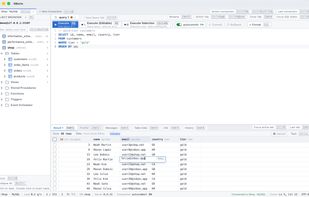
Open a table and its data appears in a grid. When you open a table that has a primary key, you can edit cells and add or delete rows without writing SQL. When you change a table's structure, DBerio shows the SQL it will run before anything is saved. For Redis, you can browse keys and view and edit string, hash, list, set and zset values (streams are view-only).
Connections can go through SSH tunnels with a password, a key, or an encrypted key. Passwords are stored in the macOS Keychain or Windows Credential Manager. There is no account to create, and the app does not collect usage data: no analytics, crash reporting, ads or company server.
Without a subscription, the only limits right now are 3 saved connection profiles and 2 simultaneous connections. Everything else works the same as Pro. DBerio Pro removes both limits (monthly or yearly subscription, with a 7-day trial).
Requires macOS 12 or later, or Windows 10 version 1809 or later (x64).
DBerio started because its developer moved between Windows and Mac and wanted one database client with the same interface on both.







 CodeSand


No comments or reviews, maybe you want to be first?