
Edgely Database Manager icon

Edgely Database Manager

 1 like

Edgely Database Manager is a desktop database client for macOS, Windows and Linux, built on a Rust core rather than Electron or Java. It connects to PostgreSQL, MySQL, MariaDB, SQL Server, Oracle, ClickHouse and MongoDB with native drivers, and reaches servers behind a firewall...
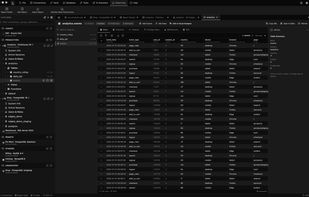
Table view of an 80,000-row ClickHouse table, with its columns, indexes and DDL

Cost / License

  • Free Personal
  • Proprietary

Application type

Since

  • New

Platforms

  • Mac
  • Windows
  • Linux
1like
0articles
Save

Features

Properties

Features

Highlights All activities

Edgely Database Manager News & Activities

Recent activities

Edgely Database Manager information

AlternativeTo Category

Development
Edgely Database Manager was added to AlternativeTo by Djamel-TORCHE on and this page was last updated .

No comments or reviews, maybe you want to be first?

What is Edgely Database Manager?

Edgely Database Manager is a desktop database client for macOS, Windows and Linux, built on a Rust core rather than Electron or Java. It connects to PostgreSQL, MySQL, MariaDB, SQL Server, Oracle, ClickHouse and MongoDB with native drivers, and reaches servers behind a firewall through an SSH tunnel set on each connection.

It covers the daily work of a developer or DBA in one app: a schema browser, a multi-tab SQL editor with dialect-aware completion, history and snippets, a virtualized data grid with inline editing, interactive ER diagrams and a visual table designer that previews the DDL before applying it.

Beyond querying, it compares schemas and data between two connections, generates migrations between SQL engines with type mapping, a dry run and a rollback script, benchmarks queries at increasing concurrency with p50, p95 and p99 latencies, dumps and restores databases, and builds reports exported to PDF, HTML or CSV.

An optional AI assistant works with a local Ollama model or the Claude Code CLI, with privacy mode on by default. A built-in MCP server lets Claude Desktop, Cursor or any other MCP client read schemas and run read-only queries through your existing connections.

Passwords stay on the device in an AES-256-GCM vault, opened through the OS keychain or a master password, and the app sends no telemetry. It is free and complete for personal use; paid plans add a commercial licence, more synced devices and priority support.