Ultra File Search Alternatives

Ultra File Search is described as 'Portable non-indexing Search Utility which is able to find quickly Files, Folders and Text on your Local, Network, DVD, CD-ROM, USB Hard or Flash Drives' and is a File Search utility in the file management category. There are more than 50 alternatives to Ultra File Search for a variety of platforms, including Windows, Mac, Linux, Microsoft Outlook and File Explorer apps. The best Ultra File Search alternative is Everything, which is free. Other great apps like Ultra File Search are FSearch, Keypirinha, DocFetcher and Agent Ransack.

Copy a direct link to this comment to your clipboard
Ultra File Search alternatives page was last updated

Alternatives list

  1. XSearch icon
     13 likes

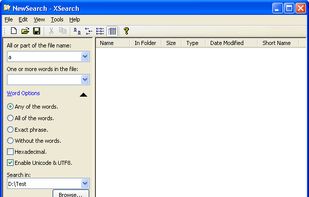
    XSearch is a free search tool that with more features that Windows Search didn't provided. It can search files on your computer in high speed. When searching for special words in files, you can specify the words option such as "Any of the words", "All of the...

    Cost / License

    • Free
    • Proprietary

    Application type

    Platforms

    • Windows
     
  2. FileSeek icon
     24 likes

    FileSeek is an easy-to-use file search app that includes advanced functionality for power users! Search through files using simple queries or regular expressions. You can even sync your search settings between computers.

    Cost / License

    • Freemium
    • Proprietary

    Application type

    Platforms

    • Windows
     
  3. SwiftSearch icon
     21 likes

    SwiftSearch is a lightweight program whose purpose is to help you quickly find the files you need on your Windows machine without ever requiring you to index your drives. Most search utilities that achieve similar speeds do so by indexing drives while the computer is idle, but...

    Cost / License

    • Free
    • Open Source

    Application type

    Platforms

    • Windows
     
  4. ANGRYsearch icon
     10 likes

    Instant file search, showing results as you type.

    Cost / License

    • Free
    • Open Source

    Application type

    Platforms

    • Linux
     
  5. Scherlokk icon
     6 likes

    Performs high-speed file searches using a proprietary engine across built-in, portable, and network drives, including hidden and non-indexed files, supports detailed result filtering, provides file comparison, hex editing, autosave, advanced sorting, and multitasking.

    Cost / License

    • Paid
    • Proprietary

    Application type

    Platforms

    • Mac
     
  6. Mira Search icon
     1 like

    Local-first desktop app for Mac offering plain English search across file names, metadata, and document contents. Uses semantic ranking, previews, live indexing, and keeps all processing local for privacy. Optional API-based semantic search can be enabled.

    Cost / License

    Application type

    Platforms

    • Mac
     
  7. FileSearchy icon
     37 likes

    File search utility that provides instant search by file name, and powerful search by file contents, size and date. Supports search inside PDF, Microsoft Office and other documents. Highlights found text in file names and contents. Clean and intuitive multi-tabbed user interface.

    Cost / License

    • Free Personal
    • Proprietary

    Application type

    Alerts

    • Discontinued

    Platforms

    • Windows
     
  8. PowerGREP icon
     23 likes

    PowerGREP is a powerful Windows grep tool. Quickly search through large numbers of files on your PC or network, including text and binary files, compressed archives, MS Word documents, Excel spreadsheets, PDF files, OpenOffice files, etc.

    81 PowerGREP alternatives

    Cost / License

    • Paid
    • Proprietary

    Application type

    Platforms

    • Windows
     
  9. Indexer++ icon
     13 likes

    Indexer++ is probably the best open-source desktop files and folders search utility for Windows.

    27 Indexer++ alternatives

    Cost / License

    • Free
    • Open Source (MIT)

    Application type

    Alerts

    • Discontinued

    Platforms

    • Windows
     
  10. Search files with smart queries as with Google, replace simple or multiline text in multiple files. The batch replace operation easily updates hundreds of different links in several files. Extremely fast, easy to use, with excellent help.

    Cost / License

    • Paid
    • Proprietary

    Application type

    Platforms

    • Windows
     
  11. Find Any File icon
     16 likes

    Find Any File searches your local disks for files by name, creation or modification date, size, or type and creator code (not by content, though). As there are other tools with a similar search operation, here are the special features unique to Find Any File:

    83 Find Any File alternatives

    Cost / License

    • Paid
    • Proprietary

    Application type

    Platforms

    • Mac
     
  12. AIKIN is a powerful new desktop search that can find item names and content using advanced pattern recognition and semantic awareness, that doesn't require the user to always know exactly how something was named or written.

    Cost / License

    • Freemium
    • Proprietary

    Platforms

    • Windows
     
You are at page 3 of Ultra File Search alternatives