Total Commander Alternatives

Total Commander is described as 'Comprehensive file manager with built-in FTP, file compare, archive navigation, multi-rename tool with regular expression support, and side-by-side windows' and is a leading File Manager in the file management category. There are more than 100 alternatives to Total Commander for a variety of platforms, including Windows, Mac, Android, Linux and Android Tablet apps. The best Total Commander alternative is Double Commander, which is both free and Open Source. Other great apps like Total Commander are FreeCommander, fman, Midnight Commander and Files.

filter to find the best alternatives

Total Commander alternatives are mainly File Managers, but if you're looking for File Search Utilities or FTP Clients you can filter on that. Other popular filters include Linux, Mac, iPhone, Open Source, Free, Windows and Mac + File Management. These are just examples - use the filter bar below to find more specific alternatives to Total Commander.
Copy a direct link to this comment to your clipboard
Total Commander alternatives page was last updated

Alternatives list

  1. Commander icon
     1 like
    Copy a direct link to this comment to your clipboard

    File management utility and image viewer. The program has an effective split screen interface with two directory views or a directory view and a file viewer.

    Cost / License

    • Free
    • Proprietary

    Application type

    Platforms

    • Windows
     
  2. Raysync icon
     3 likes
    Copy a direct link to this comment to your clipboard

    Raysync provides high-speed large file transfer solution for enterprises. Thanks to the proprietary UDP protocol, Raysync achieves maximum file transfer efficiency regardless of network conditions.

    Cost / License

    • Freemium (Pay once)
    • Proprietary

    Platforms

    • Software as a Service (SaaS)
     
  3. Copy a direct link to this comment to your clipboard

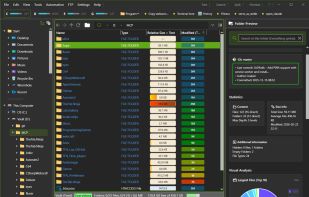
    Directory Report is a file manager designed to scan large hard drives to find duplicate files, rename files, locate large files and folder, print folder content and more. It provides a simple interface that will appeal to technical users.

    Cost / License

    • Paid
    • Proprietary

    Platforms

    • Windows
     
  4. Copy a direct link to this comment to your clipboard

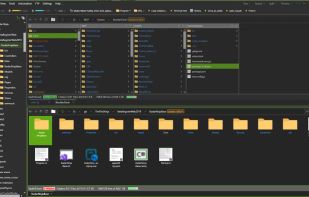
    Panels allows users to interact with macOS local file systems using two view instances placed side by side called panels.

    Cost / License

    • Free
    • Proprietary

    Application type

    Platforms

    • Mac
     
  5. Copy a direct link to this comment to your clipboard

    The SanDisk Memory Zone app makes it easier to manage and back up your Android™ powered device's memory. This versatile app lets you quickly copy your files to a memory card or to a variety of supported online storage services, freeing up your phone's internal memory.

    Cost / License

    • Free
    • Proprietary

    Platforms

    • Android
     
  6. Copy a direct link to this comment to your clipboard

    Multi-platform file manager for Windows, Linux, FreeBSD and OS X.

    Advantages: has a built-in terminal! have editor with syntax highlighting has a text viewer

    It has built a virtual file system (smb, ftp, sftp) there is the graphics and (version 0.18.0) cons.

    Cost / License

    • Free
    • Proprietary

    Platforms

    • Mac
    • Windows
    • Linux
    • BSD
     
  7. WinFrigate icon
     3 likes
    Copy a direct link to this comment to your clipboard

    Frigate3 is a handy file manager with built-in file viewers, handy utilities, and a wealth of other options that make managing and browsing through files easy.

    Cost / License

    • Pay once
    • Proprietary

    Application type

    Alerts

    • Discontinued

    Platforms

    • Windows
     
  8. Copy a direct link to this comment to your clipboard

    Rename, move, copy, delete, and otherwise manage multiple files. Rename multiple files according to the rules and pattern you specify using powerful editor with syntax highlighting. Copy, move files to folders specified using absolute/relative paths.

    Cost / License

    • Paid
    • Proprietary

    Application types

    Platforms

    • Windows
     
  9. 4pane icon
     3 likes
    Copy a direct link to this comment to your clipboard

    4Pane is a highly configurable dual-pane Linux file manager.

    The name is derived from the fact that each of the two panes has two sub-panes: one that shows the directory tree pane and the other that shows files in the selected folder (tree node).

    Although deceptively simple-l.

    Cost / License

    • Free
    • Open Source

    Application type

    Platforms

    • Linux
     
  10. Copy a direct link to this comment to your clipboard

    File Explorer Pro is a free, secure tool that helps you find file faster, manage files easily, powerful file manager with a clean, and intuitive interface. You can easily find how many files & apps you have on your device at a glance instantly.

    Cost / License

    • Free
    • Proprietary

    Application type

    Platforms

    • Android
     
  11. Copy a direct link to this comment to your clipboard

    Manager for Files - smart file explorer for your Windows 10 device!.

    Cost / License

    • Free
    • Proprietary

    Application type

    Platforms

    • Windows
     
You are at page 11 of Total Commander alternatives