
Throttlr icon
Throttlr icon

Throttlr

Throttlr is a native macOS utility that shows which apps and signed background services are using your network connection, then lets you control their bandwidth individually.
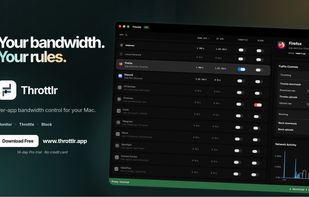
Throttlr's main dashboard shows live upload and download speeds for every app, with quick controls for throttling and blocking network traffic.

Cost / License

  • Freemium (Pay once or Subscription)
  • Proprietary

Platforms

  • Mac
1like
0comments
0articles

Features

Properties

  1.  Privacy focused

Features

  1.  No registration required
  2.  No Tracking
  3.  Dark Mode
  4.  Ad-free
  5.  Works Offline
  6.  Website Monitoring
  7.  Firewall

Throttlr News & Activities

Highlights All activities

Recent activities

Throttlr information

  • Developed by

    ID flagJustin Yap
  • Licensing

    Proprietary and Freemium product.
  • Pricing

    One time purchase that costs $40, and / or subscription that costs $2 per month + free version with limited functionality.
  • Alternatives

    4 alternatives listed
  • Supported Languages

    • English
Throttlr was added to AlternativeTo by Justin Yap on and this page was last updated .
No comments or reviews, maybe you want to be first?

What is Throttlr?

Throttlr is a native macOS utility that shows which apps and signed background services are using your network connection, then lets you control their bandwidth individually.

Monitor live upload and download speeds, set separate upload and download limits for a specific app, or block its traffic entirely. Throttlr can distinguish between internet and local-network traffic, apply controls per app or across the whole system, and display recent network activity so you can identify what is slowing down your connection.

Limits take effect in real time, allowing an app to keep working without consuming the entire connection. Traffic contents, browsing activity, and per-app network statistics remain on your Mac. The free tier includes traffic monitoring, while Pro adds throttling and blocking.

Throttlr is available as a direct download from its official website and through the Mac App Store. Both versions offer the same core Free and Pro features. The Mac App Store version uses Apple installation, updates, and StoreKit purchases, while the direct version uses a signed installer, built-in updates, and license keys for up to two Macs. Every eligible direct-download installation automatically starts a 14-day Pro trial on first launch, with no account or payment method required. The direct version also provides richer background-service details, and purchases currently do not transfer between versions.

Throttlr Videos

Official Links