





TermOnMac
4 likes
Enables secure, encrypted remote Mac terminal access from iPhone or iPad with QR code pairing, no SSH setup, cross-device session transfer, auto-reconnect with output replay, touch-optimized keyboard, configurable shortcuts, Cloudflare global network, and supports up to 4 Macs.
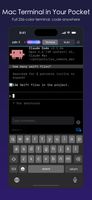

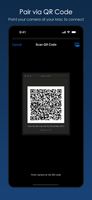

+4
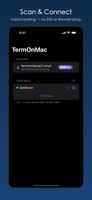

Cost / License
- Freemium (Subscription)
- Proprietary
Application typeApplication types
Platforms
- iPhone
- iPad

Features
TermOnMac News & Activities
Highlights All activities
Recent News
No news, maybe you know any news worth sharing?
Share a News Tip
Recent activities
- brokesimp69 liked TermOnMac




TermOnMac information
Developed by
 Chun-Pai Yang
 Licensing
Proprietary and Freemium product.Pricing
Subscription ranging between $1 and $3 per month + free version with limited functionality.Written in
Alternatives
17 alternatives listedBadge
Get an embeddable badge for TermOnMacSupported Languages

AlternativeTo Categories
Development, OS & Utilities, Security & Privacy, Network & AdminApple AppStore
- Updated
- 0 avg rating
GitHub repository
- 0 Stars
- 0 Forks
- 0 Open Issues
- Updated


No comments or reviews, maybe you want to be first?