Terminator for Android icon

Terminator for Android

 1 like

Terminator is an Android terminal emulator with multi-session support and deep customization. It handles terminal emulation for daily use but doesn't include built-in chroot/proot—you manage your own setup.
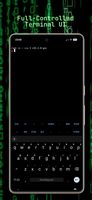
Full-Controlled Terminal UI
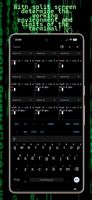
With split screen determine the working environment and limits of the terminal!
+2
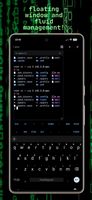
Floating window and fluid management!

Cost / License

Application type

Platforms

  • Android  Android 13+ (armv7,armv8,x86,x86_64)
1like
0articles
Save

Features

Properties

Features

Highlights All activities

Terminator for Android News & Activities

Recent activities

Terminator for Android information

AlternativeTo Category

OS & Utilities

GitHub repository

  •  39 Stars
  •  3 Forks
  •  0 Open Issues
  •   Updated  
View on GitHub

Popular alternatives

View all
Terminator for Android was added to AlternativeTo by Zaman Huseynli on and this page was last updated .

No comments or reviews, maybe you want to be first?

Official Links

What is Terminator for Android?

Terminator is an Android terminal emulator with multi-session support and deep customization. It handles terminal emulation for daily use but doesn't include built-in chroot/proot—you manage your own setup.


Appearance

  • Material UI with full color mapping, AMOLED black, and Material You support
  • Built-in themes: Default, Solarized Dark, Gruvbox Dark, Dracula, Nord (all configurable)
  • Custom options: RGB codes, CSS colors, custom TTF/OTF fonts
  • Theme repo: github.com/8dmusichannels-star/terminator-themes

Sessions

  • Multi-session support: Create multiple sessions, set defaults
  • Types: File-based (shell scripts) or command-argument (executables)
  • Options: Login paths, startup directories, root activation
  • Purge-on-clear: Controls PTY buffer data wiping

Terminal Features

  • Hyperlinks: Whitelisted formats; custom schemes available
  • Clipboard: OSC 32 support
  • Protocols: Kitty terminal protocol and emulation
  • Images: Sixel rendering, iTerm2 inline support
  • Notifications: OSC 777/OSC 9 with phone notifications
  • Export: Save sessions as .txt files

Display & Layout

  • Resizing: By text size, width, or zoom; pinch-to-zoom default
  • Transparency: Alpha, background blur support
  • UI: Show/hide status/title bars, horizontal orientation
  • Panes: Split-screen, floating panes, broadcast mode
  • Input: Physical keyboard and mouse support

Keyboard

  • Modes: Soft keyboard, virtual keybar (independent toggles)
  • IME modes: Default, semantically correct, Samsung workaround, CJK
  • Seccomp: Resolves operation-disallowed errors

Supported TERM Types

xterm, xterm-color, xterm-256color (recommended), screen, screen-256color, tmux, tmux-256color, xterm-kitty, vt220, vt100, ANSI.

Terminator for Android Videos