

Rayfish
Like
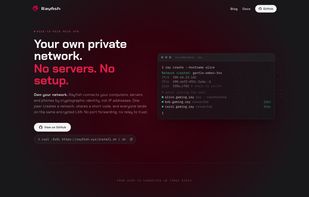
A peer-to-peer mesh VPN with zero infrastructure. Create a private network, share a code, and your machines reach each other as if they were on the same LAN. No servers to run, no ports to forward, no static IPs to manage.
Features
Properties
- Privacy focused
- Serverless
Features
- Ad-free
- No Tracking
- Firewall
- Custom DNS
- Peer to peer VPN
- Peer-To-Peer
- Mesh network
Rayfish News & Activities
Highlights All activities
Recent activities
Rayfish information
No comments or reviews, maybe you want to be first?
What is Rayfish?
A peer-to-peer mesh VPN with zero infrastructure. Create a private network, share a code, and your machines reach each other as if they were on the same LAN. No servers to run, no ports to forward, no static IPs to manage.
Features:
- Closed-by-default networks with one-time invites, reusable fleet keys, or live approval (--open for public ones)
- Direct 2-peer connections. ray connect <contact-id> links you to one person with no room id or invite, approved like a friend request
- Magic DNS. name.network.ray, updated live as peers join, leave, or rename
- Per-device firewall. A userspace firewall for mesh traffic, separate from and layered on top of your host/kernel firewall (both must allow a packet). Directional, per-port, per-network rules with stateful return traffic. Secure by default: unsolicited inbound TCP/UDP is denied, while inbound ICMP and all outbound traffic are allowed. ray firewall add in allow -p tcp --port N opens a port for a service you run yourself (e.g. your own sshd on --port 22), --peer scopes it to one peer, and ray firewall reject on makes blocked connections fail fast instead of hanging. Don't want a second firewall? ray firewall off disables it entirely on that device. See ray firewall --help for the full model.
- Mesh SSH, no keys. ray firewall ssh on runs an embedded SSH server on your mesh IPs; ray firewall ssh allow <network> <peer> authorizes a peer to log in. Connect with a stock client (ssh user@host.ray) — the peer is authenticated by its mesh identity, so there are no authorized_keys to distribute (Tailscale-style). For now an authorized peer may log in as any local user.
- Coordinator firewall suggestions. On any network the coordinator can suggest firewall rules that ride the signed network record (* targets all hosts); each node reviews them or opts into auto-install with --auto-accept-firewall.
- Declarative provisioning. ray apply deploy.yaml stands up networks and firewall rules from a YAML spec. Define aliases: (a name for a user, expanding to all their devices) and groups: (a set of users/hosts) once, then reference them in firewall rules instead of repeating hostnames. ray identityof <net> <host> prints the identity string to alias. ray alias <net> set <host> <name> saves an alias on the node itself: it shows inline in ray status and seeds a spec's aliases: so you don't have to re-declare it.
- Multi-device identity. Pair your laptop and phone under one identity; encrypted key backup (optionally to 1Password).
- File sharing. ray send file.zip bob. Opt into ray files auto-accept <net> on to have transfers from your own paired devices land automatically; point them anywhere with ray files download-dir <path> or download-user <user>.
- mDNS local discovery, and optional Tor transport.
- Operator model. Like Tailscale, run day-to-day commands without sudo.


