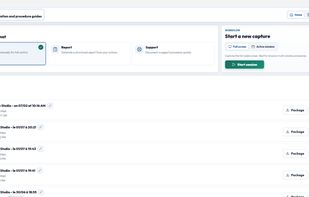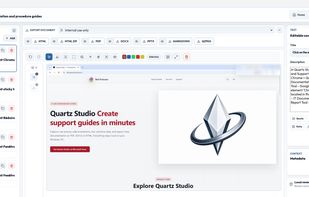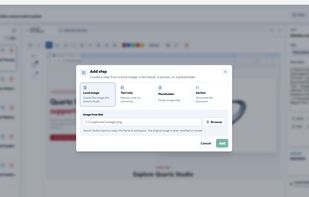
Quartz Studio turns support actions into clear step-by-step documentation, support reports and incident evidence — locally on Windows, without cloud uploads.
Cost / License
- Paid
- Proprietary
Platforms
- Windows


Tango - Screenshot Workflow Builder is described as 'It creates workflows based on screenshots in a very simple and intuitive way. Tango is a magical tool for creating how-to guides' and is a workflow automation tool in the photos & graphics category. There are more than 10 alternatives to Tango - Screenshot Workflow Builder for a variety of platforms, including Web-based, Google Chrome, SaaS, Windows and Mac apps. The best Tango - Screenshot Workflow Builder alternative is Quartz Studio. It's not free, so if you're looking for a free alternative, you could try Trupeer.ai or MagicHow. Other great apps like Tango - Screenshot Workflow Builder are Guidejar, Scribehow, Folge and SureSteps.
Quartz Studio turns support actions into clear step-by-step documentation, support reports and incident evidence — locally on Windows, without cloud uploads.


Converts rough screen recordings into professional videos with AI-enhanced scripts, natural voiceovers, automated zoom, grammar correction, and generates step-by-step guides with screenshots and descriptions—no editing or technical background required.


MagicHow is a free step-by-step guide creation tool for automatic process documentation and creating instructional documents like how-to guides, manuals, tutorials, and standard operating procedures (SOPs).


Transform documentation with AI-powered guides and demos. Enjoy seamless workflow capture via the browser, embed online, and customize with branding. Optimize guide visibility with SEO and enhance engagement using no-code features like click targets and CTAs.


Automates step-by-step workflow guides by capturing browser or desktop actions, using AI to create editable, customizable manuals with screenshots, supporting sharing, integration, exporting to multiple formats, and enabling organizations to maintain up-to-date SOPs, training, and documentation.


The fastest tool for creating step-by-step guides. A desktop tool to capture steps with every click of the mouse, customize screenshots, create annotations, and generate the final guide in HTML, .doc, PDF, and more.


Boost your customer support by creating personalized step-by-step instructions that turn into interactive support in an instant.


Fastest way to create step-by-step guides. Perfect for automatic process documentation, screenshot instructions, how-to guides and SOP documents! Great free alternative to ScribeHow or Guidde.


Instructio allows you to create clear and beautiful step-by-step guides in minutes. You can use the editor to manually create and customize guides by adding images and videos, fonts and design styles. But you can also automate the process of creating instructions using an...


SOPX converts process videos and existing PDF procedures into structured, step-by-step digital SOPs using AI.


MotionShot is a guide & tutorial making platform. It lets you create walkthrough guides with screens showing steps, highlighting parts of the screens with annotations, zooms & transitions. It provides a Chrome extension as well to help you in capturing the screens and...


Fluency is the process excellence platform that makes automation accessible to everyone in a business, without code.