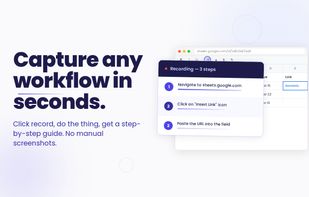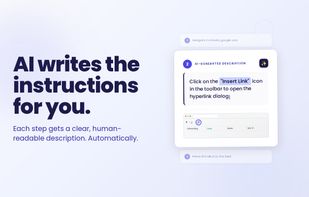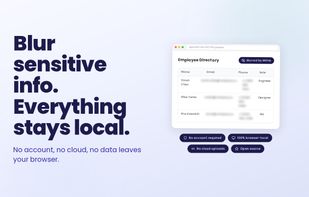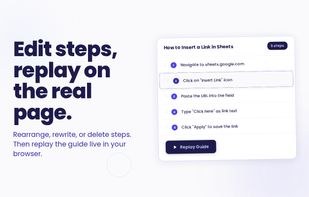

Auto-capture any browser workflow into a step-by-step guide with screenshots. Local-first, open source, bring your own AI key.
Cost / License
- Free
- Open Source (MIT)
Application type
Platforms
- Microsoft Edge
- Google Chrome
- Mozilla Firefox



Scribehow is described as 'Automates step-by-step guide creation by capturing user actions with AI, generating customizable manuals, enabling sharing, integration, export, and workflow insights' and is a Screen Recorder in the web browsers category. There are more than 25 alternatives to Scribehow for a variety of platforms, including Web-based, Google Chrome, SaaS, Windows and Mac apps. The best Scribehow alternative is Mimik, which is both free and Open Source. Other great apps like Scribehow are MagicHow, Trupeer.ai, Guidde and Guidejar.
Auto-capture any browser workflow into a step-by-step guide with screenshots. Local-first, open source, bring your own AI key.


MagicHow is a free step-by-step guide creation tool for automatic process documentation and creating instructional documents like how-to guides, manuals, tutorials, and standard operating procedures (SOPs).


Converts rough screen recordings into professional videos with AI-enhanced scripts, natural voiceovers, automated zoom, grammar correction, and generates step-by-step guides with screenshots and descriptions—no editing or technical background required.


Generate instant video and document guides with generative AI, highlight automation, drag-and-drop editing, multi-language voiceovers, team collaboration, workflow integration, custom branding, sensitive data blurring, and browser-based sharing for fast training, support, and onboarding.


Transform documentation with AI-powered guides and demos. Enjoy seamless workflow capture via the browser, embed online, and customize with branding. Optimize guide visibility with SEO and enhance engagement using no-code features like click targets and CTAs.


The fastest tool for creating step-by-step guides. A desktop tool to capture steps with every click of the mouse, customize screenshots, create annotations, and generate the final guide in HTML, .doc, PDF, and more.


Boost your customer support by creating personalized step-by-step instructions that turn into interactive support in an instant.


It creates workflows based on screenshots in a very simple and intuitive way. Tango is a magical tool for creating how-to guides.

Dubble watches how you work and translates your actions into written step-by-step guides, videos and screenshots - so you don’t have to.


Tired of manually documenting processes? Guide to Docs is the ultimate Chrome extension that records your screen actions and instantly generates professional user guides — complete with screenshots and step-by-step instructions.


Tired of showing your teammates what to click in yet another web-based service added to your project? Worry not, you can now generate a step-by-step documentation of the workflow as you go! Start recording, go through the workflow, and adjust descriptions if necessary.


Capture any flow like magic, and watch them turn into visually engaging how-to guides that minimizes the learning curve for your users.


As for me, it's more user-friendly, it works with Firefox and has a desktop version which could be very useful