Tango - Screenshot Workflow Builder Alternatives

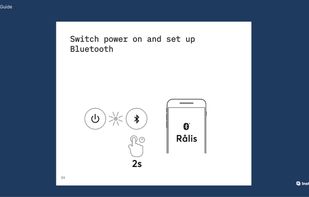
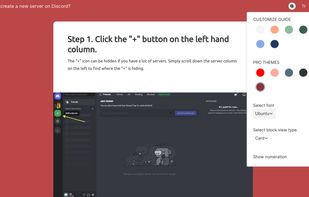
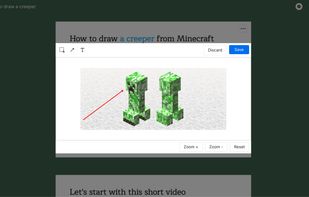
Tango - Screenshot Workflow Builder is described as 'It creates workflows based on screenshots in a very simple and intuitive way. Tango is a magical tool for creating how-to guides' and is a workflow automation tool in the photos & graphics category. There are more than 10 alternatives to Tango - Screenshot Workflow Builder for a variety of platforms, including Web-based, Google Chrome, SaaS, Mac and Windows apps. The best Tango - Screenshot Workflow Builder alternative is MagicHow, which is free. Other great apps like Tango - Screenshot Workflow Builder are Trupeer.ai, Guidejar, Scribehow and Folge.

Copy a direct link to this comment to your clipboard
Tango - Screenshot Workflow Builder alternatives page was last updated

Alternatives list

  1. Trails.so icon
     Like
    Copy a direct link to this comment to your clipboard

    Trails makes it simple for anyone to build a step-by-step guide. No copying and pasting screenshots - just record your process and out comes a beautiful guide in just 3 simple steps:

    Cost / License

    • Freemium (Subscription)
    • Proprietary

    Platforms

    • Online
     
  2. Gyde AI icon
     Like
    Copy a direct link to this comment to your clipboard

    Save hours daily by instantly auto-generating & sharing step-by-step guides in screenshots and video, ensuring everyone masters any process quickly & easily.

    Cost / License

    • Freemium (Subscription)
    • Proprietary

    Platforms

    • Google Chrome
     
  3. SowFlow icon
     Like
    Copy a direct link to this comment to your clipboard

    Streamlines step-by-step guide creation, enhances organizational information flow, and ensures documentation remains current and efficient, boosting scalability.

    Cost / License

    • Freemium (Subscription)
    • Proprietary

    Platforms

    • Online
    • Google Chrome
     
You are at page 2 of Tango - Screenshot Workflow Builder alternatives