The Best Open Source Synergy AlternativesTop Mouse & Keyboard Sharing Utilities like Synergy

The best open source alternative to Synergy is Barrier. If that doesn't suit you, our users have ranked more than 10 alternatives to Synergy and eight of them is open source so hopefully you can find a suitable replacement. Other interesting open source alternatives to Synergy are Input Leap, InputShare, Deskflow and x2vnc (win2vnc).

Copy a direct link to this comment to your clipboard
Synergy alternatives page was last updated

Alternatives list

  1. Barrier icon
     130 likes

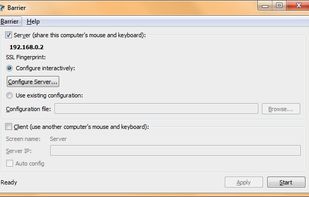
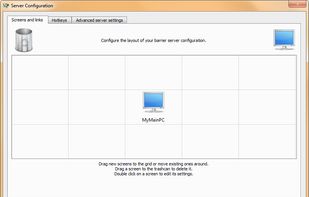
    Barrier is a cross-platform software utility for sharing your mouse and keyboard between multiple computers on your desk. It was forked from Synergy version 1.9's codebase.

    21 Barrier alternatives

    Cost / License

    • Free
    • Open Source

    Alerts

    • Discontinued

    Platforms

    • Mac
    • Windows
    • Linux
    • FreeBSD
    • OpenBSD
     
    |
    17
    Discontinued

    The Barrier project has been unmaintained for several years, and efforts to continue developing the project have continued in this repo: https://github.com/input-leap/input-leap More details can be found here: https://github.com/input-leap/input-leap/issues/1414

    Barrier vs Synergy Comments
    Top Positive Comment
    Iaian7
    7

    This is the only cross-platform solution I've found so far, and it's working a heck of a lot better than Synergy!

    Top Negative Comment
    kylefmohr
    4

    No longer maintained as of Feb 2022, development efforts have continued under the "InputLeap" project on GitHub

    mazee
    Positive
    6

    Last update from November 2021. Main developers moved to Input Leap. For now both Input Leap and Barrier are more or less at the same state, but going forward Input Leap might be the better choice.

    3 of 17 comments
    • Barrier is Free and Open SourceSynergy is Paid and Proprietary
  2. Input Leap icon
     34 likes

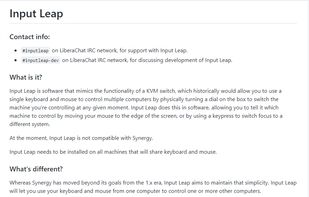
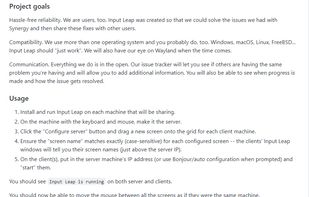
    Input Leap is software that mimics the functionality of a KVM switch, which historically would allow you to use a single keyboard and mouse to control multiple computers by physically turning a dial on the box to switch the machine you're controlling at any given moment.
    22 Input Leap alternatives

    Cost / License

    • Free
    • Open Source

    Alerts

    • Discontinued

    Platforms

    • Mac
    • Windows
    • Linux
    • BSD
    • Flathub
    • Flatpak
     
    |
    2
    Discontinued

    The latest version (3.0.3) was released in June 2025, and the GitHub repository has been archived.

    Input Leap vs Synergy Comments
    CountBuggula
    Positive
    1

    It's the currently maintained fork of the original open-source version of Synergy.

    kylefmohr
    Positive
    1

    A fork of Synergy from back when it was open source, that is actively being developed, and works cross-platform.

    • Input Leap is Free and Open SourceSynergy is Paid and Proprietary
  3. Deskflow icon
     12 likes

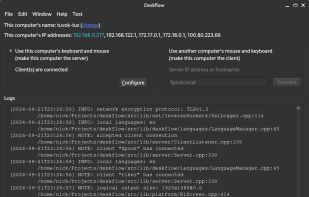
    Deskflow is a free and open-source keyboard and mouse sharing app. Use the keyboard, mouse, or trackpad of one computer to control nearby computers, and work seamlessly between them. It's like a software KVM (but without the video). TLS encryption is enabled by default.
    16 Deskflow alternatives

    Cost / License

    Platforms

    • Mac
    • Windows
    • Linux
    • BSD
    • Flathub
    • Flatpak
     
  4. x2vnc (win2vnc) icon
     11 likes

    This program will let you use two screens on two different computers as if they were connected to the same computer.

    Cost / License

    • Free
    • Open Source

    Alerts

    • Discontinued

    Platforms

    • Windows
    • Linux
     
    |
    2
    Discontinued

    The project is no longer developed but the program is still downloadable and working

    x2vnc (win2vnc) vs Synergy Comments
    Guest
    Negative
    0

    This does not actually replicate the functionality of Synergy

    Guest
    Positive
    -5

    While the description is a little vague, they seem to imply that your keyboard/mouse input is sent to another PC when you move your mouse into a tiny window on either PC.

    • x2vnc (win2vnc) is Free and Open SourceSynergy is Paid and Proprietary
  5. Win2VNC icon
     6 likes

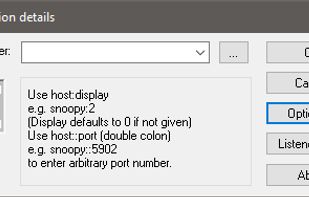
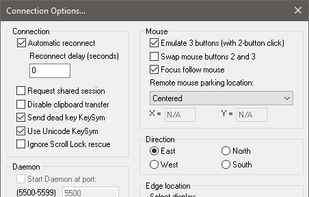
    This program will let you use two screens on two different computers as if they were connected to the same computer. It even works between different operating systems.
    Cost / License

    • Free
    • Open Source

    Application type

    Alerts

    • Discontinued

    Platforms

    • Windows
     
  6. Lan Mouse icon
     2 likes

    Mouse & Keyboard sharing via LAN for Desktop Windows/Mac/Linux.

    Cost / License

    Platforms

    • Mac
    • Windows
    • Linux
     
  7.  3 likes

    Controls multiple computers via another's keyboard and mouse.

    Cost / License

    • Free
    • Open Source (MIT)

    Alerts

    • Discontinued

    Platforms

    • Windows
     
8 of 8 Synergy alternatives