


Beamer App
1 like
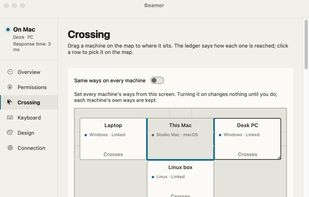
Beamer shares one keyboard and mouse or trackpad between Macs, Windows PCs and Linux computers on the same local network. Push the pointer through a chosen screen edge to move to another computer, or switch with a key on macOS and Windows. Each computer keeps its own display.

Cost / License
- Free
- Open Source (GPL-3.0)
Application typeApplication types
Platforms
- Mac
- Windows
- Linux


Features
Highlights All activities
Beamer App News & Activities
Recent activities
- Federico Prescianotto liked Beamer App
- KalkmanCode added Beamer App
- Paul updated Beamer App
 KalkmanCode added Beamer App as alternative to Synergy, Apple Universal Control, Barrier, Input Leap and 3 more

Developed by
 Kalkman Code
 Licensing
Open Source (GPL-3.0) and Free product.Written in
Alternatives
7 alternatives listedBadge
Get an embeddable badge for Beamer AppSupported Languages

AlternativeTo Category
OS & UtilitiesGitHub repository
- 286 Stars
- 21 Forks
- 11 Open Issues
- Updated


No comments or reviews, maybe you want to be first?