


Sane Break
7 likes
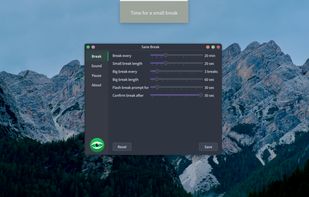
Sane Break is a cross-platform break reminder designed to help you take meaningful breaks without disrupting your workflow. Sane Break allows you to take ownership of when to stop and break. It starts by providing a gentle, non-intrusive reminder through a flashing window.

Cost / License
- Free
- Open Source (GPL-3.0)
Application typeApplication types
Platforms
- Mac
- Windows
- Linux
- Flathub
- Flatpak


Features
Highlights All activities
Sane Break News & Activities
Recent activities
 Alban Bertolini added Sane Break as alternative to Mossy
- soul1472 updated Sane Break
 Xernai added Sane Break as alternative to RestifEye
 ergoblin added Sane Break as alternative to Ergoblin
 Paul added Sane Break as alternative to Mushroom
 caoxingyu added Sane Break as alternative to DeskPet Reminder
 Razi Aghababa added Sane Break as alternative to Posturio
 Danilo Venom added Sane Break as alternative to knook
 Paul added Sane Break as alternative to Kedip
 Danilo Venom added Sane Break as alternative to Healthy Desk


Developed by
Allan ChainLicensing
Open Source (GPL-3.0) and Free product.Written in
Alternatives
22 alternatives listedBadge
Get an embeddable badge for Sane BreakSupported Languages

AlternativeTo Categories
Office & Productivity, Sport & HealthGitHub repository
- 102 Stars
- 13 Forks
- 9 Open Issues
- Updated


No comments or reviews, maybe you want to be first?