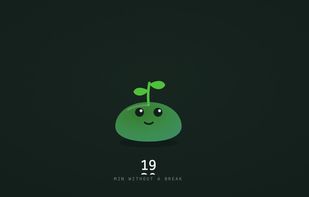
Mossy is a small plant that lives in a corner of your desktop. The longer you stay seated, the more it wilts, and a counter under it shows how long it has been since your last break.
It never takes over the screen. No full-screen overlay, no dimming, no locked keyboard, no countdown you have to dismiss. When Mossy thinks you have been sitting too long it offers a break in a small speech bubble, and ignoring it is a normal way to use the app rather than a failure to correct.
What the break contains is up to you. You write one sentence describing what you want to work on, once, and each break is written from it, so no two are the same and someone with a bad back and someone with stiff shoulders get different exercises. Breaks come in three rhythms, every 30, 60 or 120 minutes, lasting 3, 5 or 15 minutes.
Mossy stays quiet when it should. It waits while your microphone is live or a video is playing, so it will not interrupt a meeting, and it can be hidden entirely for a screen share while the counter keeps running.
There is no account and no sign-up. Written in Swift and AppKit with no third-party dependencies, the app is 1.6 MB and notarized by Apple. It requires macOS 12 or later, and it is free.





 EU
EU


 Alban Bertolini

No comments or reviews, maybe you want to be first?