PlayClaw Alternatives

PlayClaw is described as 'Is game video recording and streaming tool with various overlays' and is a Screen Recorder in the gaming software category. There are more than 50 alternatives to PlayClaw for a variety of platforms, including Windows, Mac, Linux, Web-based and Steam apps. The best PlayClaw alternative is OBS Studio, which is both free and Open Source. Other great apps like PlayClaw are SimpleScreenRecorder, MSI Afterburner, VokoscreenNG and Bandicam.

Copy a direct link to this comment to your clipboard
PlayClaw alternatives page was last updated

Alternatives list

  1. Copy a direct link to this comment to your clipboard

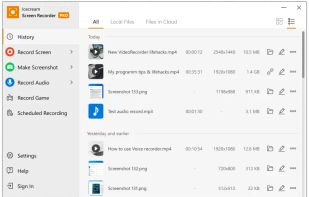
    Apowersoft Screen Recorder captures screen and audio activity, saving it as WMV video files. It includes a converter for transforming WMV files into formats like AVI, MP4, FLV, SWF, and more. The software records PC screen activity with audio, webcam videos, external device...

    103 Apowersoft Screen Recorder alternatives

    Cost / License

    • Freemium
    • Proprietary

    Application type

    Platforms

    • Windows
    • Online
     
  2. Copy a direct link to this comment to your clipboard

    Versatile screen recording and live streaming tool, broadcasting to over 30 platforms. Enhances streams with stickers, templates, and images. Supports lectures and games, offers scheduled recording and operates as a virtual camera for meetings.

    126 Edimakor Screen Recorder alternatives

    Cost / License

    • Subscription
    • Proprietary

    Application type

    Platforms

    • Mac
    • Windows
     
  3. Copy a direct link to this comment to your clipboard

    Screencast Capture Lite is a tool to continuously capture the desktop screen, storing this information in video files. The application supports recording from the primary screen, from a chosen window or from a fixed region.

    Cost / License

    • Free
    • Open Source

    Alerts

    • Discontinued

    Platforms

    • Windows
     
  4. Copy a direct link to this comment to your clipboard

    Record full screen or customized areas with webcam options. Annotate in real time, highlight cursor actions, and record both system and voiceover audio. Ideal for creating instructional videos, webinars, and presentations. Free for personal use, compatible with PCs.

    Cost / License

    • Pay once or Subscription
    • Proprietary

    Platforms

    • Mac
    • Windows
     
  5. Krut icon
     15 likes
    Copy a direct link to this comment to your clipboard

    Krut is a screencast tool that is written in Java and well suited for making video tutorials (instructional videos) on most platforms. Krut records movie files, including sound, of selected parts of your screen. The files use the quicktime mov format.

    Cost / License

    • Free
    • Open Source

    Alerts

    • Discontinued

    Platforms

    • Windows
    • Linux
     
  6. oCam icon
     23 likes
    Copy a direct link to this comment to your clipboard

    oCam is a video recording program that can record video to be played on the monitor via your PC.

    121 oCam alternatives

    Cost / License

    • Free Personal
    • Proprietary

    Application type

    Alerts

    • Bundleware

    Platforms

    • Windows
     
  7. Gamecaster icon
     4 likes
    Copy a direct link to this comment to your clipboard

    Gamecaster is a graphical user interface for open source framework 'glc'. It can capture real time footage of any game that uses ALSA for sound and OpenGL for drawing. Gamecaster can also encode any captured .glc file into webm video format.

    Cost / License

    • Free
    • Open Source

    Alerts

    • Discontinued

    Platforms

    • Linux
     
  8. ffscreencast icon
     2 likes
    Copy a direct link to this comment to your clipboard

    ffscreencast is an ffmpeg screencast/desktop-recording tool for the command-line with video overlay and multi monitor support.

    Cost / License

    • Free
    • Open Source

    Alerts

    • Discontinued

    Platforms

    • Mac
    • Linux
     
You are at page 3 of PlayClaw alternatives