NameQuick AlternativesFile & Exif Renamers like NameQuick

NameQuick is described as 'Renames documents using extracted content like dates and vendor names, applies user-defined templates, supports batch processing, rules, automation, and undo history' and is a File Renamer in the ai tools & services category. There are more than 50 alternatives to NameQuick for a variety of platforms, including Windows, Mac, Linux, Web-based and BSD apps. The best NameQuick alternative is Bulk Rename Utility. It's not free, so if you're looking for a free alternative, you could try Bulk Rename Utility or Ant Renamer. Other great apps like NameQuick are Advanced Renamer, Rename X Pro, Keep It Shot and Rename Master.

Copy a direct link to this comment to your clipboard
NameQuick alternatives page was last updated

Alternatives list

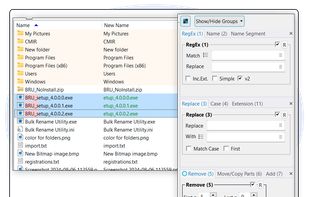
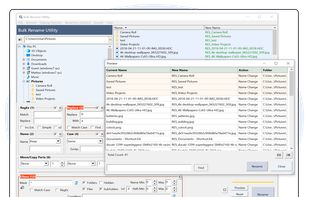
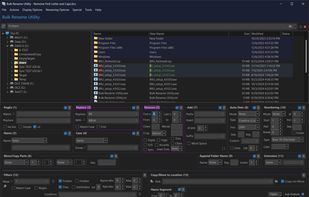
  1. Batch utility for Windows enables advanced file and folder renaming using customizable rules, date/time stamps, EXIF and ID3 tags, case conversion, wildcards, batch processing, preview changes, command-line options, and requires a license for business use.

    96 Bulk Rename Utility alternatives

    Cost / License

    • Free Personal
    • Proprietary

    Application types

    Platforms

    • Windows
     
  2. Ant Renamer icon
     99 likes

    Free, open-source tool for bulk renaming files and folders, with Unicode support, rule-based modifications, EXIF and MP3 tag integration, regular expressions, case changes, extension edits, randomization, list input, preview of changes, and no content alteration.

    89 Ant Renamer alternatives

    Cost / License

    Application types

    Platforms

    • Windows
    • PortableApps.com
    • Wine
     
  3. ReNamer icon
     171 likes

    Batch rename files and folders using prefixes, suffixes, extensions, case modifications, and bracket removal. Supports RegEx, PascalScript, custom rule sets, Unicode, and meta tags including ID3, EXIF, OLE, AVI, MD5, CRC32, and SHA1. Ideal for large batch tasks.

    89 ReNamer alternatives

    Cost / License

    • Freemium
    • Proprietary

    Application types

    Platforms

    • Windows
     
  4. Efficiently batch rename files or folders using customizable rules, real-time preview, EXIF and GPS-based metadata extraction, music and video tag integration, undo ability, command line automation, dark theme, and support for regular expressions or JavaScript.

    94 Advanced Renamer alternatives

    Cost / License

    • Free Personal
    • Proprietary

    Application types

    Platforms

    • Mac
    • Windows
     
  5. Rename X Pro icon
     3 likes

    Professional batch file renaming tool for macOS. Perfect for photographers, web professionals, and home users. Organize files using EXIF data, photo locations, regex support, and more with live preview.

    Cost / License

    • Paid
    • Proprietary

    Application type

    Platforms

    • Mac
     
  6. Keep It Shot icon
     5 likes

    Automatically generates descriptive filenames for images and videos using AI, batch renames files, enables instant keyword indexing, provides offline private searching, supports file revert, custom rename prompts, and helps organize large local media libraries efficiently.

    Cost / License

    • Freemium
    • Proprietary

    Application types

    Platforms

    • Mac
    • Setapp
     
  7. Rename Master icon
     20 likes

    Rename Master is a freeware utility designed to rename multiple files with a just few clicks. Anyone that has worked with websites, file archives, or collections of music, videos, or pictures has probably spent way too much time renaming hundreds of files.

    Cost / License

    • Free
    • Open Source

    Application types

    Platforms

    • Windows
     
  8. KRename icon
     20 likes

    KRename is a powerful batch renamer for KDE. It allows you to easily rename hundreds or even more files in one go. The filenames can be created by parts of the original filename, numbering the files or accessing hundreds of informations about the file, like creation date or Exif...

    Cost / License

    • Free
    • Open Source

    Application types

    Platforms

    • Linux
    • Flathub
     
  9. F2 icon
     12 likes
    • F2 helps you organise your filesystem through batch renaming so that your files and directories can have a consistent naming scheme.

    Cost / License

    • Free
    • Open Source (MIT)

    Application types

    Platforms

    • Mac
    • Windows
    • Linux
     
  10. Rename your files directly or with your favorite text editor, making use of all your 1337 keyboard shortcuts.

    Cost / License

    • Free
    • Open Source (MIT)

    Application type

    Platforms

    • Mac
    • Windows
    • Linux
     
  11. Métamorphose icon
     25 likes

    Batch tool for renaming files and folders with preview, undo, unlimited customizable operations, recursive subdirectory support, regular expressions, metadata handling, full unicode compatibility, multilingual filename management, and multi-platform use.

    Cost / License

    Application type

    Platforms

    • Windows
    • Linux
    • BSD
    • Oracle Solaris
    • OpenSolaris
     
  12. FilesDesk icon
     1 like

    FilesDesk is an AI-powered file renaming app that automatically analyzes and renames your documents based on their actual content, turning messy folders into organized, searchable clarity.

    Cost / License

    • Paid
    • Proprietary

    Platforms

    • Mac
    • Windows
     
12 of 59 NameQuick alternatives