


NameQuick
3 likes
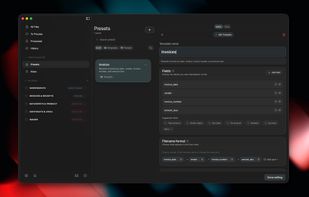
Intelligently renames PDFs, scans, images, and Office documents on macOS by extracting dates, vendors, and other details, applying templates, automating via watched folders, tagging, batch history with undo, and supporting local or cloud AI processing.

Cost / License
- Pay once or Subscription
- Proprietary
Application typeApplication types
 EU
EUPlatforms
- Mac
- Windows


Features
NameQuick News & Activities
Highlights All activities
Recent News
No news, maybe you know any news worth sharing?
Share a News Tip
Recent activities
 Alireza Noori added NameQuick as alternative to Filewright
 Sdiazthomas added NameQuick as alternative to Tidy for Mac
- JMou replied to a comment / review on NameQuick
- JMou updated NameQuick
- Danilo Venom updated NameQuick


NameQuick information
Developed by
 Synthropy
 Licensing
Proprietary and Commercial product.Pricing
One time purchase that costs $69, and / or subscription ranging between $12 and $99 per month.Alternatives
69 alternatives listedBadge
Get an embeddable badge for NameQuickSupported Languages


Comments and Reviews
This is a bad app mainly because it doesn't do its job well: it renames files to nonsense and sometimes to the name of the app and parts of system prompt; As usual with LLM («AI») tools, it can't sense when it's unsure and acts regardless of that
Thanks for the honest feedback, and sorry it hit you that way. You were right about the version you tried a year ago: a model could put junk or its own instructions into a filename, and the app applied it anyway.
A lot has changed since. Every proposed name now appears in a review step next to the exact text it was taken from, so nothing on disk changes until you accept it, and every batch can be undone from History. Output that does not come from the document, including refusals and leaked instructions, is caught and sent to review instead of being applied. Naming templates and rules give you control over the shape of the name, watch folders handle new files as they arrive, and on Mac you can run a local model so nothing leaves your machine. NameQuick 3, rebuilt in August 2026, is the current release for Mac and Windows.
If you want to give it another try, download it from namequick.app. The trial is 50 renames, no card. And if you still see a nonsense name, send me the file type and the name it produced at josef@namequick.app. I read every one.
Josef, NameQuick developer