





RenomeeAi
1 like
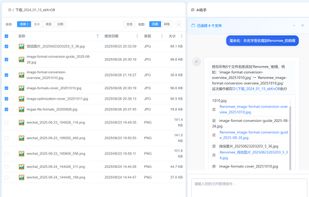
Rename 1000+ files by just talking to AI. Supports PDF/Word/Excel content extraction, OCR for scanned documents, and high-speed batch processing.

Cost / License
- Freemium (Pay once)
- Proprietary
Application typeApplication types
Platforms
- Mac
- Windows

Features
RenomeeAi News & Activities
Highlights All activities
Recent activities
- renomeeai updated RenomeeAi
- renomeeai liked RenomeeAi
- tianhe he added RenomeeAi
 tianhe he added RenomeeAi as alternative to Bulk Rename Utility, ReNamer, Advanced Renamer, KRename and 15 more
RenomeeAi information
Developed by
UnknownLicensing
Proprietary and Freemium product.Pricing
One time purchase (perpetual license) that costs up to $15 + free version with limited functionality.Alternatives
19 alternatives listedBadge
Get an embeddable badge for RenomeeAiSupported Languages


No comments or reviews, maybe you want to be first?